SoundSource 6.1.4
SoundSource: Mac audio control app for per-app volume and effects

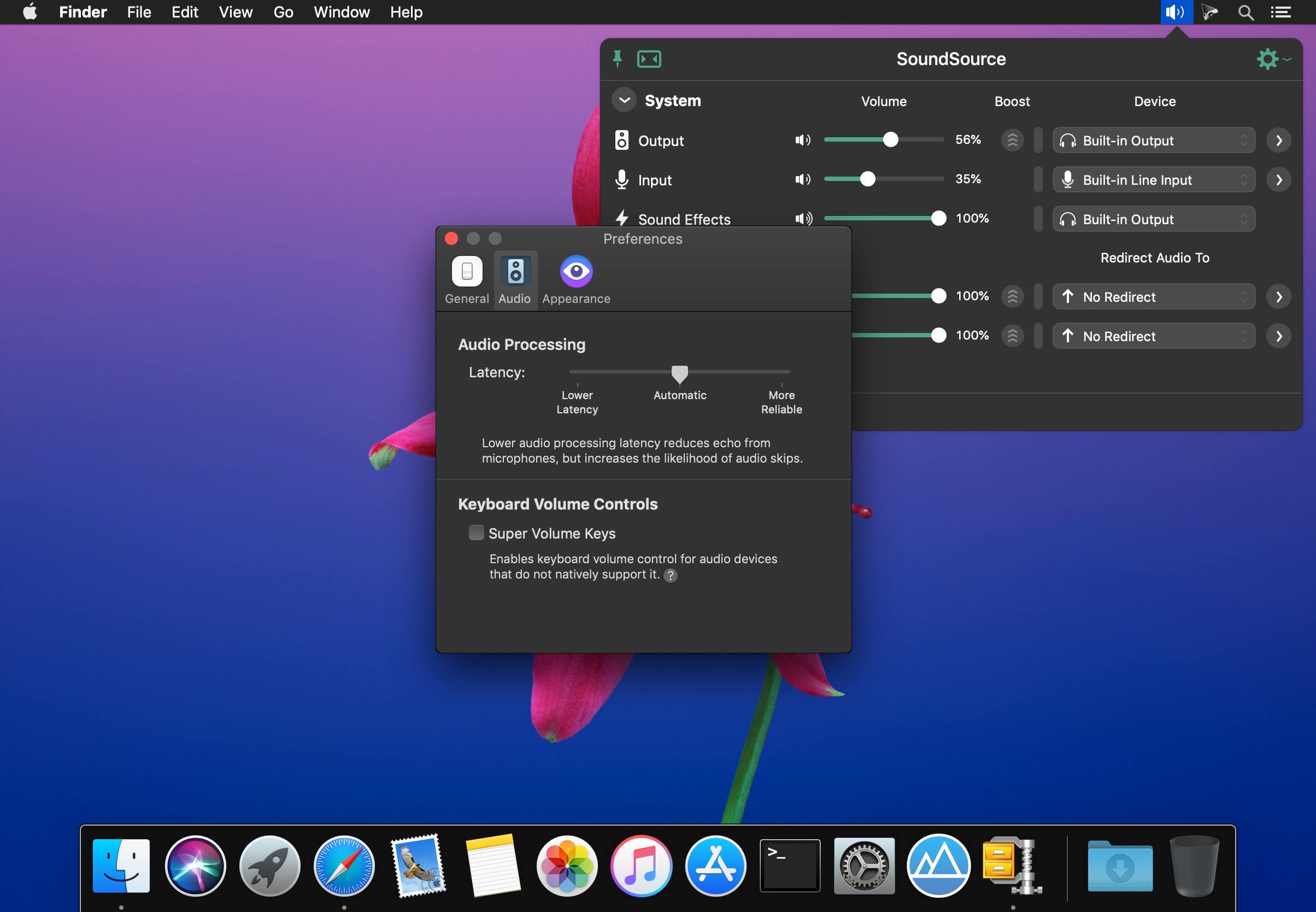
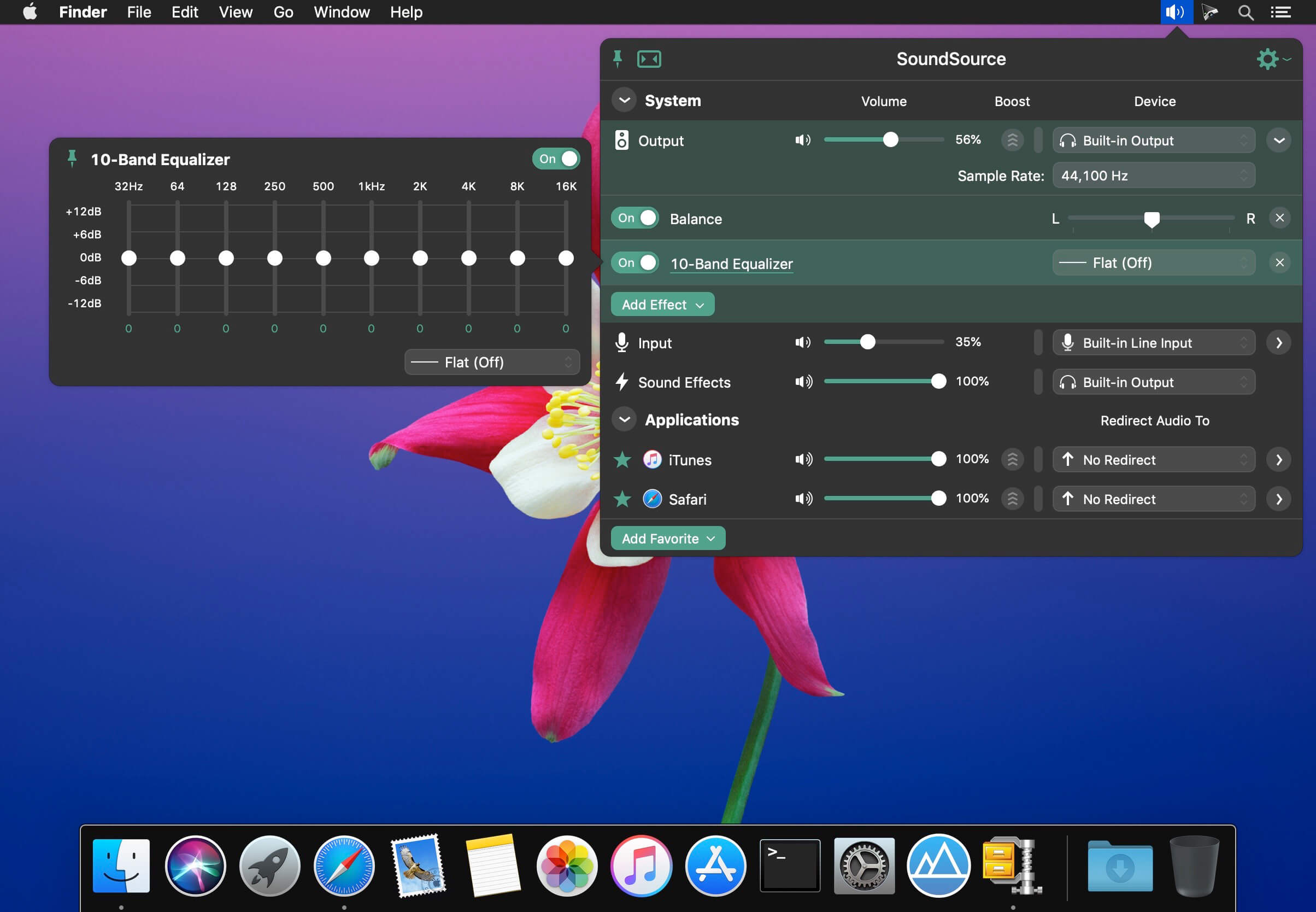
SounceSource lets you adjust your input, output, and sound-effects devices and volume settings in mere moments, right from the menu bar. Enable soft play-thru of input devices to your desired output, so you can hear sound coming in through any microphone or other source. With SoundSource, you get fast access to your Mac's most important audio settings.
Fast Access to System Devices
Control the settings for your Mac's Output, Input, and Sound Effects audio devices right from your menu bar.
Per-Application Audio Control
Change the volume of any app relative to others, and send individual apps to different audio outputs.
Add Effects
Make any audio sound great, with powerful built-in effects, as well as advanced Audio Unit support.
Fundamental Features
- Per-App Volume Control
Adjust volume levels for each of your applications, all in one place. Make one app louder or softer than others, or even mute it entirely. - Per-App Output Redirection
Control exactly where audio plays. Route music from one app to your best speakers, while everything else is heard via your Mac's built-in output. - Per-App Audio Effects
Use the built-in 10-band equalizer and support for Audio Units to sweeten the sound of individual apps. - System Audio Settings
Quickly adjust volume and input levels, balance, and even sample rate for your system's Output, Input, and Sound Effects devices. - System-Wide Audio Effects
Apply effects to sweeten the sound of all audio on your system, with the built-in 10-band equalizer and support for advanced Audio Unit plugins. - Super Volume Keys
HDMI devices, DisplayPort audio outputs, and more fail to support the volume keys found on Mac keyboards. SoundSource makes those keys work with any outputs you have. - Menu Bar Access
SoundSource lives in your menu bar, for one-click access to all your audio controls. You can also bring it up with a configurable global keyboard shortcut. - Floating Access
Making frequent adjustments? Pin SoundSource's main window, and it will float on your screen for instant access. - Headphone EQ
The new Headphone EQ effect provides the very best sound from thousands of different models of headphones. - Magic Boost 2
The new Magic Boost 2 does even more to provide rich, full sound from even the tiniest speakers. - Compact View
SoundSource's main window is streamlined, but to truly minimize how much space it uses, the Compact view has you covered. - Menu Bar Meters
Add optional meters for your output device, input device, and/or active applications, so you can see and control audio even more easily.
Version 6.1.4
- The ARK plugin which powers SoundSource’s audio handling has been updated to version 13.5.4, fixing a crash that could occur with Bluetooth devices not honoring requested buffer sizes on MacOS 27 (Golden Gate).
- SoundSource will now work as expected with Bluetooth output devices on MacOS 27 (Golden Gate), fixing performance issues caused by a recurrant crash of the underlying ARK plugin.
- The “System Input” menu bar icon will no longer falsely show a devices as muted if that device in fact cannot be muted (due to lacking a hardware mute feature).
- SoundSource now always uses software mute when “Force software volume control” is enabled on a device, rather than activating hardware mute if it exists.
- Audio Unit interfaces now avoid visual clipping when they grow during a resize.
- Menu bar icons now correctly display in sync across multiple displays.
Frequently asked questions
How do I install the app?
Mount the image, drag the app into the "Applications" folder and launch it. If the system blocks the launch, allow it in "System Settings → Privacy & Security".
The app is damaged or won't launch
Reinstalling from a fresh image usually helps. Make sure your macOS version matches the one listed in the compatibility specs.
How do I update?
Download the new version from the site and install it over the current one — your settings will be preserved.
The download link doesn't work
Try a mirror or a download manager. For large files the browser often drops the connection.
How do I completely remove the app?
Use an uninstaller utility — it cleans up the service files that remain after moving the app to the trash.




Choose a download source
SoundSource 6.1.4 · 55.26 MB
Previous versions
SoundSource 6.1.4
Previous versions are available to registered users.