Folder Color 3.1.1
Folder Color is a neat tool to customize your Mac OS X folder icon, create colorful and unique folder icons for your computer to classify and manage your folders highly efficient.
Design customize folder icon:
- Create your own stunning folders with simplicity and ease.
- Change the folder icon color or add ready-to-use icon from resource library.
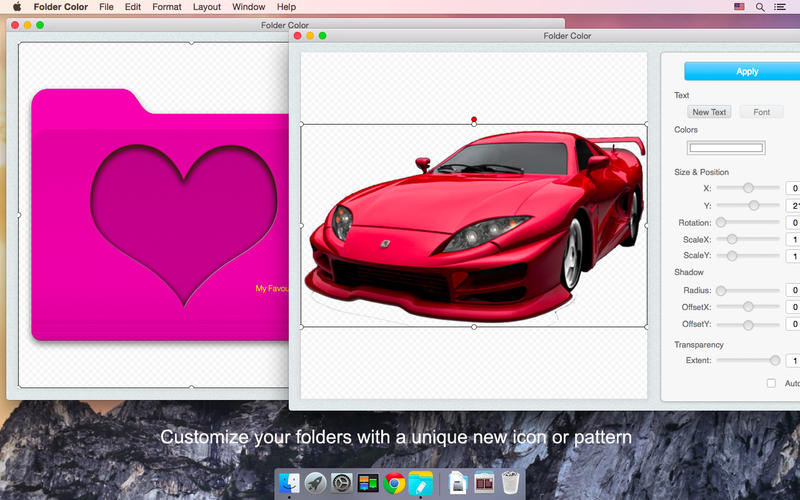
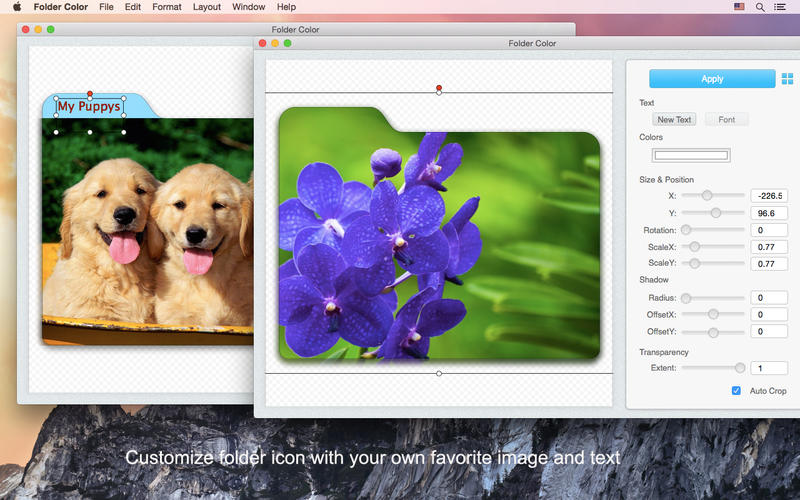
- Add any image/pattern of your choice to design a unique Folder icon.
- Design customized folder icons with transparent png image or loading an existing icon from file folder or application.
- Support inserting text for creating unique folder icon.
- Generate high-quality folder icon.
- Retina supported.
- Quickly apply the designed folder icon: Apply button, drag and drop the folder into Folder Color, or apply via File menu.
- Well compatible with Mac OS X El Capitan (10.11).
Edit the images and text for creating best look folder icon:
- Edit the added image based on a configurable style: size, position, shadow and transparency.
- Easy to edit the icon/pattern scale to allow a perfect fit according to your tastes.
- Edit the inserted text font, color, weight for best look icon.
- Auto crop the selected images or pattern.
- Auto center/quick align an icon or pattern.
- Easy to position the image/pattern and text to exactly where you want using the mouse and keyboard.
- Support Undo and Redo.
Resource Library:
- Dozens of ready-to-use icons supplied in Resource Library.
- Support importing your own elements into Resource Library.
- All images or icons added by users will auto-save in Resource Library category “Customize”.
- Drag-n-drop the ready-to-use icons from Resource Library to use as an element or a unique icon directly.
Benefits of Folder Color:
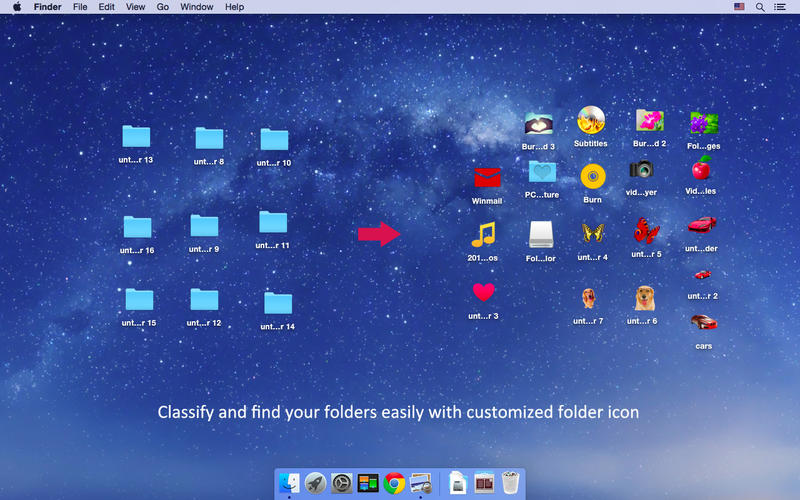
- Manage and find files effectively - Put your file folders in order with customized icons.
- Well-organized your task - Prioritize your tasks or indicate process progress with 'priority' icons.
- Protect vital file against accidental erasure - Highlight important file folders which must not be removed.
- Personalize your workspace - Make your folders distinct from other folders, shared with other users on one PC or LAN.
WHAT’S NEW
Version 3.1.1
- Solve the problem of program crash frequently
Screenshots
Frequently asked questions
How do I install the app?
Mount the image, drag the app into the "Applications" folder and launch it. If the system blocks the launch, allow it in "System Settings → Privacy & Security".
The app is damaged or won't launch
Reinstalling from a fresh image usually helps. Make sure your macOS version matches the one listed in the compatibility specs.
How do I update?
Download the new version from the site and install it over the current one — your settings will be preserved.
The download link doesn't work
Try a mirror or a download manager. For large files the browser often drops the connection.
How do I completely remove the app?
Use an uninstaller utility — it cleans up the service files that remain after moving the app to the trash.
VersionFolder Color 3.1.1
DeveloperiFunia Corporation
CompatibilityOS X 10.7 or later, 64-bit processor
LanguageEnglish
IncludesPre-K'ed



Information
Visitors in the group Guests cannot leave comments on this publication.
Choose a download source
Folder Color 3.1.1 · 20.68 MB