
FolderMarker 2.5.1
Screenshots
Click to enlarge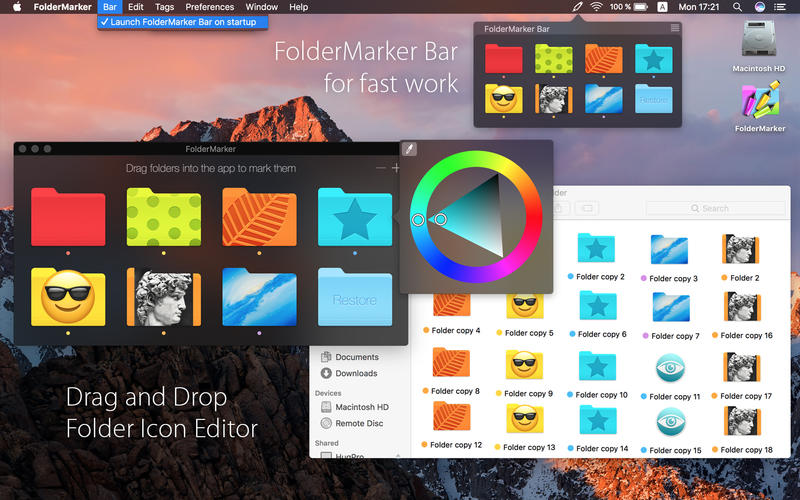
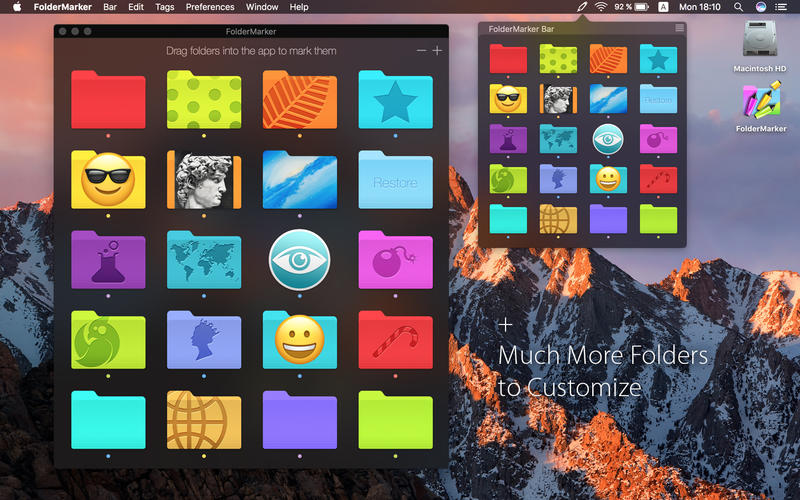
FolderMarker - Folder Icon Editor. To mark folders any look is now easier than ever!
Drag and Drop out the icon presets you like to the selected folder, or drag and drop into the app multiple folders to mark them.
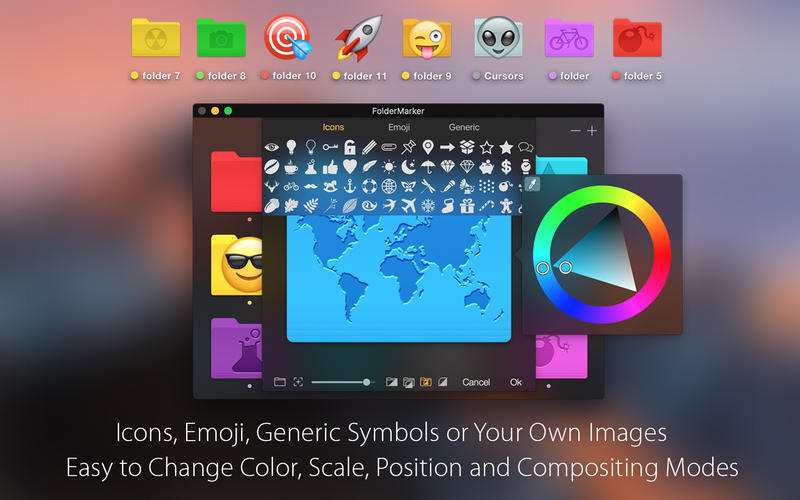
Collection with Icons, Emoji and Generic symbols in editor directly.
Customize icon you want and save additional looks.
Add your own images on the folder icon by dragging it into editor and try several different compositing modes.
Change color of folder by right mouse click in editor.
If the folder doesn`t need marking any longer - use restore folder.
FolderMarker Bar can launch on startup to apply icon as fast as possible by dragging to status bar icon
Features:
- Drag and Drop user interface
- Every Folder is Editable
- Collection with Icons, Emoji and Generic symbols
- FolderMarker Bar for fast colorising
- Marks multiple folders
- Color Shuffle - Fast Random Color for a Folder
- Up to 39 icon presets with autosaving
- Colorizing special folders
- Sync with color tags
- Sync with FolderMarker Bar
Easy Editor:
- Image Fill Mode - place your own images to cover the folder
- Image Over Mode - place images over the folder
- Image Stamp Mode - stamp black and white images
- Image Only mode - images without folder icon
Version 2.5.1
- Up to 39 icon presets with autosaving
- Color Shuffle - Fast Random Color for a Folder
- New Color Wheel
- Added new languages: Spanish
- Stability Improvements
Comments
No comments yet. Be the first.
Information
Visitors in the group Guests cannot leave comments on this publication.