
Maxel 2.3.1
Maxel is an efficient and easy-to-use download manager which can:
- Resume most downloads, even if your mac restarts
- Speed up downloads by splitting the file into up to 100 segments
- Automatically retry stalled downloads and manage your download queue
Other Features:
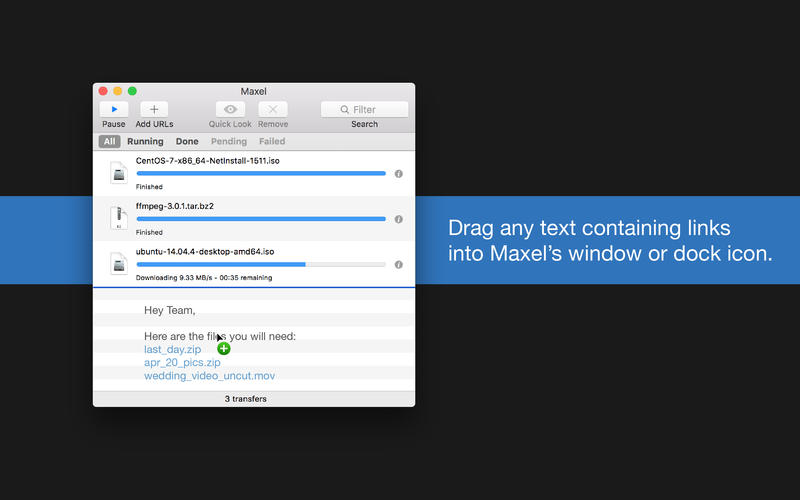
- Drag & drop selections from webpages into Maxel to download any links within
- Kickoff downloads from within Safari/Chrome/Firefox
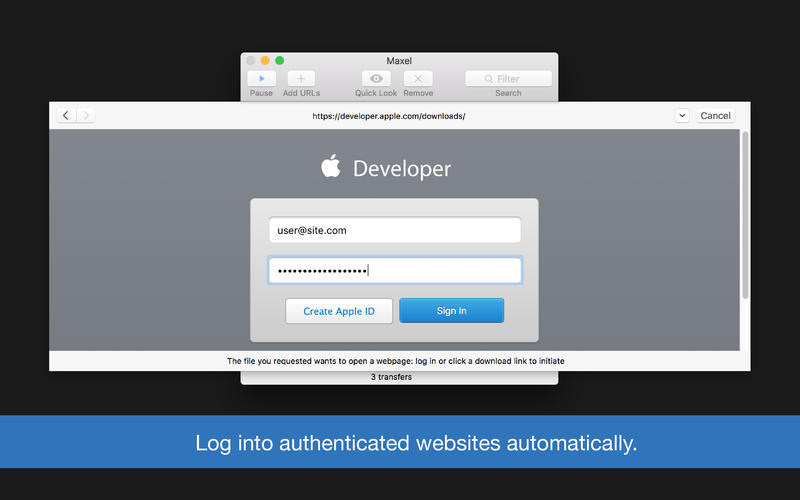
- Log into file sharing websites from Maxel's built-in browser to download authenticated files
- Compute MD5/SHA1 hashes of files to detect corruption
- Use SSH public key authentication for SFTP
- An API for adding downloads in scripts
WHAT’S NEW
Version 2.3
- Added Touch Bar support for you lucky new Macbook Pro owners
- Maxel will now take an HTTP or SOCKS proxy URL in its preferences
- SFTP directories won't be downloaded and instead will result in an error
- Added error to indicate when servers don't support multipart even though they claim to
- Fixed crash which occurred when saving a file which is being finalized
SCREENSHOTS

Frequently asked questions
How do I install the app?
Mount the image, drag the app into the "Applications" folder and launch it. If the system blocks the launch, allow it in "System Settings → Privacy & Security".
The app is damaged or won't launch
Reinstalling from a fresh image usually helps. Make sure your macOS version matches the one listed in the compatibility specs.
How do I update?
Download the new version from the site and install it over the current one — your settings will be preserved.
The download link doesn't work
Try a mirror or a download manager. For large files the browser often drops the connection.
How do I completely remove the app?
Use an uninstaller utility — it cleans up the service files that remain after moving the app to the trash.
VersionMaxel 2.3.1
DeveloperChris Li
CompatibilityOS X 10.10 or later, 64-bit processor
LanguageEnglish
IncludesK'ed by TNT





Information
Visitors in the group Guests cannot leave comments on this publication.
Choose a download source
Maxel 2.3.1 · 6.25 MB