
Download Buddy 1.8.5
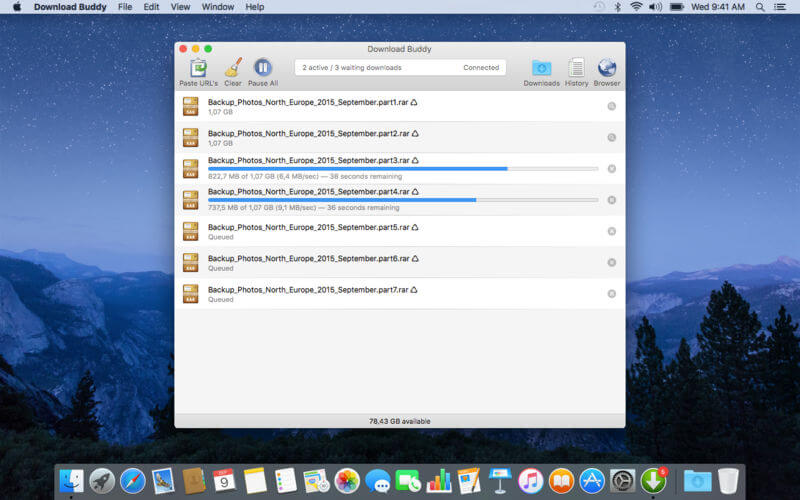
Download Buddy is a sophisticated but extremely easy-to-use Internet-download manager. It supports everything you need for stress-free and reliable downloading and does not disturb you with useless features or meaningless gimmicks.
FEATURES
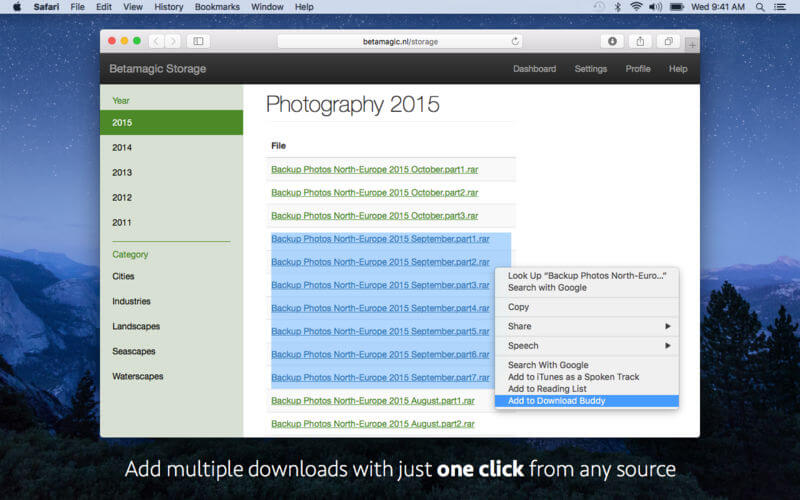
- Start multiple downloads with just one mouse click.
- Context menu to start your downloads directly from Safari or every other application that allows selecting URL's. No plugins needed.
- Support for adding URL's via drag-and-drop.
- Limit the number of simultaneous downloads to keep performance high.
- Pause, restart, cancel and reorder individual or all downloads.
- Restart automatically unfinished downloads when you restart the app.
- Automatic resume of timed out downloads.
- During downloading the app icon shows a badge with the number of unfinished downloads.
- While downloading you can close the main form and let the download manager run in the background.
- Prevents unintended computer sleep while downloading.
- When all downloads are complete, you will see a Notification Center banner.
- Supports HTTP, HTTPS and FTP protocols.
- Support for password protected HTTP and HTTPS downloads.
- History form to view your download history, including all cancelled items.
- Restart downloads from your download history.
- Open downloaded files with associated app.
- Full screen and Split screen support.
- Full support for Retina displays.
- Extended web based Help system to get started.
NET RADAR ADD-ON
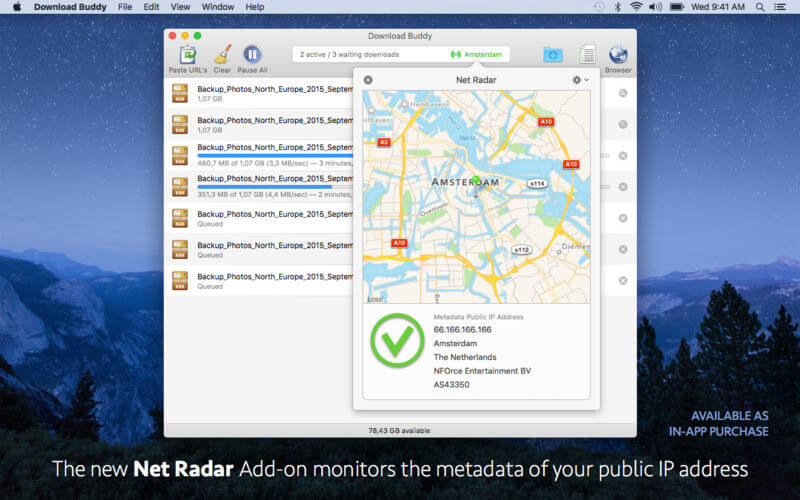
The Net Radar Add-on is an extension to Download Buddy that can be purchased within the app as an In-app purchase.
- Net Radar monitors the location and other metadata of the public IP address of your Internet connection.
- If you use a VPN connection, then Net Radar can monitor the operational status of your VPN.
- Net Radar automatically stops all downloads when your network status or the connection metadata indicates a non-working VPN connection.
- Includes a Setup Assistant that let you configure Net Radar with a few simple steps.
- The technology is based on the stand-alone Net Radar app.
Version 1.8.5
- Fixes a bug with the 'Add to Download Buddy' service.
- Improved resuming of unfinished downloads when restarting the app with Net Radar enabled.
- New setting to use extended link extraction whenever possible.
- New setting to suppress login warnings.
Frequently asked questions
How do I install the app?
Mount the image, drag the app into the "Applications" folder and launch it. If the system blocks the launch, allow it in "System Settings → Privacy & Security".
The app is damaged or won't launch
Reinstalling from a fresh image usually helps. Make sure your macOS version matches the one listed in the compatibility specs.
How do I update?
Download the new version from the site and install it over the current one — your settings will be preserved.
The download link doesn't work
Try a mirror or a download manager. For large files the browser often drops the connection.
How do I completely remove the app?
Use an uninstaller utility — it cleans up the service files that remain after moving the app to the trash.
VersionDownload Buddy 1.8.5
DeveloperRon Elemans
CompatibilityOS X 10.11 or later, 64-bit processor
LanguageEnglish
IncludesK'ed by TNT





Information
Visitors in the group Guests cannot leave comments on this publication.
Choose a download source
Download Buddy 1.8.5 · 5.9 MB