Ephnic Screen Recorder 2.4.0
Ephnic Screen Recorder is an innovative screen-recording tool to help you record your screen to video. You have three options to record everything you want on your computer screen and save them as video to share with others. It's the best screen recording tool for you to make video tutorials.
Key Features
- Use 'Full Screen' to record everything on your computer screen.
- Use 'Fix Window' to select and record a specific application window.
- Use 'Custom Screen' to select and record a portion of your computer screen.
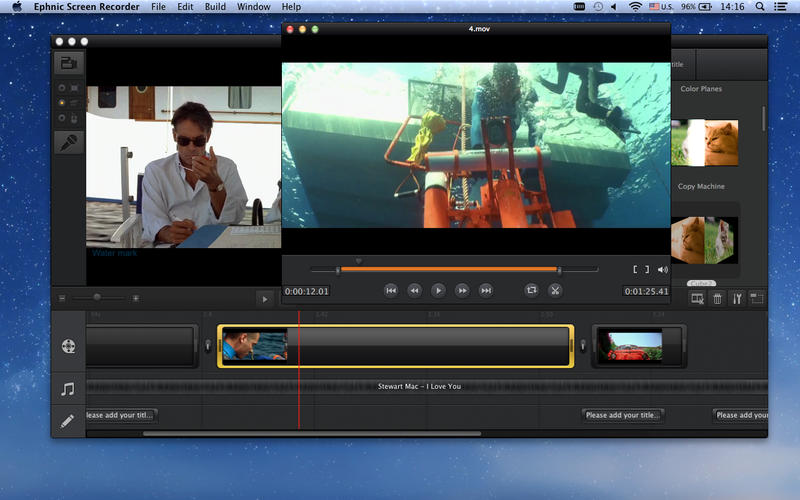
- Set transition effects for your captured videos.
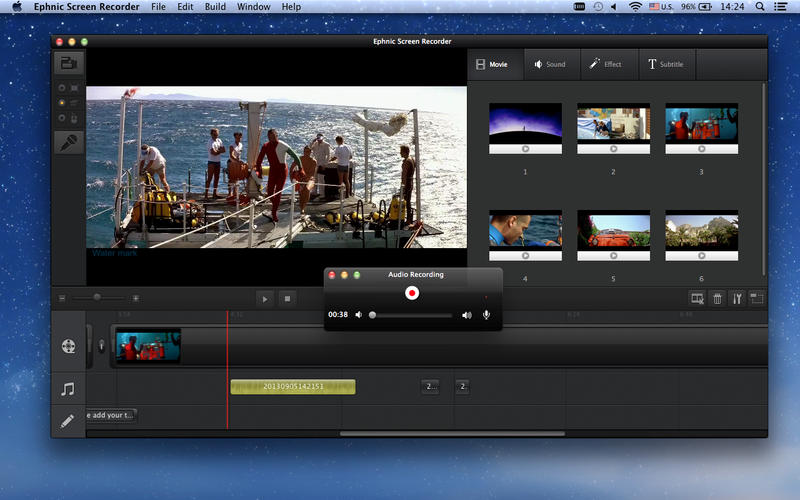
- Add music and subtitles to decorate your captures videos.
- Make your voice narration when recording computer screen.
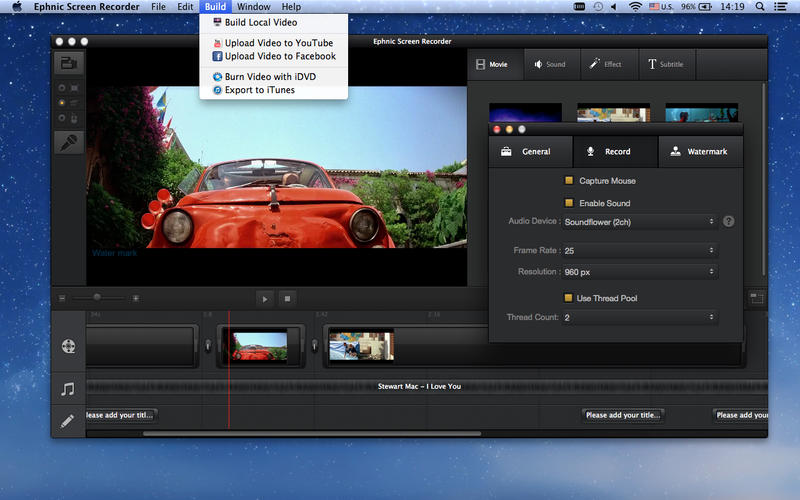
- Add a logo or text watermark to make your own video demo.
- Set the resolution and frame rate for the output captured video.
- Trim the captured video to remove the parts you don't like.
- Capture mouse movements to record what you do on the screen.
- Record online video with Screen Recorder.
- Use shortcuts to control recording much more easily.
WHAT’S NEW
Version 2.4.0:
- Fix bugs to be compatible with Mac OS X EI Capitan.
SCREENSHOTS
Frequently asked questions
How do I install the app?
Mount the image, drag the app into the "Applications" folder and launch it. If the system blocks the launch, allow it in "System Settings → Privacy & Security".
The app is damaged or won't launch
Reinstalling from a fresh image usually helps. Make sure your macOS version matches the one listed in the compatibility specs.
How do I update?
Download the new version from the site and install it over the current one — your settings will be preserved.
The download link doesn't work
Try a mirror or a download manager. For large files the browser often drops the connection.
How do I completely remove the app?
Use an uninstaller utility — it cleans up the service files that remain after moving the app to the trash.
VersionEphnic Screen Recorder 2.4.0
DeveloperEphnic Co., Ltd.
CompatibilityOS X 10.7 or later, 64-bit processor
LanguageEnglish, French, German, Japanese
IncludesPre-K'ed




Information
Visitors in the group Guests cannot leave comments on this publication.
Choose a download source
Ephnic Screen Recorder 2.4.0 · 36.44 MB