
If Crashes when opening
Apple removed TNT’s certificate, so the app will crash after July 12th. The current solution is to sign it yourself.
Run in Terminal
codesign --force --deep --sign - /Applications/name.app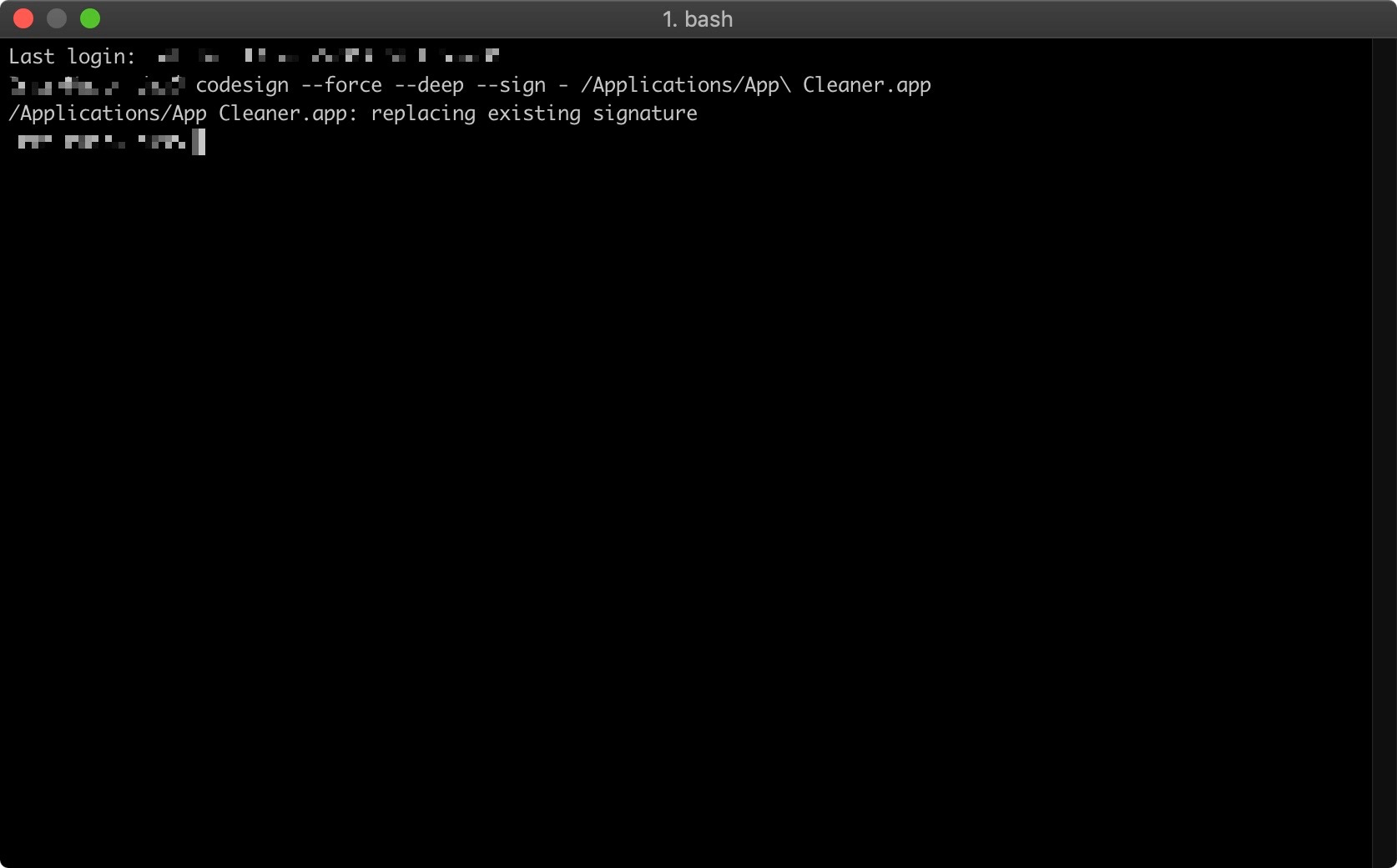
Requisite: Xcode or the Apple Command Line Tools
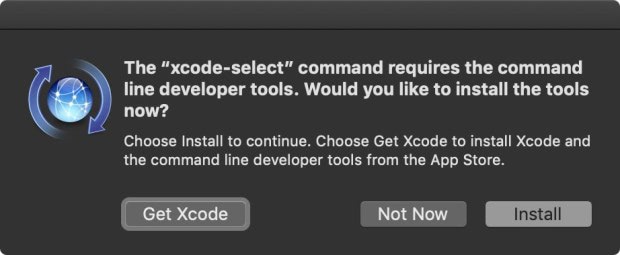
To install, execute
xcode-select --installin the terminal emulator of your choice, and the macOS GUI will give you the option to install Xcode (from the Mac App Store) or the CLTs. If you install Xcode, launch it at least once to complete the installation and agree to the license.
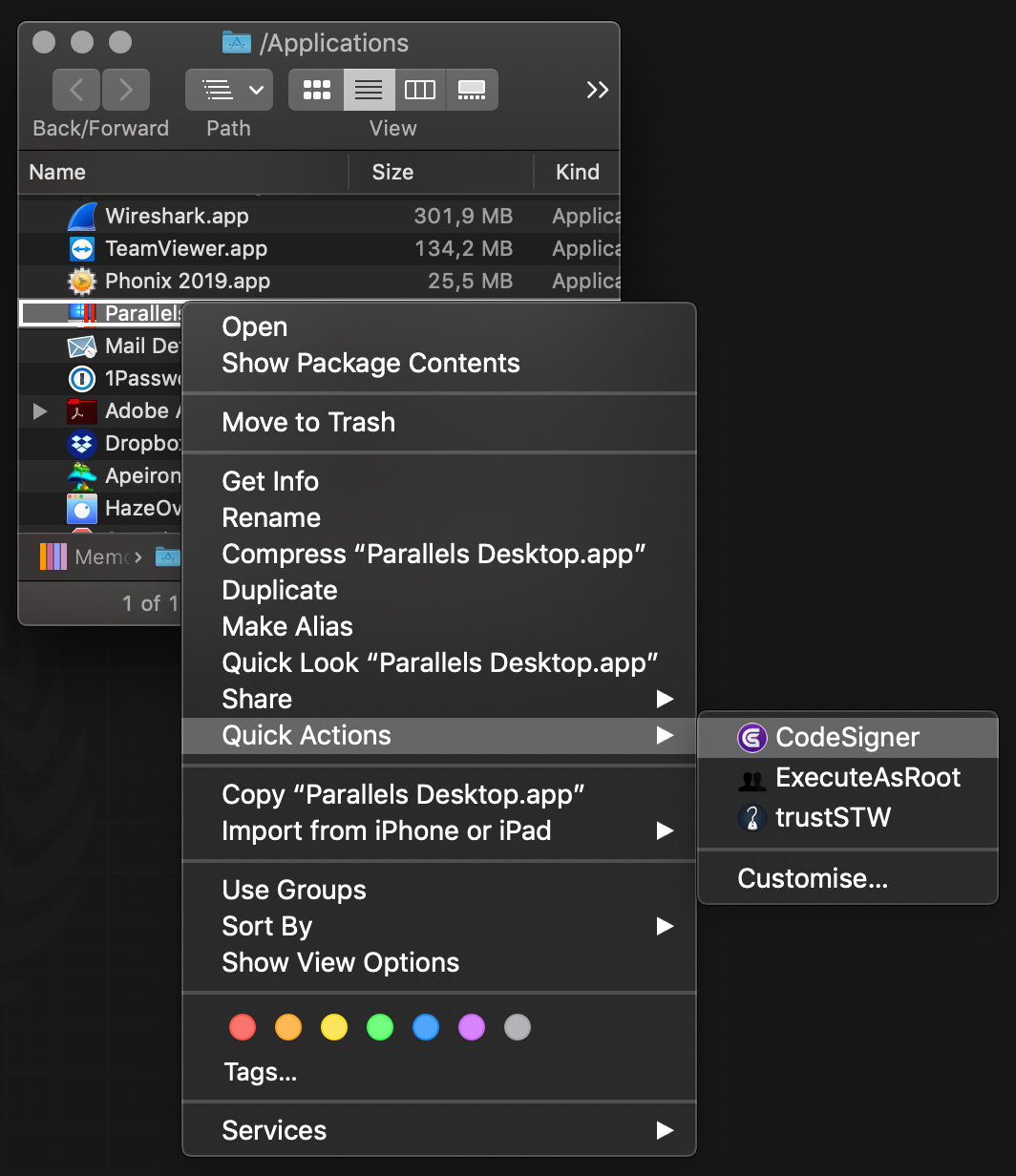
Alternatively, you can use CodeSigner to sign some apps.
Installation instructions:
- downloaded CodeSigner, then mount the DMG volume
- Copy CodeSigner.app from the mounted DMG volume into one of your applications paths; recommended: ~/Applications/Utilities/
- If you are using macOS Finder or a similar application with Services support as your main file manager, double-click the CodeSigner workflow: a window titled Quick Action Installer will appear asking you if you want to install it; click Install. You can assign a keyboard shortcut to the Quick Action in System Preferences > Keyboard > Shortcuts > Services > Files and Folders > CodeSigner
- If you also want the ability to manually run CodeSigner in a terminal emulator—example:
codesigner /Applications/Parallels\ Desktop.app- —copy the codesigner shell script into your $PATH, e.g. /usr/local/bin/
- On Mojave please allow CodeSigner to control System Events; this is necessary for GUI prompts to work via AppleScript
Version 0.9.3 beta 4:
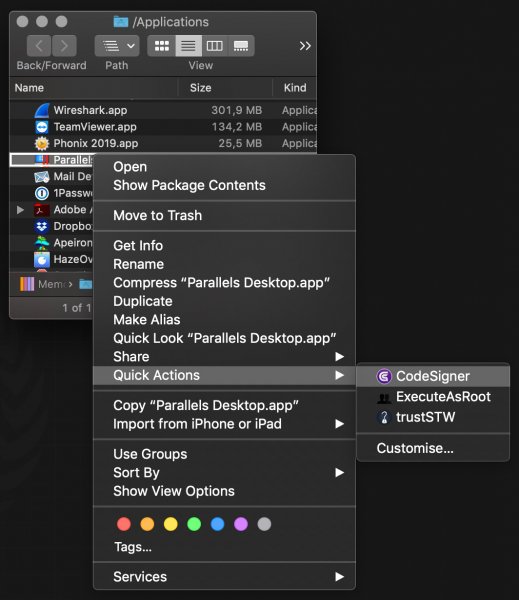
- CodeSigner will now grab an application's or file's icon for the notifications
- Bug fix: account for terminal-notifier display error in case of filenames with leading double-quotes (thanks to roryokane)
- If codesigner doesn't execute as a Platypus app, it will search for terminal-notifier only in the default macOS Applications paths, and in installation directories for Homebrew, MacPorts and Fink (thanks to roryokane)
SCREENSHOTS
Frequently asked questions
How do I install the app?
Mount the image, drag the app into the "Applications" folder and launch it. If the system blocks the launch, allow it in "System Settings → Privacy & Security".
The app is damaged or won't launch
Reinstalling from a fresh image usually helps. Make sure your macOS version matches the one listed in the compatibility specs.
How do I update?
Download the new version from the site and install it over the current one — your settings will be preserved.
The download link doesn't work
Try a mirror or a download manager. For large files the browser often drops the connection.
How do I completely remove the app?
Use an uninstaller utility — it cleans up the service files that remain after moving the app to the trash.
VersionCodeSigner 0.9.3 beta 4
CompatibilityOS X 10.8 or later, 64-bit processor
LanguageEnglish





Choose a download source
If Crashes when opening · 3.83 MB
Comments 9