
Monity 1.4.5

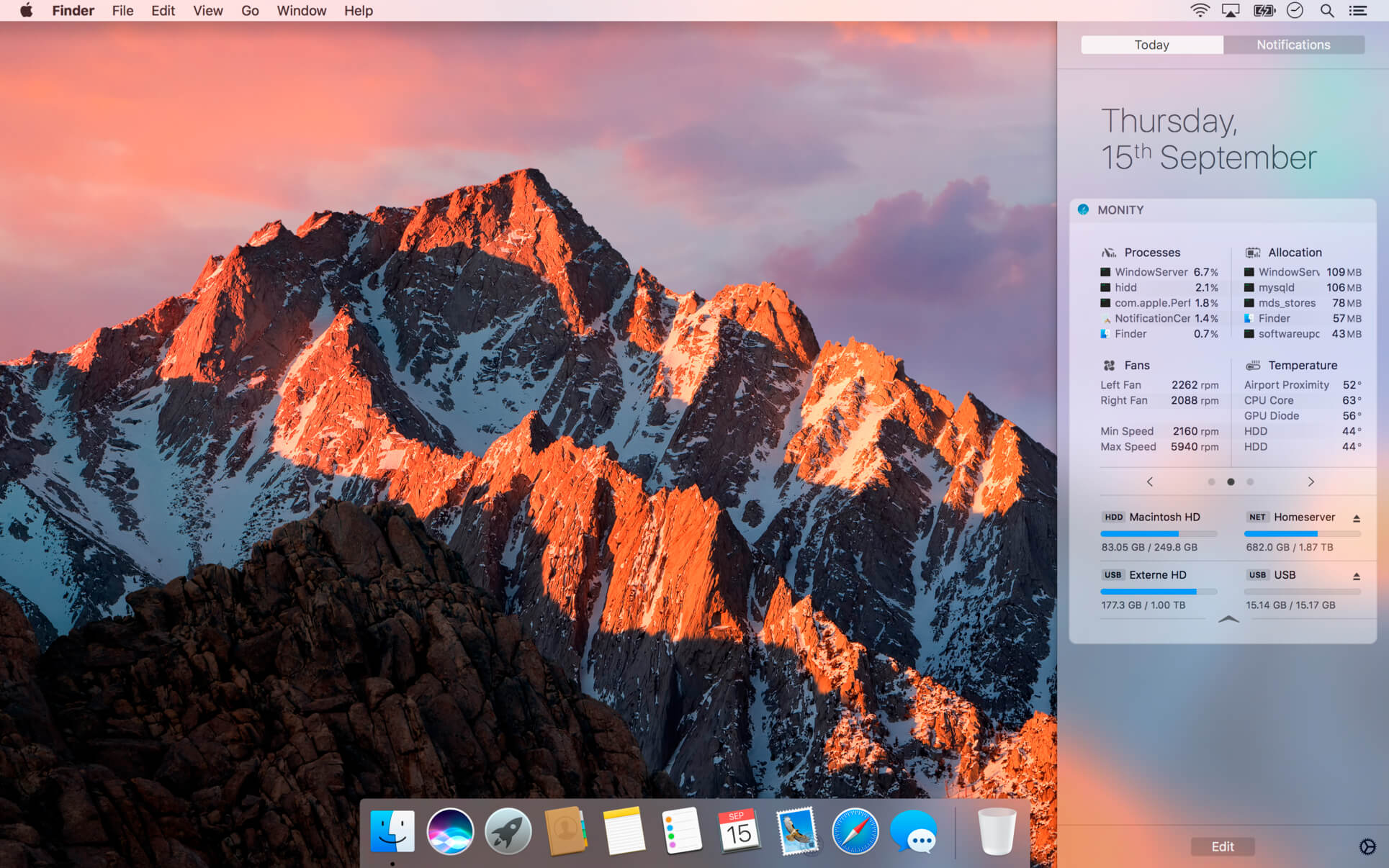
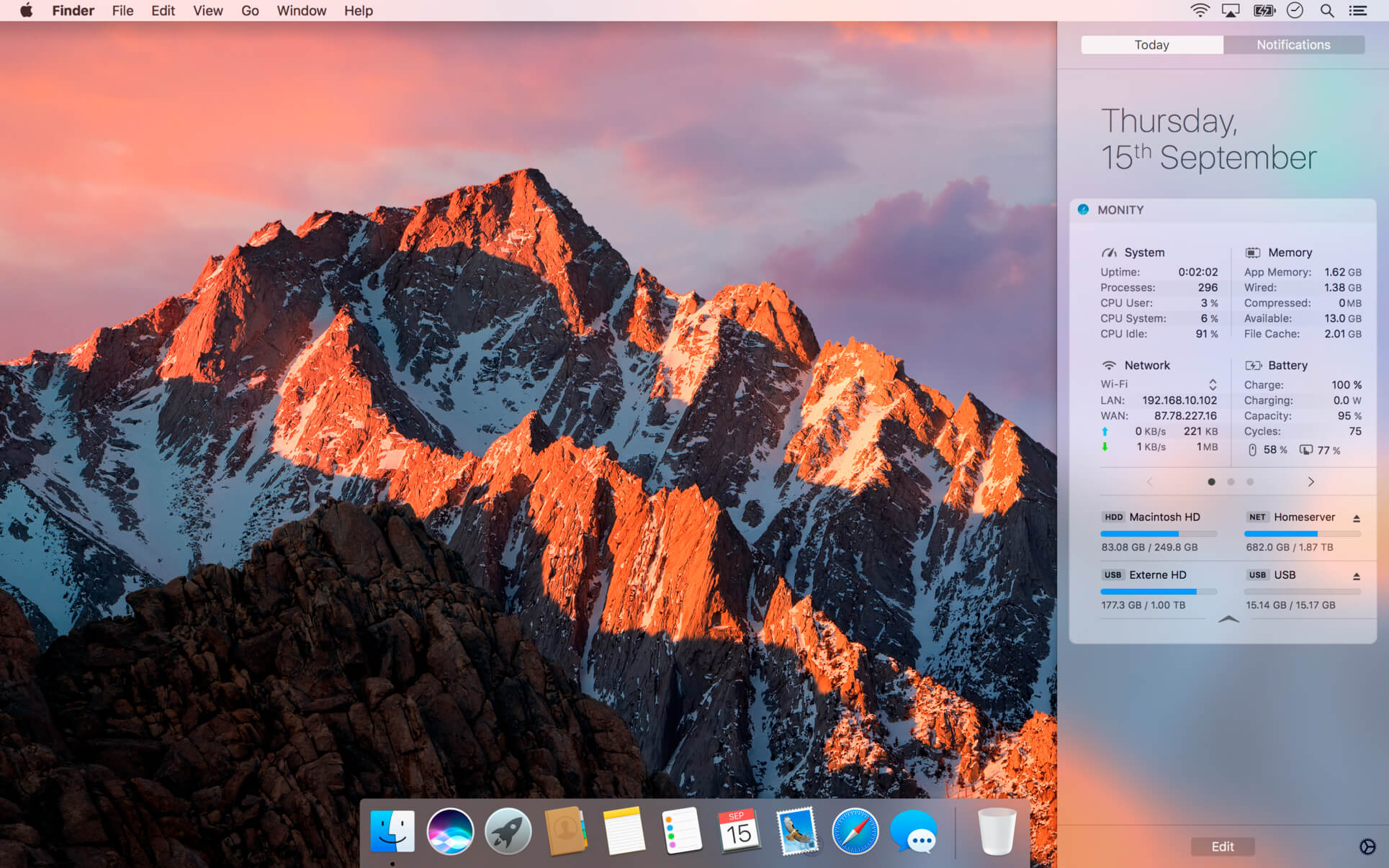
Monity takes place in macOS Today View and oversees your components statistics. Having an eye on your systems and network usage without messing around like before with huge and uncomfortable symbols in the menu bar was never so easy.
System monitoring
- Uptime, Processes, CPU Usage, CPU load average
- Wired, Active, Inactive, Compressed, Free memory
- App-Memory, File-Cache, Reserved memory, Available & Used Memory
- Supports new Memory display format
- Monitoring of all active Networks
- Active Connection, shows external WAN IP, internal LAN IP Address
- Incoming & Outgoing Traffic (current & total)
- Copy IP to Clipboards or open in your Browser
- Current charge with time left, original capacity of your battery and load cycles
- Battery charging and usage in Watt
- Battery charge of Bluetooth Mouse, Trackpad and Keyboard
- Mounted volumes (Internal, External, Network, USB, CD/DVD, TimeMachine, SD-Cards)
- Detailed Space usage
- Unmount Volumes directly within Monity
- Detailed App usage statistics about CPU utilization, Memory usage and Energy impact.
- CPU usage for currently running Applications
- Memory usage for currently running Applications
- List Energy impact for currently running Applications
- Detailed statistics by numerous sensors for Temperature and Power consumption.
- Information about current revolutions per minute (rpm) for integrated Fans, as well as their limits.
- Widget Settings with individual customization options
- Sort and arrange Panels through multiple pages.
- Show / Hide Panels
- Rearrange Panels
- Exclude Volumes from Volumes List
Version 1.4.5
- Optimized for macOS 10.14 Mojave
- Overall stability improvements
- Compatible with 2018 Mac Models
Frequently asked questions
How do I install the app?
Mount the image, drag the app into the "Applications" folder and launch it. If the system blocks the launch, allow it in "System Settings → Privacy & Security".
The app is damaged or won't launch
Reinstalling from a fresh image usually helps. Make sure your macOS version matches the one listed in the compatibility specs.
How do I update?
Download the new version from the site and install it over the current one — your settings will be preserved.
The download link doesn't work
Try a mirror or a download manager. For large files the browser often drops the connection.
How do I completely remove the app?
Use an uninstaller utility — it cleans up the service files that remain after moving the app to the trash.
VersionMonity 1.4.5
DeveloperLukasz Kulis
CompatibilityOS X 10.10 or later, 64-bit processor
LanguageMultilangual
IncludesK'ed by TNT




Information
Visitors in the group Guests cannot leave comments on this publication.
Choose a download source
Monity 1.4.5 · 8 MB
Previous versions
Monity 1.4.5
Previous versions are available to registered users.