DoubleTake 2.4.5
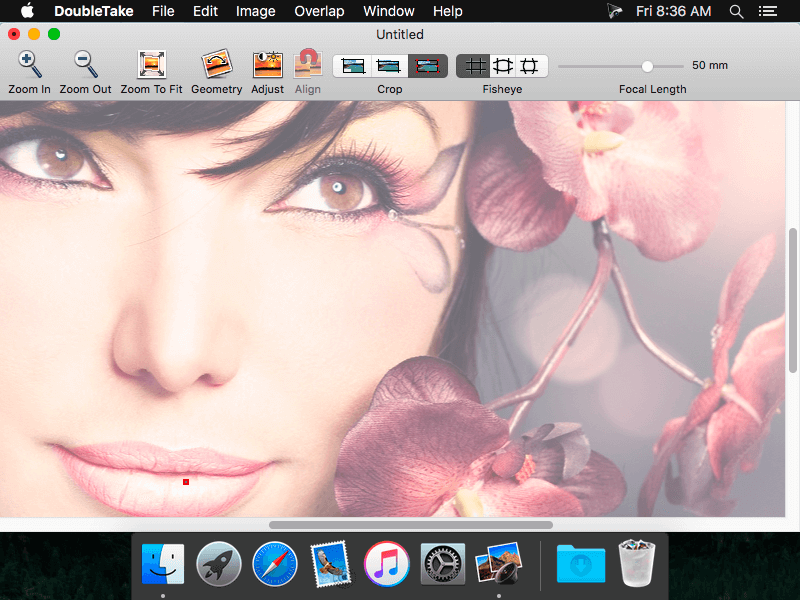
DoubleTake is for Mac users who like compact cameras, but sometimes wish they could magically pull out a wide angle lens of their pocket, or plug in a sensor with a few extra megapixels for that large print.
DoubleTake handles this by giving you both automatic and manual control of how to stitch photos perfectly, with simple drag-and-drop.
WHAT’S NEW
Version 2.4.5:
- Tiling high-resolution images to print posters on several pieces of paper now works as intended
- layout problems of the controls in the adjust and geometry windows
SCREENSHOTS
Frequently asked questions
How do I install the app?
Mount the image, drag the app into the "Applications" folder and launch it. If the system blocks the launch, allow it in "System Settings → Privacy & Security".
The app is damaged or won't launch
Reinstalling from a fresh image usually helps. Make sure your macOS version matches the one listed in the compatibility specs.
How do I update?
Download the new version from the site and install it over the current one — your settings will be preserved.
The download link doesn't work
Try a mirror or a download manager. For large files the browser often drops the connection.
How do I completely remove the app?
Use an uninstaller utility — it cleans up the service files that remain after moving the app to the trash.
VersionDoubleTake 2.4.5
Developer© 2016 Echo One
CompatibilityOS X 10.6 or later, 64-bit processor
LanguageEnglish
IncludesK



Information
Visitors in the group Guests cannot leave comments on this publication.
Choose a download source
DoubleTake 2.4.5 · 2.78 MB