
Icon Plus - Icon & Logo Design 1.5

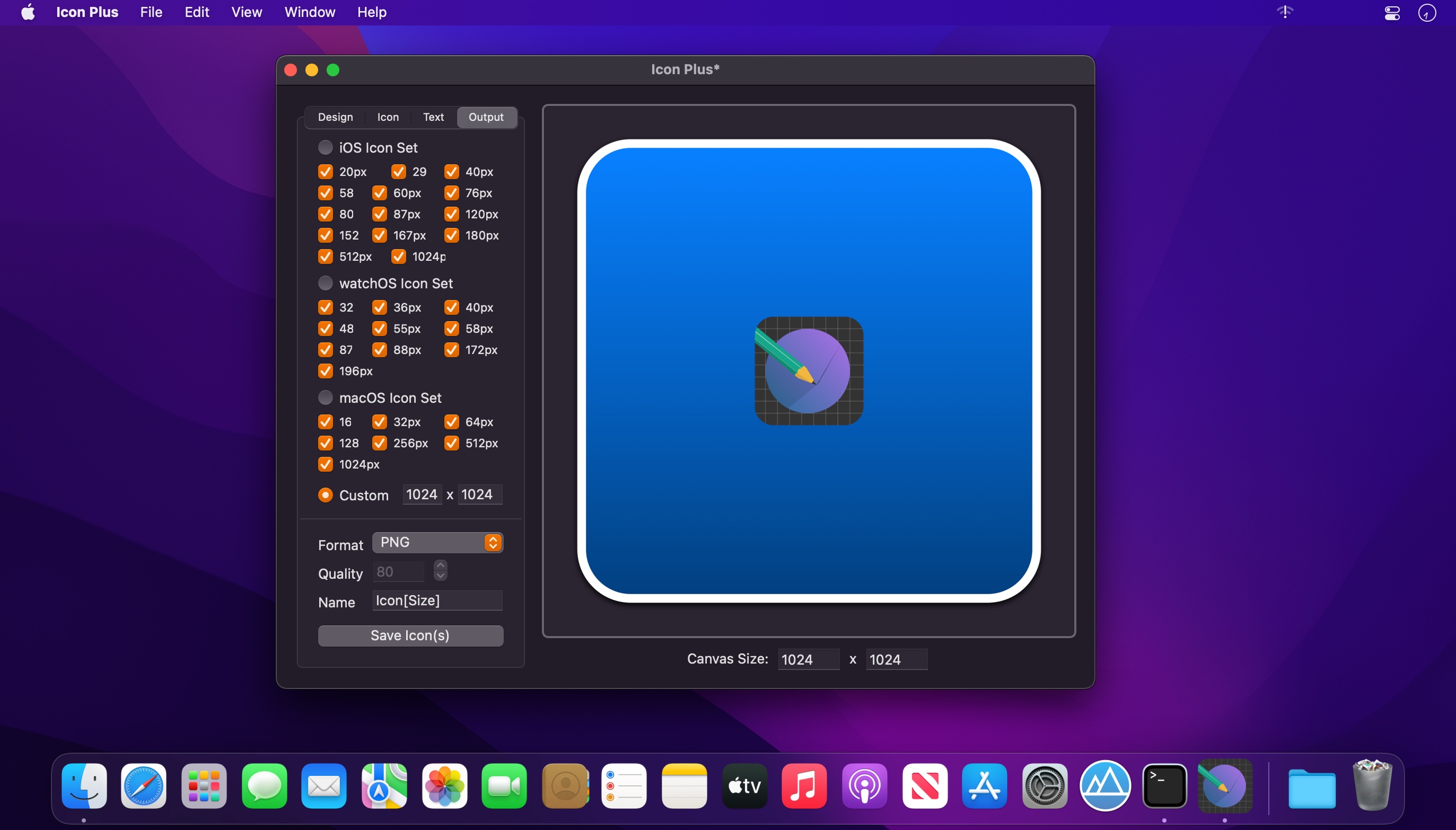
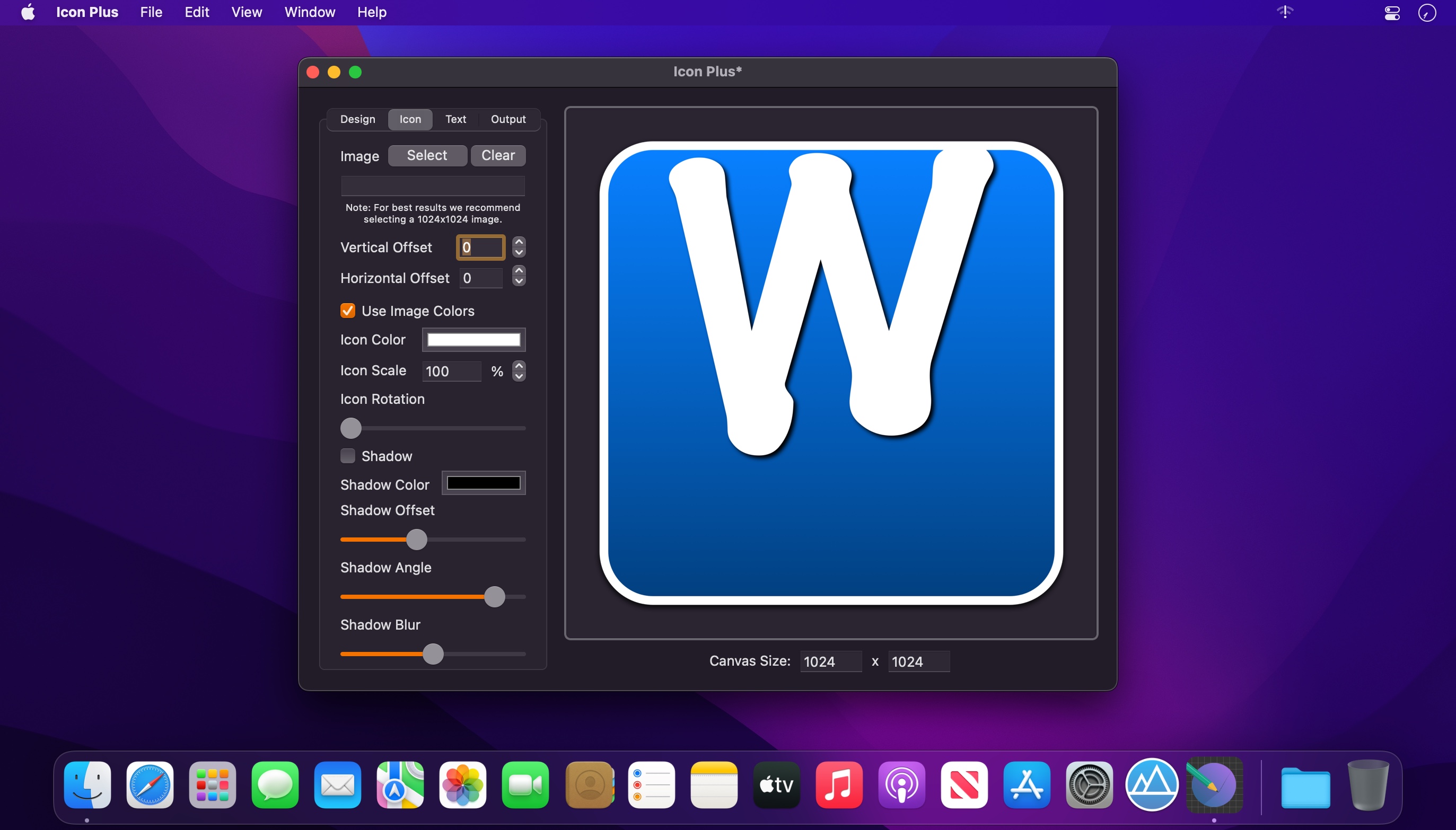
Turn any photo on your Mac into a beautiful icon, combine images and text to create stunning logo designs and edit existing graphics to achieve a perfect user interface. All these features make Icon Plus a very useful tool for both app developers and graphic designers. Here is a list of what Icon Plus has to offer:
Design
- Modify the canvas size
- Choose between a coloured or transparent background
- Modify the start and end colours of the background gradient
- Modify the corner curvature of the background
- Modify the size and colour of the background border
- Modify the offset, colour, angle and blur intensity of the background shadow
Icon
- Select the image that will be placed in the center of the icon
- Modify the vertical and horizontal offset of the image
- Choose between a flat or coloured icon design
- Modify the colour, scale and rotation of the icon image
- Modify the offset, colour, angle and blur intensity of the image shadow
Text
- Enter the text that you want to appear on the logo/icon
- Modify the vertical offset, horizontal offset, colour, font type and font size of the text
- Modify the size and colour of the text stroke
- Modify the offset, colour, angle and blur intensity of the text shadow
Output
- Export your icon as an iOS icon set containing all the necessary icon sizes for an iOS app
- Export your icon as a Mac OS X icon set containing all the necessary icon sizes for a Mac OS X app
- Export your icon with a custom size
- Export your icon in either PNG, JPG, TIFF, GIF or BMP format
Version 1.5
- The app has been updated to run natively on both Intel and Mac Silicon platforms.
- The minimum OS version requirement has been increased to 10.13
- Minor fixes have been implemented.
- New Icon
Frequently asked questions
How do I install the app?
Mount the image, drag the app into the "Applications" folder and launch it. If the system blocks the launch, allow it in "System Settings → Privacy & Security".
The app is damaged or won't launch
Reinstalling from a fresh image usually helps. Make sure your macOS version matches the one listed in the compatibility specs.
How do I update?
Download the new version from the site and install it over the current one — your settings will be preserved.
The download link doesn't work
Try a mirror or a download manager. For large files the browser often drops the connection.
How do I completely remove the app?
Use an uninstaller utility — it cleans up the service files that remain after moving the app to the trash.




Choose a download source
Icon Plus - Icon & Logo Design 1.5 · 7.05 MB
Previous versions
Icon Plus - Icon & Logo Design 1.5
Previous versions are available to registered users.