Screenshot Creator 1.0
Design the screenshots of your iOS apps with just a few clicks. Forget those times when you had to pay graphical designers serious money to create screenshots for your app. You can now do that yourself using Screenshot Creator and at just a fraction of the price.
Here is a list of what Screenshot Creator has to offer:
- 6 screenshot devices: iPhone 6S, iPhone 6S Plus, iPhone 5S, iPhone 4S, iPad Air 2 and iPad Pro
- 2 device colours: black and white
- 2 device orientations: portrait and landscape
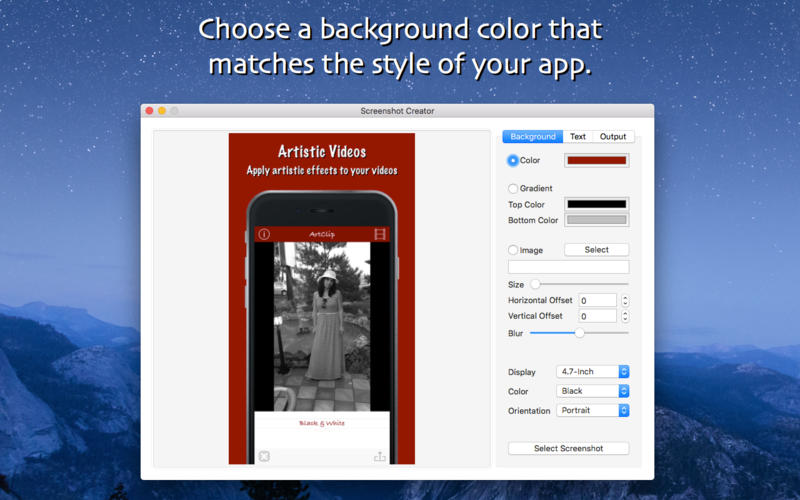
- Customize the background colour of your screenshots
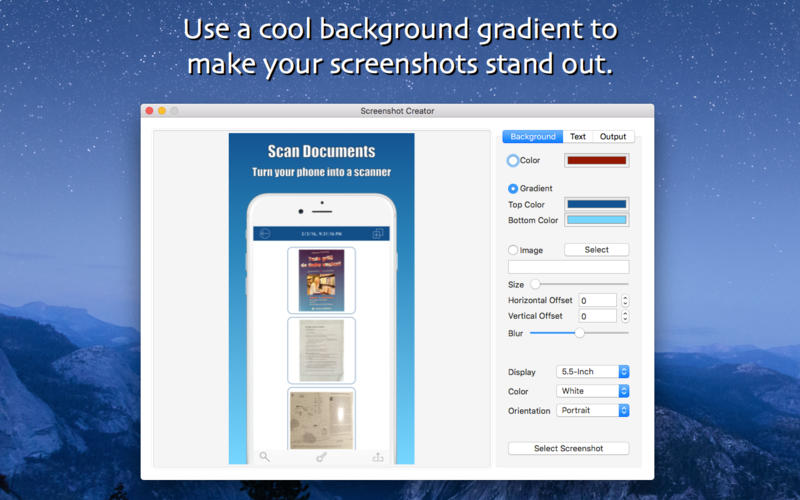
- Customize the background gradient of your screenshots
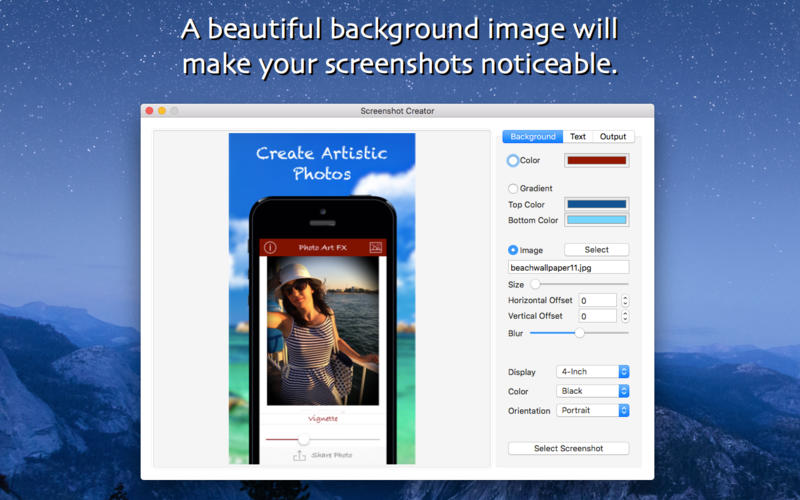
- Select a custom image as the background of your screenshots
- Modify the size of the background image
- Modify the position of the background image
- Apply a blur effect on the background image
- Add a text description to your screenshots
- Customize the colour of your text
- Modify the vertical offset of your text for a more accurate positioning
- Customize the font of your text by choosing one of the 20 available handpicked fonts
- Add stroke to your text to make it more visible
- Customize the colour of the stroke outline
- Modify the size of the stroke outline
- Add shadow to your text to make it more visible
- Customize the colour of the text shadow
- Modify the offset and angle of the text shadow
- Modify the blur of the text shadow
- Export your screenshots in either PNG or JPG format
Screenshots
Frequently asked questions
How do I install the app?
Mount the image, drag the app into the "Applications" folder and launch it. If the system blocks the launch, allow it in "System Settings → Privacy & Security".
The app is damaged or won't launch
Reinstalling from a fresh image usually helps. Make sure your macOS version matches the one listed in the compatibility specs.
How do I update?
Download the new version from the site and install it over the current one — your settings will be preserved.
The download link doesn't work
Try a mirror or a download manager. For large files the browser often drops the connection.
How do I completely remove the app?
Use an uninstaller utility — it cleans up the service files that remain after moving the app to the trash.
VersionScreenshot Creator 1.0
DeveloperCezar Popescu
CompatibilityOS X 10.10 or later, 64-bit processor
LanguageEnglish
IncludesPre-K'ed




Information
Visitors in the group Guests cannot leave comments on this publication.
Choose a download source
Screenshot Creator 1.0 · 5.47 MB