
Diagrammix 2.16
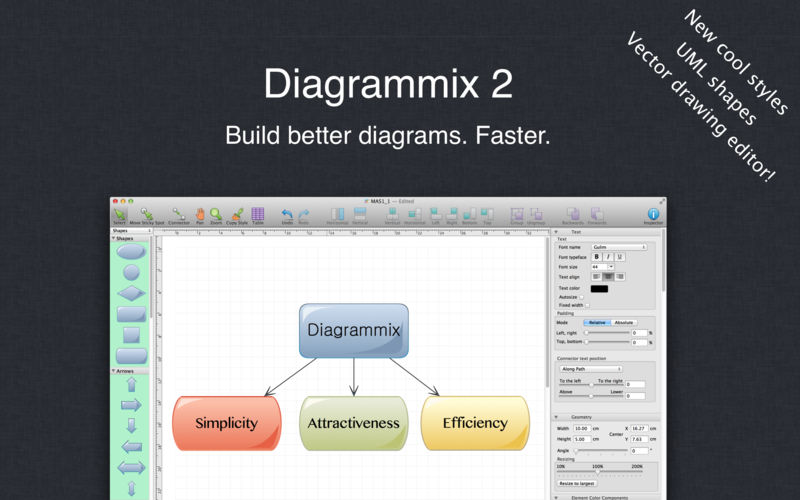

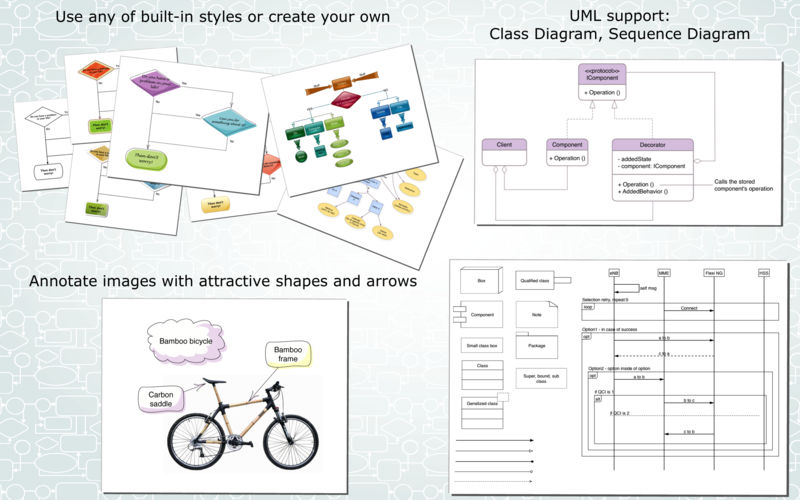
Diagrammix is a tool for building better-looking diagrams with minimal effort.
If you are office worker, developer, manager, supervisor, student or home user you can draw just about anything in an easy and intuitive way. You'll be able to focus on what really matters. Diagrammix automatically connects elements, autosizes elements when entering text, and aligns elements and connectors. Diagrammix offers many different art elements and different connectors that eliminate the need to waste time preparing vector drawings. Just drag and drop elements from the palette, connect them and enter your text.
Use Diagrammix as a business tool to quickly create stunning illustrations. Your diagrams can be saved in a number of formats including JPEG, PNG, TIFF, PDF, or copied to word processors via a clipboard.
Version 2.16
- bug fixes;
Frequently asked questions
How do I install the app?
Mount the image, drag the app into the "Applications" folder and launch it. If the system blocks the launch, allow it in "System Settings → Privacy & Security".
The app is damaged or won't launch
Reinstalling from a fresh image usually helps. Make sure your macOS version matches the one listed in the compatibility specs.
How do I update?
Download the new version from the site and install it over the current one — your settings will be preserved.
The download link doesn't work
Try a mirror or a download manager. For large files the browser often drops the connection.
How do I completely remove the app?
Use an uninstaller utility — it cleans up the service files that remain after moving the app to the trash.
VersionDiagrammix 2.16
DeveloperIgor Belyaletdinov © Deep IT
CompatibilityOS X 10.7 or later, 64-bit processor
LanguageEnglish, French, German, Italian, Portuguese, Russian, Simplified Chinese, Spanish
IncludesK'ed by TNT





Information
Visitors in the group Guests cannot leave comments on this publication.
Choose a download source
Diagrammix 2.16 · 32.08 MB