
Short Menu 2.4
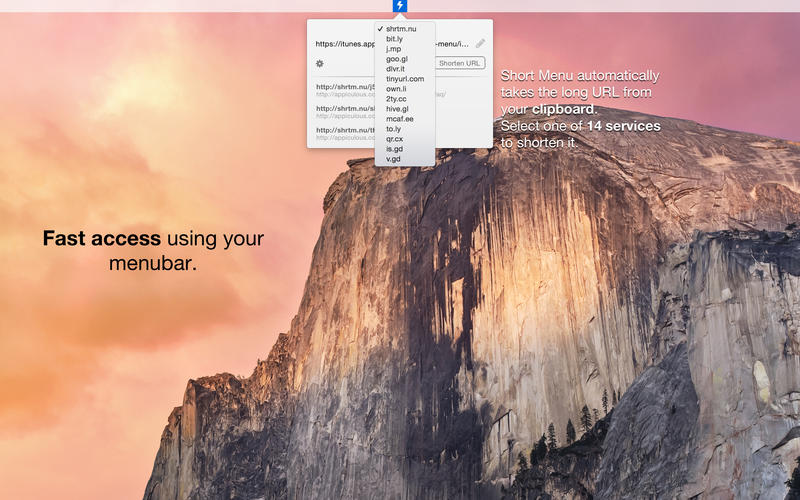
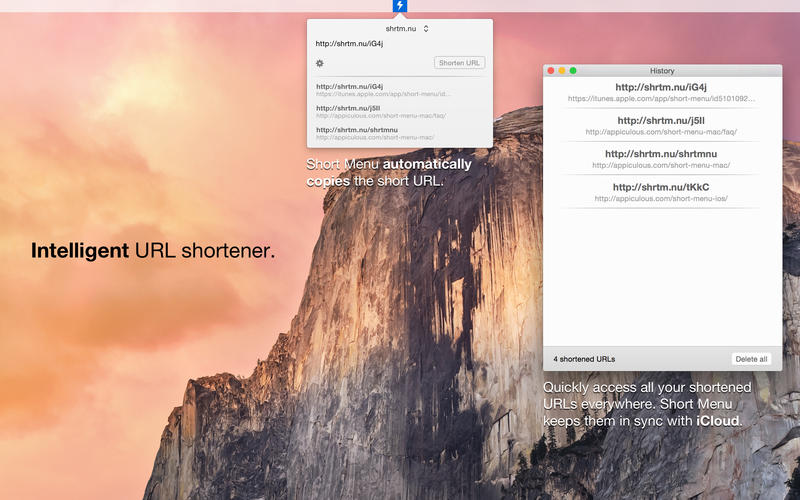
Short Menu is a powerful, intelligent, and lightning-fast URL shortener. It supports 15 different services and is extremely easy to use. Simply click on Short Menu's menu bar icon to open it. It automatically takes the URL from your clipboard. You only have to press one button, then Short Menu will shorten your URL and automatically copy the short URL for you.
Features
- Lightning fast URL shortening with 15 services supported by default
- 6 of the default services and all custom services support custom keywords
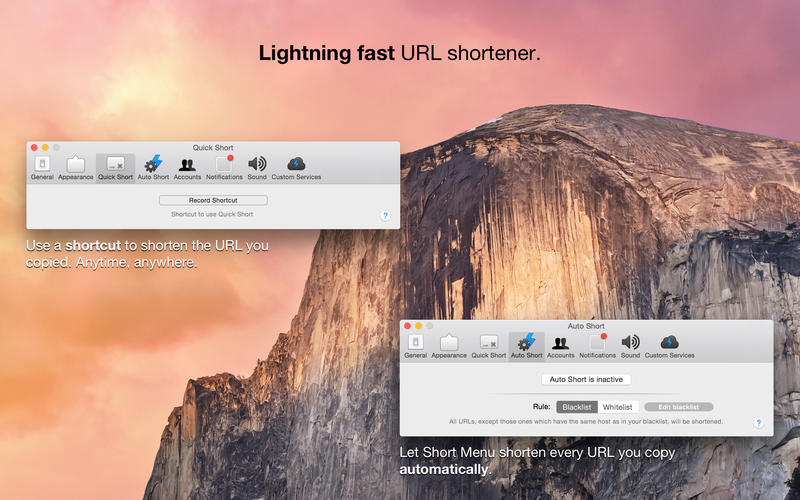
- Quick Short: Use a shortcut to shorten URLs
- Auto Short: Automatically let Short Menu shorten every URL you copy
- Right click Short Menu's menu bar icon to shorten the URL from your clipboard
- Add as many bit.ly, Rebrandly, Google, Droplr, and CloudApp accounts as you want
- Add an unlimited number of custom services
- Copy and share any URL from your history
- Your history and custom services will be synced with iCloud
WHAT’S NEW
Version 2.4
Short Menu 2.4 adds support for affiliate URLs. You can now configure accounts in the preferences with your own affiliate tokens and campaigns. Before shortening, your accounts will be used affiliate all matching URLs.
Currently iTunes and Amazon URLs are supported, but additional merchants will be added on demand. To request support for merchants, please use the contact form at appiculous.com/contact.
Affiliate Accounts will need to be unlocked separately. After 5 years of continuously free updates, this is the first version of Short Menu which contains a paid feature. The reason is simply that affiliate accounts are only being used by a specific group of users. This way, the base price can be kept low for everyone and those who need can unlock affiliate accounts.
Screenshots
Frequently asked questions
How do I install the app?
Mount the image, drag the app into the "Applications" folder and launch it. If the system blocks the launch, allow it in "System Settings → Privacy & Security".
The app is damaged or won't launch
Reinstalling from a fresh image usually helps. Make sure your macOS version matches the one listed in the compatibility specs.
How do I update?
Download the new version from the site and install it over the current one — your settings will be preserved.
The download link doesn't work
Try a mirror or a download manager. For large files the browser often drops the connection.
How do I completely remove the app?
Use an uninstaller utility — it cleans up the service files that remain after moving the app to the trash.
VersionShort Menu 2.4
DeveloperAppiculous UG
CompatibilityOS X 10.9 or later, 64-bit processor
LanguageEnglish





Information
Visitors in the group Guests cannot leave comments on this publication.
Choose a download source
Short Menu 2.4 · 9.82 MB