Motion 5.11.0 - Professional animation editor
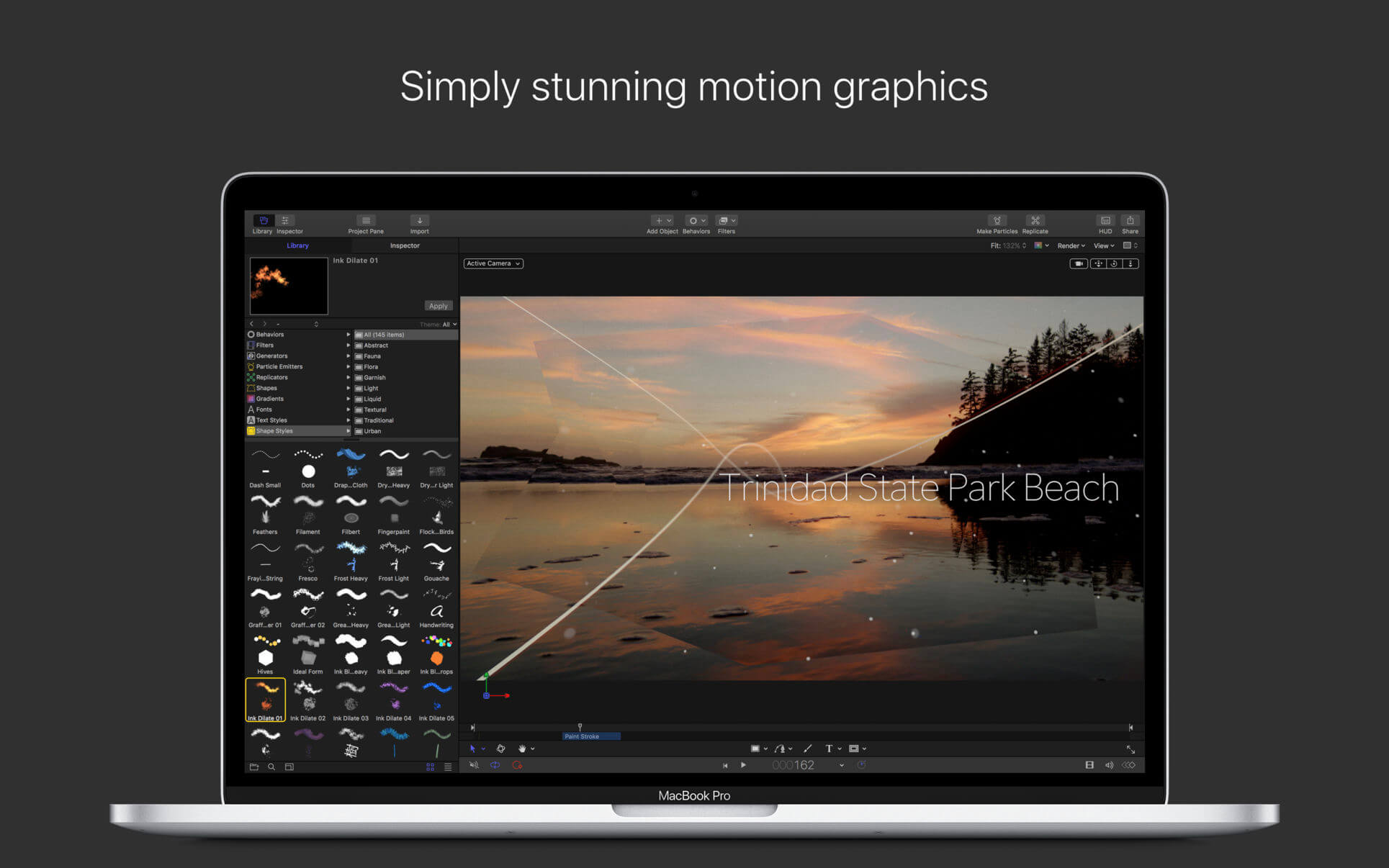
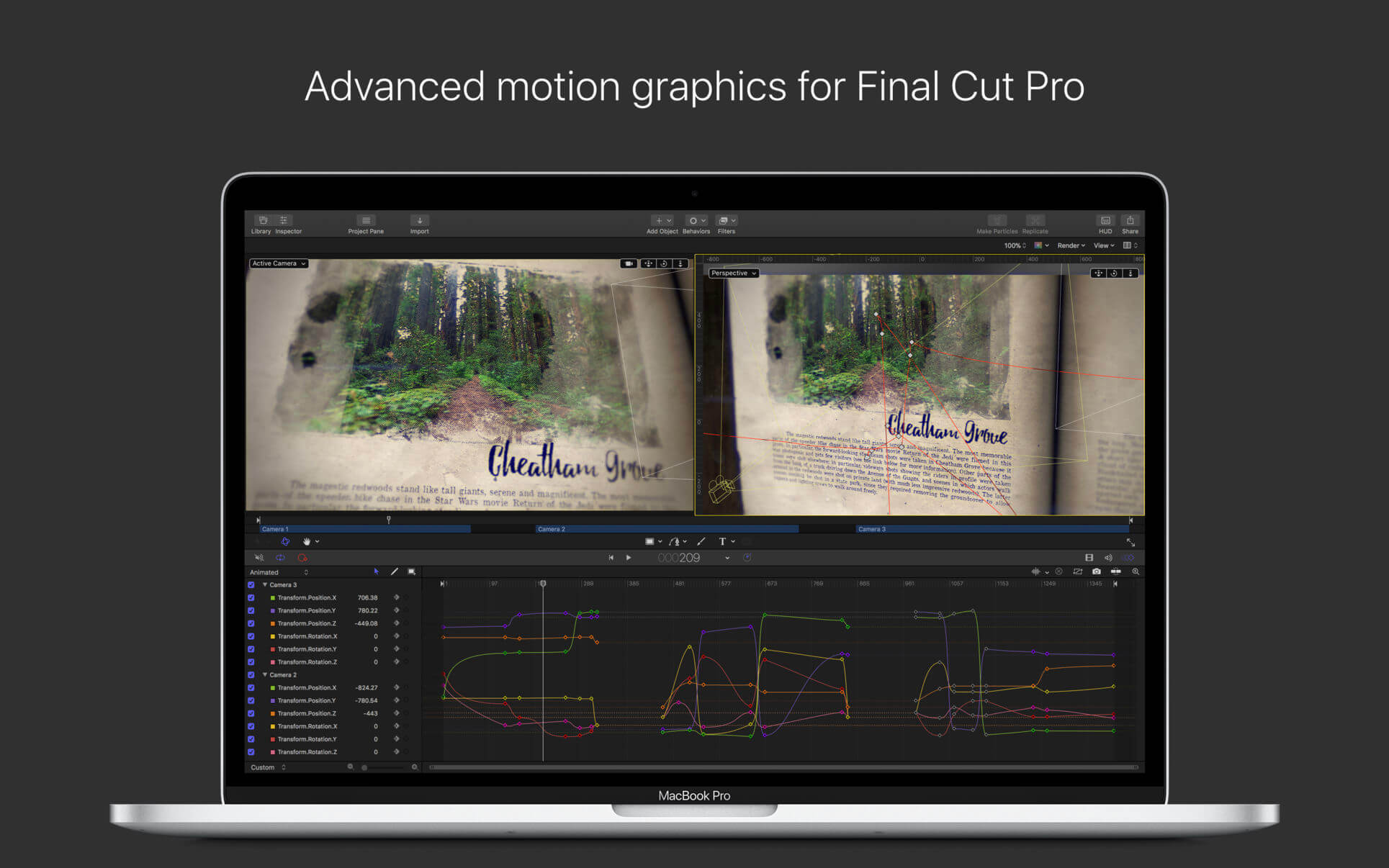
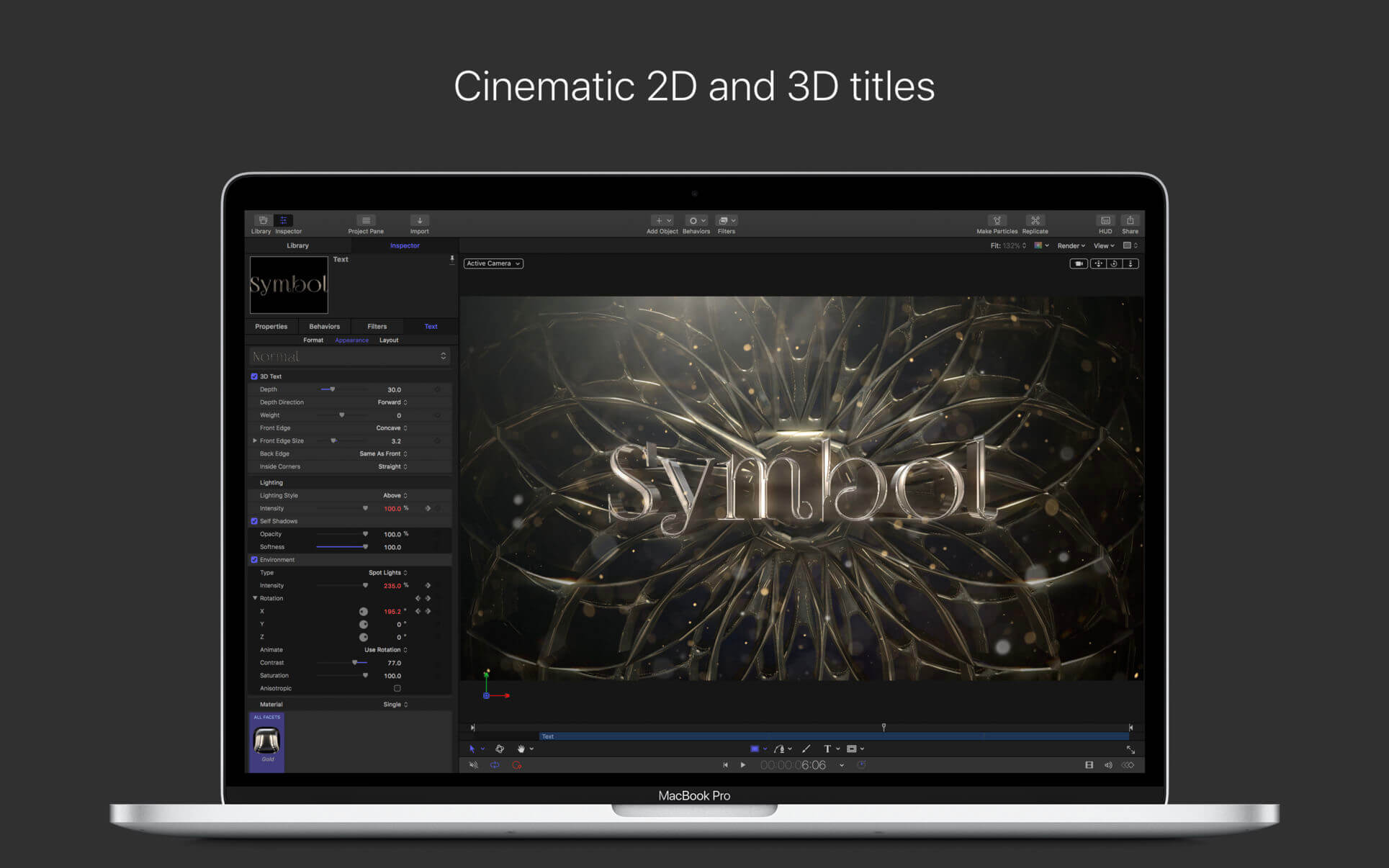
Designed for video editors, Motion is a powerful motion graphics tool that makes it easy to create cinematic 2D and 3D titles, fluid transitions, and realistic effects in real time.
2D and 3D Titles
- Import 360° media and design 360° titles, generators, and effects
- Build 3D titles from scratch, design them with easy-to-use templates, or instantly convert any existing 2D title to 3D
- Easily create beautiful titles that you can animate using more than 100 drag-and-drop behaviors and intuitive text animation tools
- Customize 3D titles to create endless looks with over 90 Apple-designed 3D materials including metal, wood, and stone surfaces
Motion Graphics for Final Cut Pro
- Save any title, effect, transition or generator and access it directly in Final Cut Pro
- Customize Final Cut Pro titles, effects, and transitions by opening them in Motion
- Create Motion Templates with any combination of single parameters and rigs, that let you control a group of parameters with a slider, pop-up menu, or checkbox in Final Cut Pro
- Use Display Aspect Ratio snapshots to create templates that support multiple aspect ratios
Stunning Effects
- Choose from more than 230 behaviors for natural animation without keyframes
- Create an accurate chroma key in a single step with the Keying filter
- Change focus points or the depth effect for video shot in Cinematic mode on iPhone (requires macOS Monterey or later)
- Design your own particle emitters or choose from 200 presets for real-world effects like smoke and sparkles
- Use professional masking tools to quickly draw and adjust control points for rotoscoping
- Automatically detect, track, and match the movement of faces or objects using machine learning
- Choose between different tracking analysis types
- Add the Neon filter to easily add a neon glow to text, shapes, video, stills, and more
- Harness an ecosystem of third-party FxPlug plug-ins for tasks like advanced tracking, advanced motion graphics, and more
Effortless 3D
- Transition from 2D to 3D space by adding cameras
- Create 3D scenes within a 360° project for ultra-realistic 360° environments
- Set up realistic shadows that animate dynamically with the movement of cameras and lights
- Turn any shape, video plane, or paint stroke into a reflective surface in 3D space
- Import third party USDZ objects or use one of 60 premade objects in the Motion Library
Breakthrough Speed, Quality, and Output
- Import wide color HDR images, view them on supported Mac computers, and export in standard Rec. 709 or wide Rec. 2020 color space
- Improved performance and efficiency on Mac computers with Apple silicon
- Unrivaled performance with optimizations for the M1 Pro, M1 Max ** and M1 Ultra chips on the new Mac Studio and MacBook Pro
System Requirements: macOS 14.6 or later, 8 GB of memory (16 GB recommended), Metal-capable graphics card (Intel-based Mac computers only), 4.7 GB of available disk space.
Version 5.11
Motion 5.11 includes the following enhancements and bug fixes:
- Take advantage of the dynamic range and even wider color gamut of Apple Log 2 video.
- Includes stability and performance improvements.
Frequently asked questions
How do I install the app?
Mount the image, drag the app into the "Applications" folder and launch it. If the system blocks the launch, allow it in "System Settings → Privacy & Security".
The app is damaged or won't launch
Reinstalling from a fresh image usually helps. Make sure your macOS version matches the one listed in the compatibility specs.
How do I update?
Download the new version from the site and install it over the current one — your settings will be preserved.
The download link doesn't work
Try a mirror or a download manager. For large files the browser often drops the connection.
How do I completely remove the app?
Use an uninstaller utility — it cleans up the service files that remain after moving the app to the trash.




Choose a download source
Motion 5.11.0 - Professional animation editor · 2.77 GB
Previous versions
Motion 5.11.0 - Professional animation editor
Previous versions are available to registered users.