
Movavi Video Editor 15 Plus 15.4.0
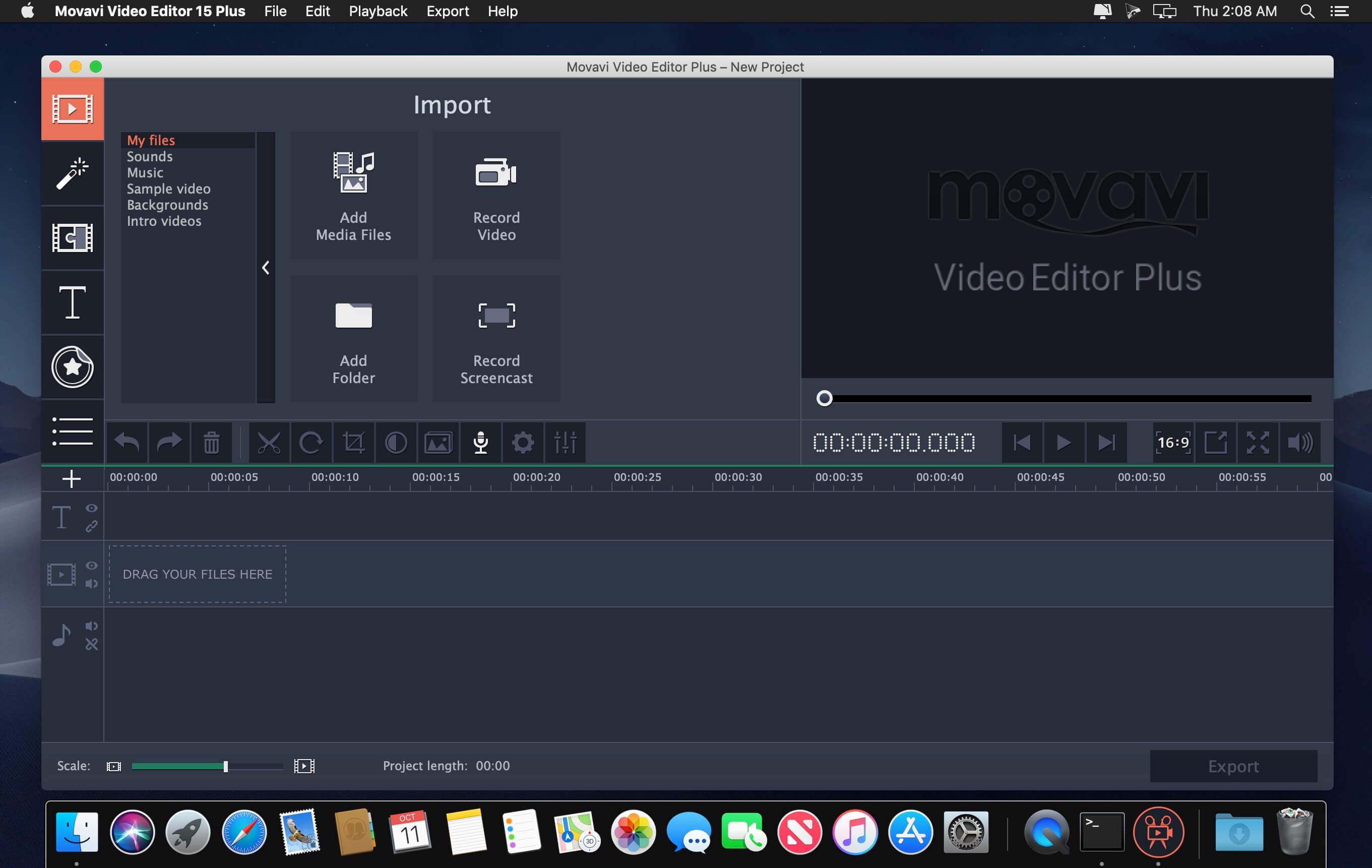
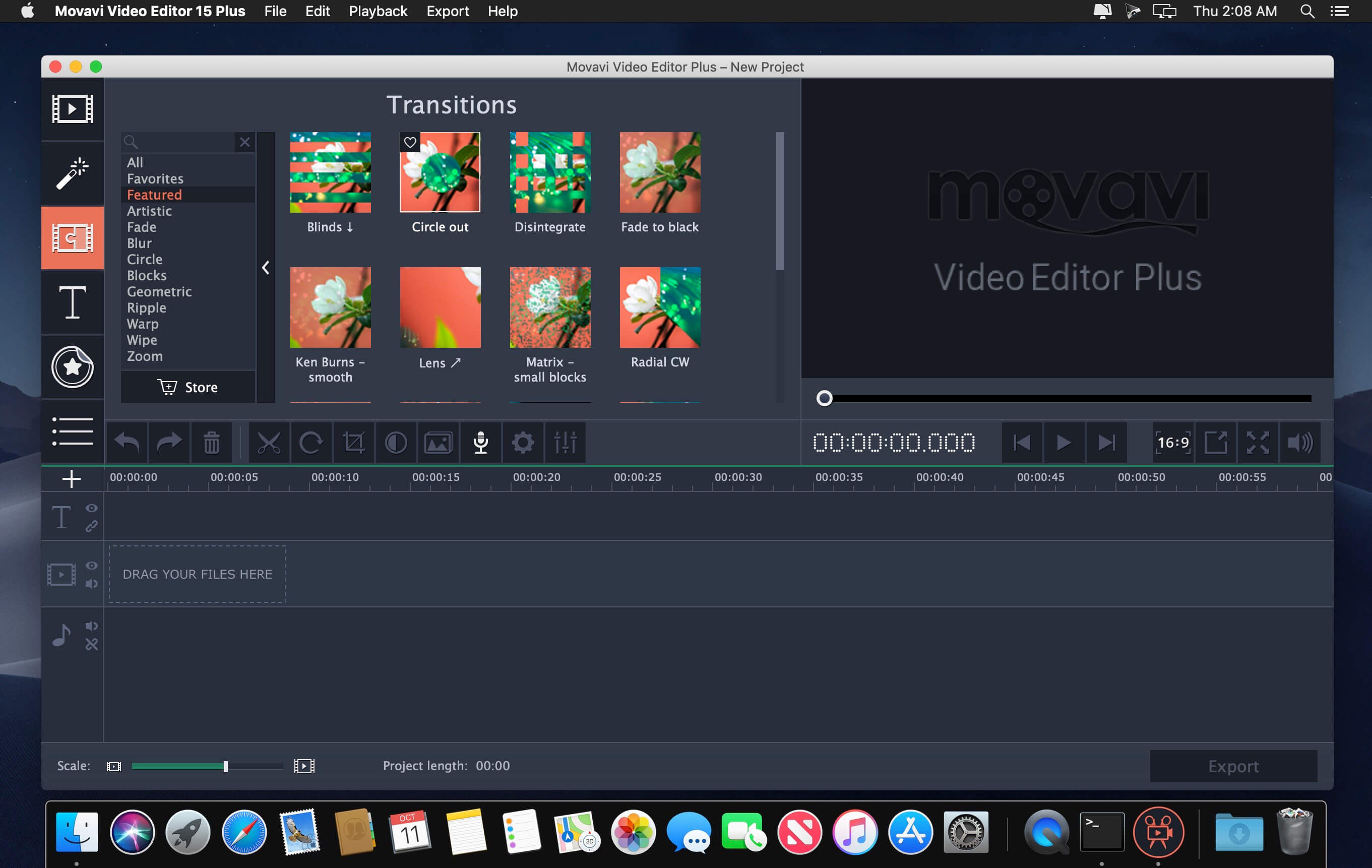
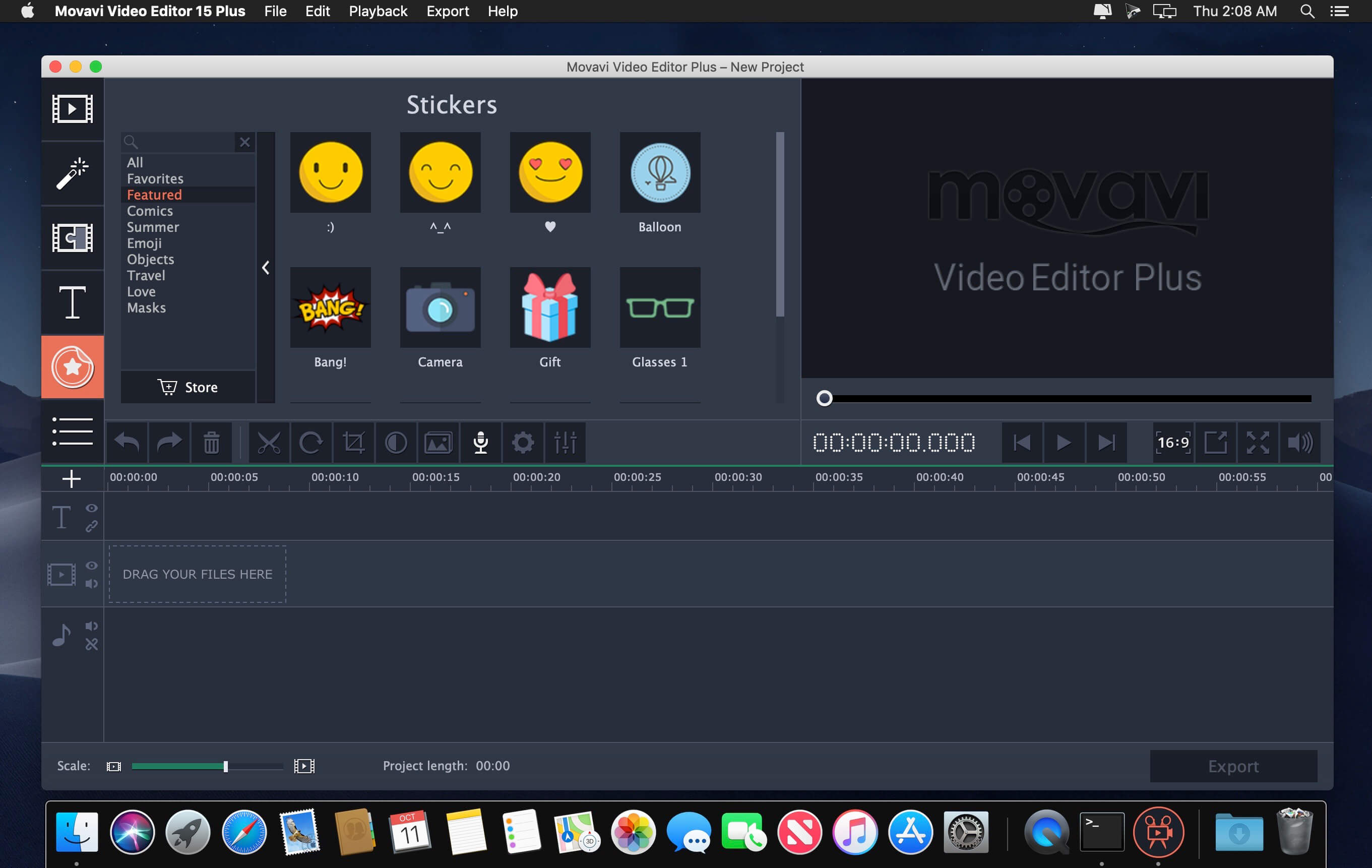
Meet Video Editor Movavi for Mac – a superfast streamlined app for easy video editing on Mac. Try it out and see how easily you can create polished home videos and photo slideshows. It takes just five easy steps:
- Upload video clips and photos: use any popular video or image format, import all files from the folder of your choice.
- Edit and enhance your footage: cut, rotate, and crop video, delete unwanted segments, improve video quality, fix shaky and vertically shot videos.
- Add music: import your own audio files in almost any format or choose from pre-installed selections. Add stylish titles and callouts, enhance the flow with dynamic transitions.
- Experiment with filters: apply creative effects including Old Movie, Flying Objects, Pop Art and many more.
- Export your movie: use a wide range of built-in presets optimized for regular playback, mobile viewing, and sharing online.
- Video Editor Movavi lets you manage your project intuitively: set the aspect ratio before you start or change it on the go if you need to; both widescreen and standard 4:3 options are available.
- Import video files in AVI, MPEG-4, WMV, MOV, DivX, FLV, MKV, and other formats and edit them on the convenient timeline: cut and trim, rotate the footage to any angle and crop at the same time.
- Enhance video quality in one click: adjust colors and smooth out shaky footage.
- Use the Slideshow Wizard to create a colorful photo presentation in just 3 steps: add the photos in a single folder, choose a transition style and sync the slides to your uploaded music. Video Editor Movavi supports most common image formats, including JPEG, GIF, BMP, PNG, and many more.
- Add captions to your video or slideshow: choose from a variety of fonts and styles, create animated titles.
- Use 160+ filters and special effects to make your movies unforgettable. Use Hollywood-style effects like Chroma Key, Slow Motion, Reverse, and Freeze-frame.
- Adding a soundtrack to your project is a breeze! Simply import the music and other audio you want to include in MP3, AAC, FLAC, or other popular formats, or choose a music theme that works for your visuals. Trim and cut audio files, mute sound and add sound effects. Enhance audio quality using Equalizer and Normalizer, eliminate background noise with Noise Removal.
- Cut, rotate, reverse or enhance your video on the timeline
- Liven up your footage with animated transitions
- Add creative titles to your movie
- Add a soundtrack in any popular audio format or choose one of the available music themes
- Edit audio files that you’ve added to the project
- Create unique soundtracks by applying various audio effects
- Capture video from webcams, camcorders, and VHS cassettes
- Use demo video clips from the VideoBlocks website
- Remove motion distortion with the video stabilization tool
- Create colorful slideshows with music and fades
- Experiment with Chroma Key, Picture-in-Picture and other effects
- Export videos in most popular formats
- Tweak your projects for mobile viewing on iPad, iPhone, iPod, and other devices
- Prepare your videos for uploading on Facebook, YouTube or other websites
Version 15
New Multi-Track Timeline
Add as many tracks as you want and re-order them any way you like; place clips anywhere on a track; enjoy the new compact design.
Fast Track HD Acceleration
Edit Full HD and 4K videos with no freezing or lagging.
Updated Montage Wizard
Create videos with any of five themes, using specific music, titles, and transitions; add opening and end titles.
Intros and Outros
Add ready-made animated intros and outros to your videos, create your own custom templates.
Guide Lines
Titles, stickers, Crop, Pan & Zoom, and other tools are now easier to work with, thanks to guide lines in the preview screen.
Portable Projects
Save your video project on a flash memory card so you can continue working on it on another device.
New Multi-Track Timeline
Add as many tracks as you want and re-order them any way you like; place clips anywhere on a track; enjoy the new compact design.
Fast Track HD Acceleration
Edit Full HD and 4K videos with no freezing or lagging.
Updated Montage Wizard
Create videos with any of five themes, using specific music, titles, and transitions; add opening and end titles.
Intros and Outros
Add ready-made animated intros and outros to your videos, create your own custom templates.
Guide Lines
Titles, stickers, Crop, Pan & Zoom, and other tools are now easier to work with, thanks to guide lines in the preview screen.
Portable Projects
Save your video project on a flash memory card so you can continue working on it on another device.
Frequently asked questions
How do I install the app?
Mount the image, drag the app into the "Applications" folder and launch it. If the system blocks the launch, allow it in "System Settings → Privacy & Security".
The app is damaged or won't launch
Reinstalling from a fresh image usually helps. Make sure your macOS version matches the one listed in the compatibility specs.
How do I update?
Download the new version from the site and install it over the current one — your settings will be preserved.
The download link doesn't work
Try a mirror or a download manager. For large files the browser often drops the connection.
How do I completely remove the app?
Use an uninstaller utility — it cleans up the service files that remain after moving the app to the trash.
VersionMovavi Video Editor 15 Plus 15.4.0
DeveloperGOLDEN SOFTWARE INC. © 2014 Movavi
CompatibilityOS X 10.6 or later, 64-bit processor
LanguageEnglish, Dutch, French, German, Italian, Japanese, Korean, Polish, Portuguese, Russian, Simplified Chinese, Spanish, Turkish
IncludesK'ed by TNT



Information
Visitors in the group Guests cannot leave comments on this publication.
Choose a download source
Movavi Video Editor 15 Plus 15.4.0 · 94.68 MB
Previous versions
Movavi Video Editor 15 Plus 15.4.0
Previous versions are available to registered users.