
Browser Care 4.0.1
Browser Care is a powerful application that allows you to keep your browsers clean and under control since navigating accumulates files on your Mac.
Features
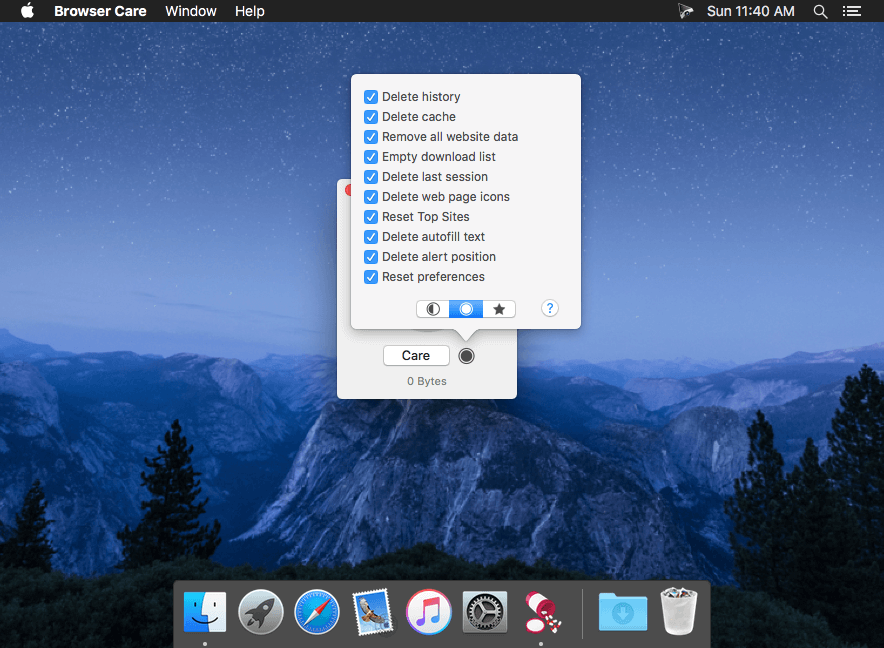
- Care. A button for everything. Take Care of your browser to recover space on your Mac.
- Simple presets. Convenient presets that are fast and easy (even for beginners).
- Items size. Constant monitoring of elements in the browsers to check the exact space used on your Mac.
- Notifications. Browser Care will alert in the menu bar and window when to a browser should be taken care.
- Auto Activate. Automatic detection of browsers and the installed versions on your Mac.
- History of care. Keep track of all care of your browsers: date and browser.
- Sync account. Browser Care works perfectly with the synchronization data of iCloud and Google Account.
WHAT’S NEW
Version 4.0
- New UI.
- Improved browser detection.
- Dozens of bug fixes.
Screenshots
Frequently asked questions
How do I install the app?
Mount the image, drag the app into the "Applications" folder and launch it. If the system blocks the launch, allow it in "System Settings → Privacy & Security".
The app is damaged or won't launch
Reinstalling from a fresh image usually helps. Make sure your macOS version matches the one listed in the compatibility specs.
How do I update?
Download the new version from the site and install it over the current one — your settings will be preserved.
The download link doesn't work
Try a mirror or a download manager. For large files the browser often drops the connection.
How do I completely remove the app?
Use an uninstaller utility — it cleans up the service files that remain after moving the app to the trash.
VersionBrowser Care 4.0.1
DeveloperGiovanni Maria Cusaro
CompatibilityOS X 10.10 or later, 64-bit processor
LanguageMultilangual
IncludesPre-K'ed





Information
Visitors in the group Guests cannot leave comments on this publication.
Choose a download source
Browser Care 4.0.1 · 3.49 MB