Remotix VNC, RDP & NEAR 5.1.1
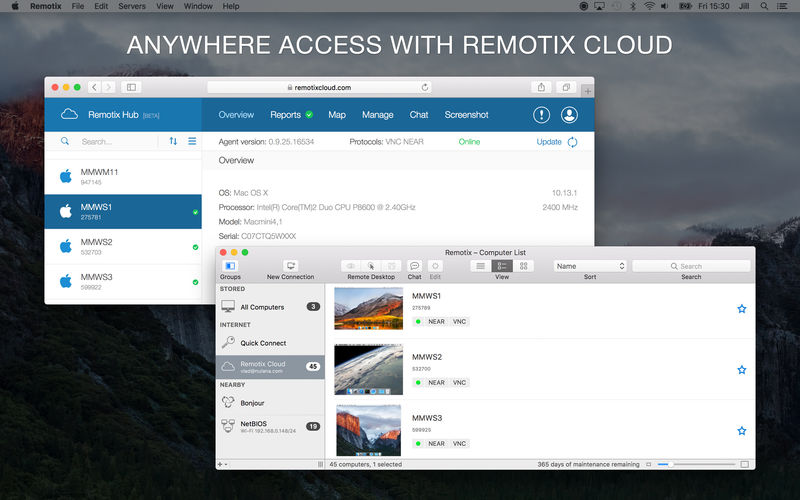
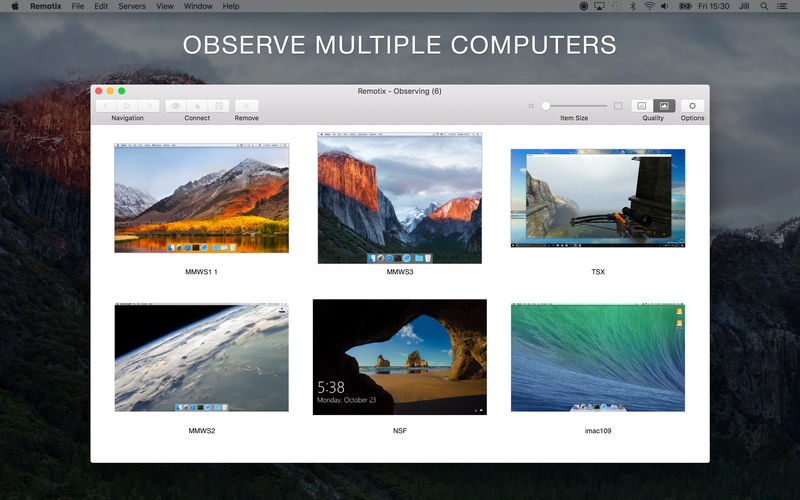
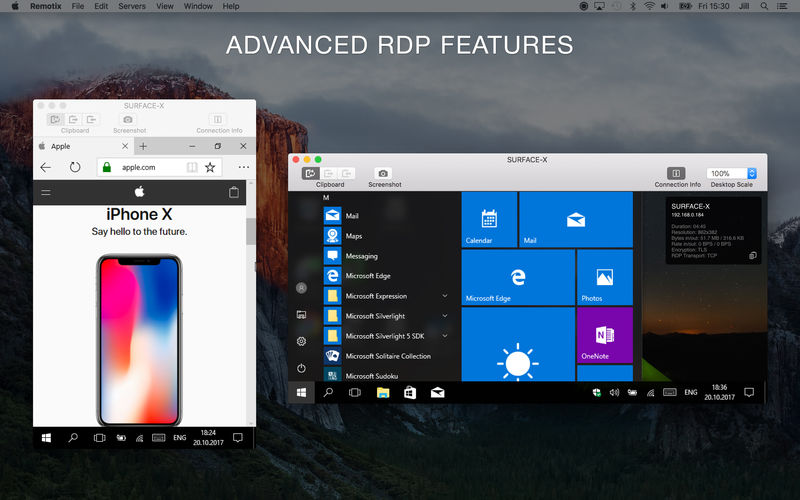
Remotix is a fast and powerful application to easily access multiple Macs (and PCs) from your own Mac.
Features
- Complete Apple Screen Sharing support - including Mac OS X login, clipboard synchronization, Apple adaptive codec and multiple display configurations
- Advanced RDP implementation with RD Gateway, clipboard sync, bidirectional sound, file system and printer redirection
- Automatic Bonjour server discovery and network scanners makes it easy to find and connect to other machines
- Complete SSH tunneling support with public-key and password authentication
- Remotix Cloud - allows users to access all their computers from anywhere
Version 5.0:
- NEAR Protocol: We're happy to introduce modern, low-latency remote desktop protocol called NEAR. NEAR brings hardware accelerated H.264 based desktop experience, network adaptivity, remote sound transfer, transparent multilanguage input and automatic clipboard synchronization.
- Remotix Cloud Sync: Remotix can automatically synchronize your server list across all your devices once you log in to Remotix Cloud.
- Built-in Chat: Chat freely with the users behind the machines you manage right from Remotix. Remotix Hub Chat, previously only available on Remotix Hub web (and Remotix Agent), now coming to Remotix itself.
- Hardware-accelerated H.264 support for RDP connections: Windows 10 and Windows Server 2016 include the capability of transferring desktop picture using H.264, dramatically improving the user experience.
- Multiple groups: Stored servers can now reside in multiple groups (previously known as categories), giving you more precise way to organise them.
- Separate SSH and RDG settings: SSH and Remote Desktop Gateway servers are now managed separately from your stored computers, so once you configure SSH or RDG server, you can use it in multiple connections.
- High Sierra: Doubleclick issues are now fixed.
Frequently asked questions
How do I install the app?
Mount the image, drag the app into the "Applications" folder and launch it. If the system blocks the launch, allow it in "System Settings → Privacy & Security".
The app is damaged or won't launch
Reinstalling from a fresh image usually helps. Make sure your macOS version matches the one listed in the compatibility specs.
How do I update?
Download the new version from the site and install it over the current one — your settings will be preserved.
The download link doesn't work
Try a mirror or a download manager. For large files the browser often drops the connection.
How do I completely remove the app?
Use an uninstaller utility — it cleans up the service files that remain after moving the app to the trash.
VersionRemotix VNC, RDP & NEAR 5.1.1
DeveloperNulana LTD
CompatibilityOS X 10.7 or later, 64-bit processor
LanguageEnglish
IncludesK'ed by TNT
Choose a download source
Remotix VNC, RDP & NEAR 5.1.1 · 16.51 MB
Previous versions
Remotix VNC, RDP & NEAR 5.1.1
Previous versions are available to registered users.
Comments 2