
Colors PRO 1.6.2
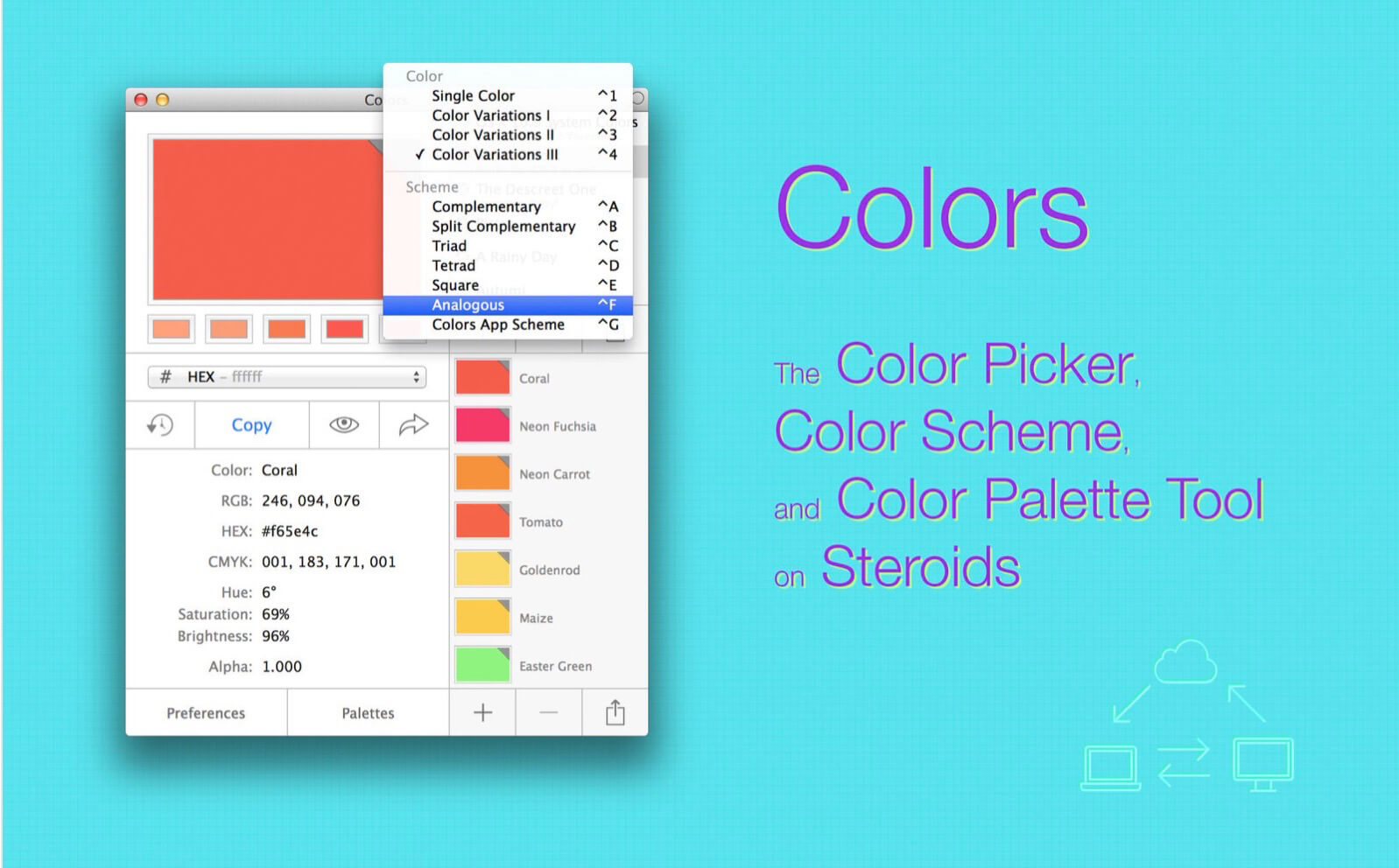
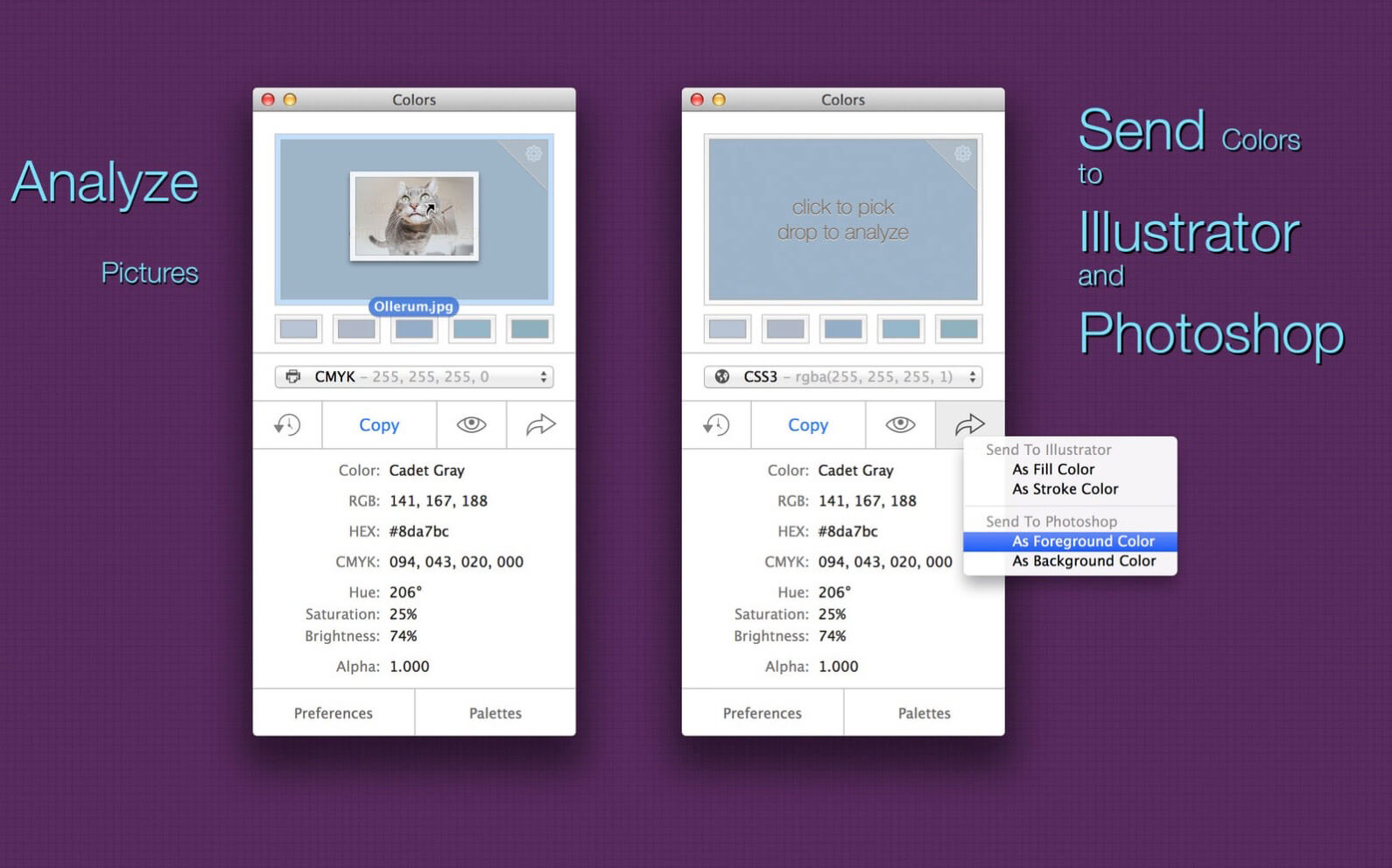

Colors PRO is a color picker, color scheme, and color palette tool. Colors PRO comes bundled with a Color Picker Plugin. Once enabled, you can access all your colors, palettes, and schemes you've created and stored within the main Color application from within any supported app like, for example, Pages, Pixelmator, Sketch, Xcode, or Photoshop.
With Colors you can have it all. In one single application. Colors is a color picker. Colors is a photo analyzer. Colors is a scheme generator.
Colors stores all your colors, schemes, and palettes. Colors works with iCloud, Dropbox, and Co so that you can access them from all your Macs. Colors speaks twenty different color codes; from HEX to UIColor and Java RGB.
Version 1.6.2:
- Improved Support for macOS Mojave (10.14 and 10.14.1)
Frequently asked questions
How do I install the app?
Mount the image, drag the app into the "Applications" folder and launch it. If the system blocks the launch, allow it in "System Settings → Privacy & Security".
The app is damaged or won't launch
Reinstalling from a fresh image usually helps. Make sure your macOS version matches the one listed in the compatibility specs.
How do I update?
Download the new version from the site and install it over the current one — your settings will be preserved.
The download link doesn't work
Try a mirror or a download manager. For large files the browser often drops the connection.
How do I completely remove the app?
Use an uninstaller utility — it cleans up the service files that remain after moving the app to the trash.



Choose a download source
Colors PRO 1.6.2 · 9.4 MB