
Freeway Pro 7.1.3
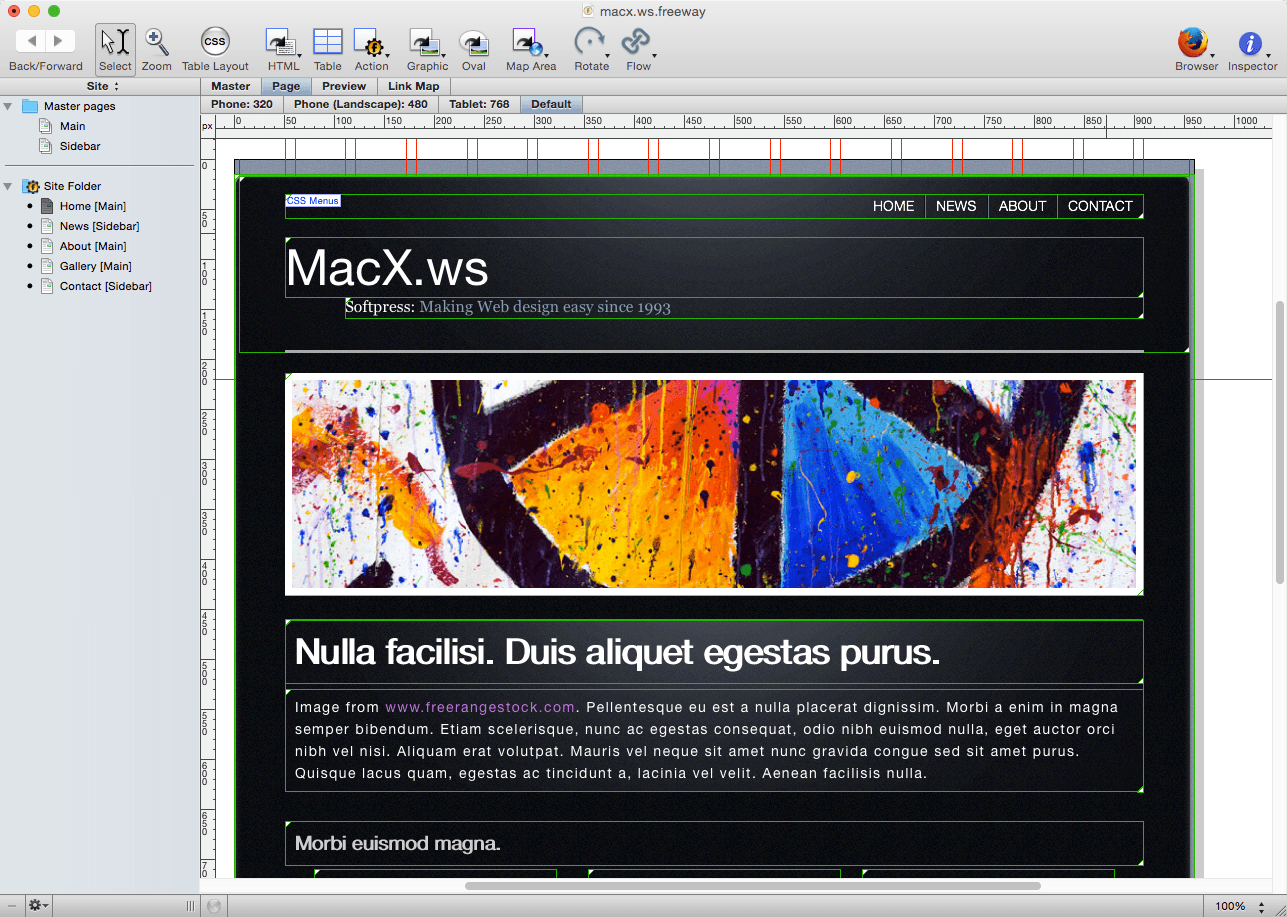
Freeway Pro lets you design and build sophisticated responsive websites code free.
With its user-oriented drag-and-drop interface, Freeway Pro helps you piece together the website of your dreams. Add images, audio, video and interactive content -- when your masterpiece is complete, Freeway Pro converts it into clean, standards-compliant code at the click of a button!
Beyond Web Design
Freeway isn't just for web designers: Leverage the power of the intuitive interface to create eye-catching email newsletters that work with all major email clients!
Pro-level Options
Freeway Pro is more advanced than its counterpart, Freeway Express:
- Create responsive and adaptive mobile-friendly websites.
- Eight responsive templates.
- Access hundreds of plugins.
- Animate your content with fluid transitions.
- Add sophisticated search capabilities to your site.
- Import professional graphic types.
- User installable templates.
- … And much, much more!
Screenshots
Frequently asked questions
How do I install the app?
Mount the image, drag the app into the "Applications" folder and launch it. If the system blocks the launch, allow it in "System Settings → Privacy & Security".
The app is damaged or won't launch
Reinstalling from a fresh image usually helps. Make sure your macOS version matches the one listed in the compatibility specs.
How do I update?
Download the new version from the site and install it over the current one — your settings will be preserved.
The download link doesn't work
Try a mirror or a download manager. For large files the browser often drops the connection.
How do I completely remove the app?
Use an uninstaller utility — it cleans up the service files that remain after moving the app to the trash.
VersionFreeway Pro 7.1.3
DeveloperSoftpress Systems
CompatibilityOS X 10.6.8 or later
LanguageEnglish
IncludesSerial




Information
Visitors in the group Guests cannot leave comments on this publication.
Choose a download source
Freeway Pro 7.1.3 · 97.09 MB