
Website Builder 1.4

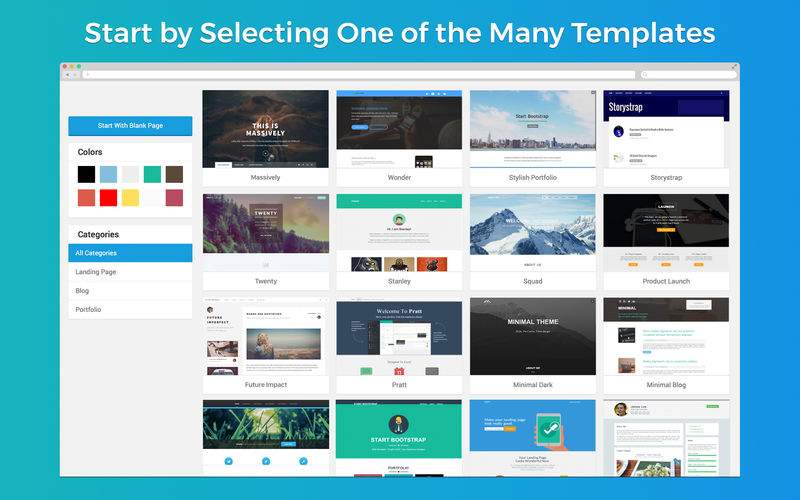
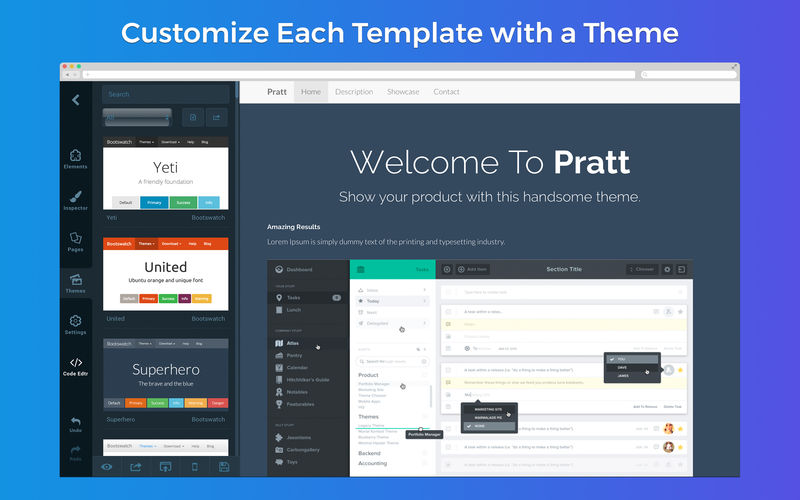
Are you new to web development? Not a problem! Building a website is now easy as selecting one of our many predesigned templates from the Templates Library, applying your favoured theme to that template and using the page builder to fill in your content with drag and drop blocks.
Are you more of an experienced web developer? ARCSOFT™ will help make your business website look more professional and profitable within minutes.
Our professionally designed templates and themes will make starting from scratch a non-existent process. Then customize your theme by editing directly on the page or by dragging and dropping new elements to your site.
ARCSOFT™ web design software for the macOS platform provides a visual interface builder for creating, editing and publishing websites, as well as mobile web apps. All of this packaged up into a single application for a professional way to manage and share your creations on Mac.
FEATURES
- Drag & Drop Blocks to the Grid
- A Fully Loaded Templates Library
- Themes to Customize Every Template
- Live Visual Editor to Edit Directly on the Page
- Professional & Responsive Blocks Library
- Export & Publish Entire Websites in Seconds
- Add Custom Images to the Media Library
- 100s of Fonts & Custom Font Support
- Code Editor with Syntax Highlighting
- And Much, Much More…
Frequently asked questions
How do I install the app?
Mount the image, drag the app into the "Applications" folder and launch it. If the system blocks the launch, allow it in "System Settings → Privacy & Security".
The app is damaged or won't launch
Reinstalling from a fresh image usually helps. Make sure your macOS version matches the one listed in the compatibility specs.
How do I update?
Download the new version from the site and install it over the current one — your settings will be preserved.
The download link doesn't work
Try a mirror or a download manager. For large files the browser often drops the connection.
How do I completely remove the app?
Use an uninstaller utility — it cleans up the service files that remain after moving the app to the trash.
VersionWebsite Builder 1.4
DeveloperJustin Bush
CompatibilityOS X 10.11 or later, 64-bit processor
LanguageEnglish
IncludesK'ed by TNT





Information
Visitors in the group Guests cannot leave comments on this publication.
Choose a download source
Website Builder 1.4 · 11.21 MB