Ultimate Retouch 3.5 panel Photoshop
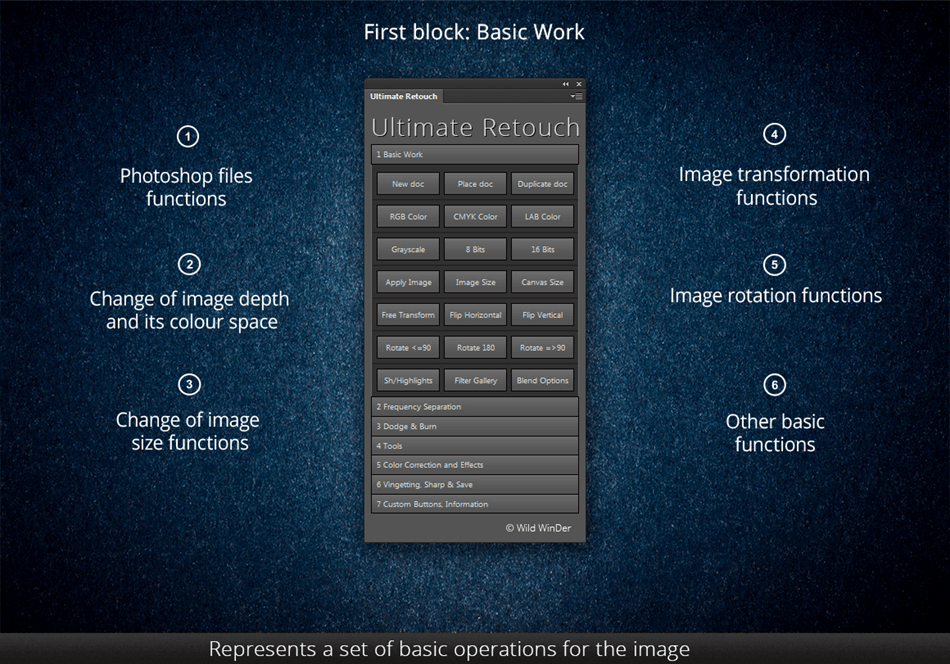
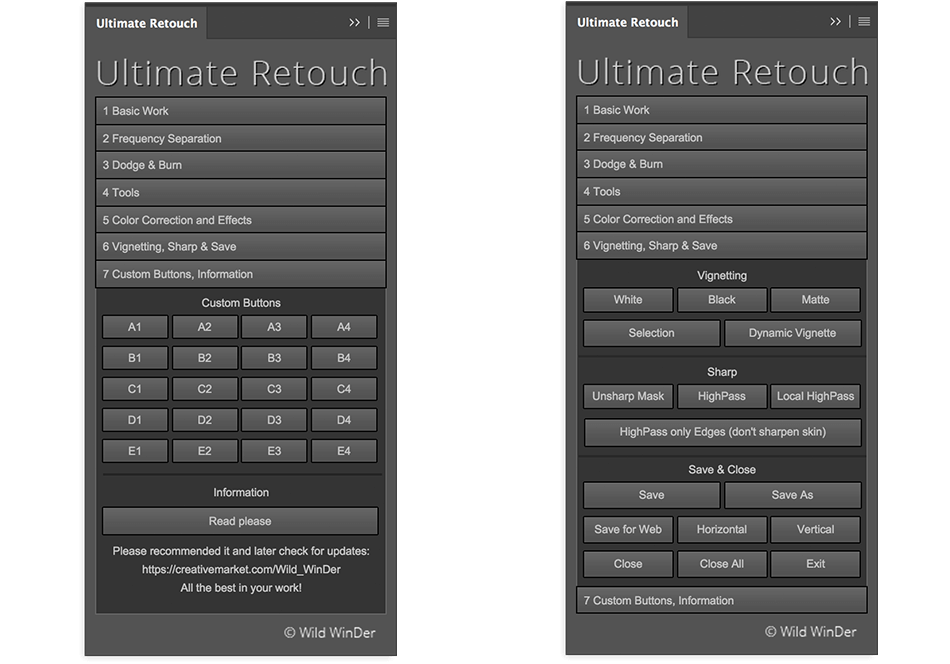
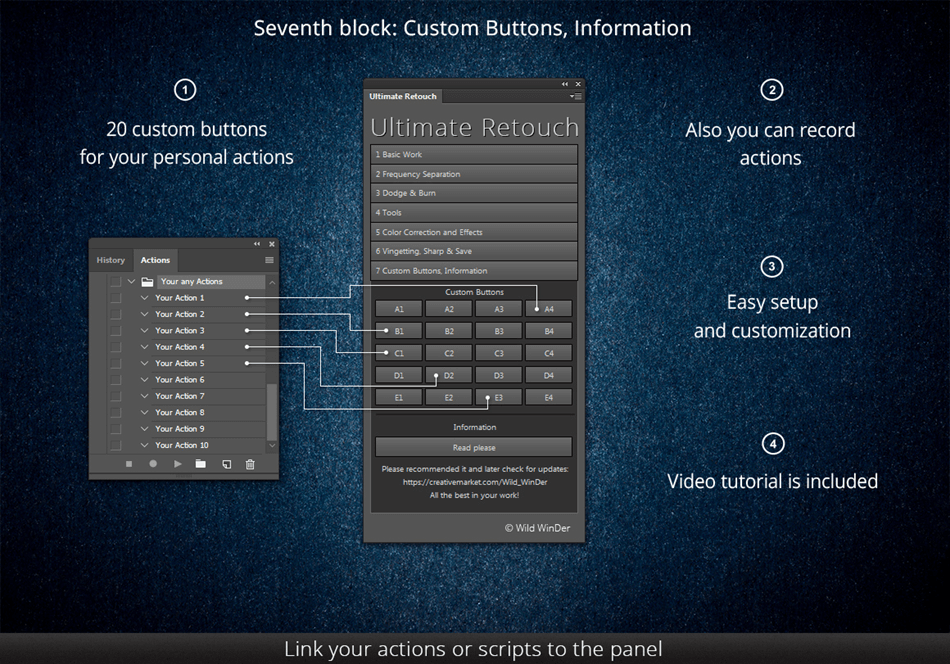
This panel is an amazing tool for a retoucher and for a photographer. It keeps you away from boring technical Photoshop settings and gives you more time to focus on your work. Panel includes seven blocks. In last block you can link your 20 favorite actions to the panel buttons.
Ultimate Retouch Features:
- 175 functions in one panel
- 7 unique blocks for retouch
- 20 custom buttons for your personal actions
- Frequency Separation 8 and 16 bits
- Immediate switch on and off of visual texture boost
- Frequency Separation by a plugin Portraiture
- Fast retouch
- Color Correction block with 30 presets
- 4 methods of technique Dodge & Burn
- 3 help layers to capture the flaws and irregularities
- Dual Vision for easy managing of Dodge & Burn
- Work whith RGB channels and masks
- Local and global High Pass Sharp
- Based on scripts for fast work
- A special algorithm to save photos to social networks
- Dynamic opacity and vignette
- Multi tint effect
6 styles of color correction:
- Fashion
- Vintage
- Candy
- Matte
- HDR
- Black and White
- A possibility to mix the styles
30 tools for local retouching:
- HDR Kit for simulating an HDR effect
- Anti-Highlights
- Volume
- Volume HRLA
- Manual HRLA
- Tan Skin
- Remove Pores
- Skintone Gradient map
- Skin Pigment
- Noise texture
- Manual noise texture
- Iris Enhancer
- White Teeth
- Multifunctional tool 10 in 1: Eyes Tool
- Multifunctional tool 5 in 1: Face Lips
4 types of curves:
- Contrast
- Matte
- 3 points
- 4 points
Bonus 1:
Panel retouching tools - small panel with retouching tools, which you can place anywere on your screen
Bonus 2:
Visual map of retouch process - detailed map of imperfections, which should be fixed by retoucher.
Bonus 3:
Panel Blendit - which allows you to quickly switch blending modes
Package included:
- 23-page Instruction PDF-guide with full and detailed description how to use the panel
- Detailed Installation PDF-guide with links on tutorial video
- Video Tutorials PDF-guide with 18 links on tutorial video
- Ultimate Retouch ZXP file
- Panel Retouching tools ZXP file
- Panel Blendit ZXP file
- Visual map of retouch process (jpeg and txt)
Screenshots
Frequently asked questions
How do I install the app?
Mount the image, drag the app into the "Applications" folder and launch it. If the system blocks the launch, allow it in "System Settings → Privacy & Security".
The app is damaged or won't launch
Reinstalling from a fresh image usually helps. Make sure your macOS version matches the one listed in the compatibility specs.
How do I update?
Download the new version from the site and install it over the current one — your settings will be preserved.
The download link doesn't work
Try a mirror or a download manager. For large files the browser often drops the connection.
How do I completely remove the app?
Use an uninstaller utility — it cleans up the service files that remain after moving the app to the trash.
VersionUltimate Retouch 3.5 panel Photoshop
DeveloperWild WinDer
CompatibilityPhotoshop CS5 - Photoshop CC 2015 • OS X / Windows
LanguageEnglish
IncludesPre-K'ed
Related posts
-
 Beauty Retouch Panel v 3.0, 3.1 and Pixel Juggler v2 for Photoshop
Mac Apps109.86 MB
Beauty Retouch Panel v 3.0, 3.1 and Pixel Juggler v2 for Photoshop
Mac Apps109.86 MB
-
 Raya Pro 3.0 - panel for Adobe Photoshop
Photography99.64 MB
Raya Pro 3.0 - panel for Adobe Photoshop
Photography99.64 MB
-
 Magic Retouch Pro 4.3 - panel for Adobe Photoshop
Graphic Design103.06 MB
Magic Retouch Pro 4.3 - panel for Adobe Photoshop
Graphic Design103.06 MB
-
 Raya Pro 2.0 & InstaMask 1.0 fix - panel for Adobe Photoshop
Photography177.85 MB
Raya Pro 2.0 & InstaMask 1.0 fix - panel for Adobe Photoshop
Photography177.85 MB
-
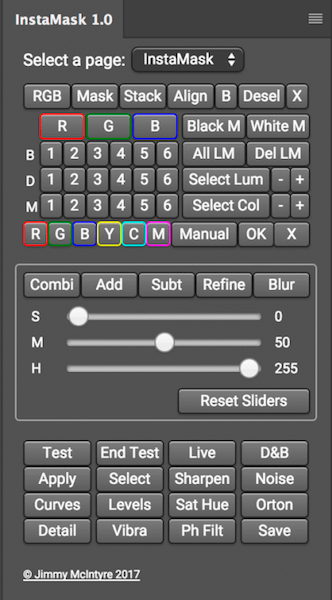 Instamask 1.0 - panel for Adobe Photoshop СС
Mac Apps295.32 MB
Instamask 1.0 - panel for Adobe Photoshop СС
Mac Apps295.32 MB
Information
Visitors in the group Guests cannot leave comments on this publication.
Choose a download source
Ultimate Retouch 3.5 panel Photoshop · 406 MB