
Mole 1.14.0
Mole: Mac system maintenance app for cleaning and optimization
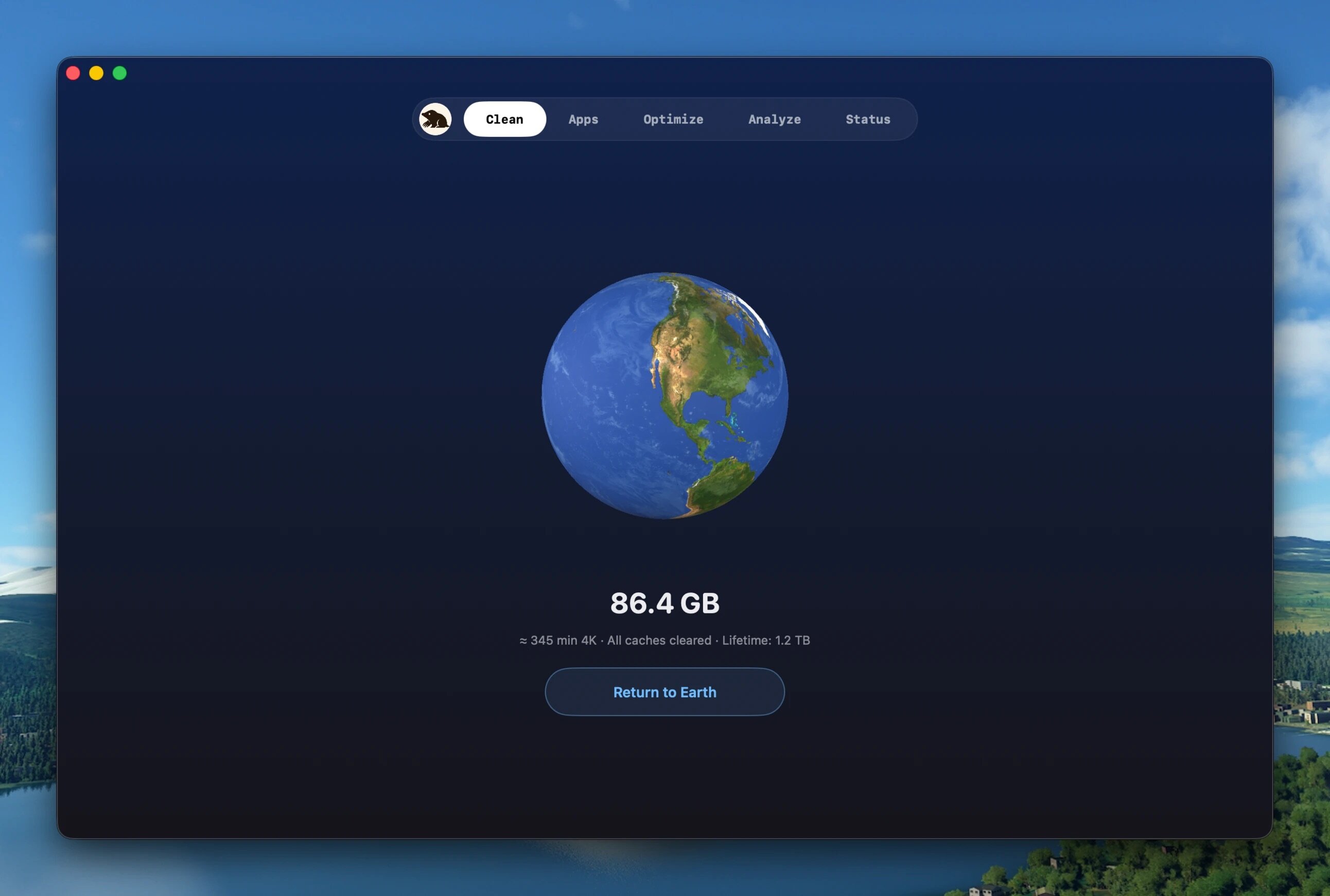
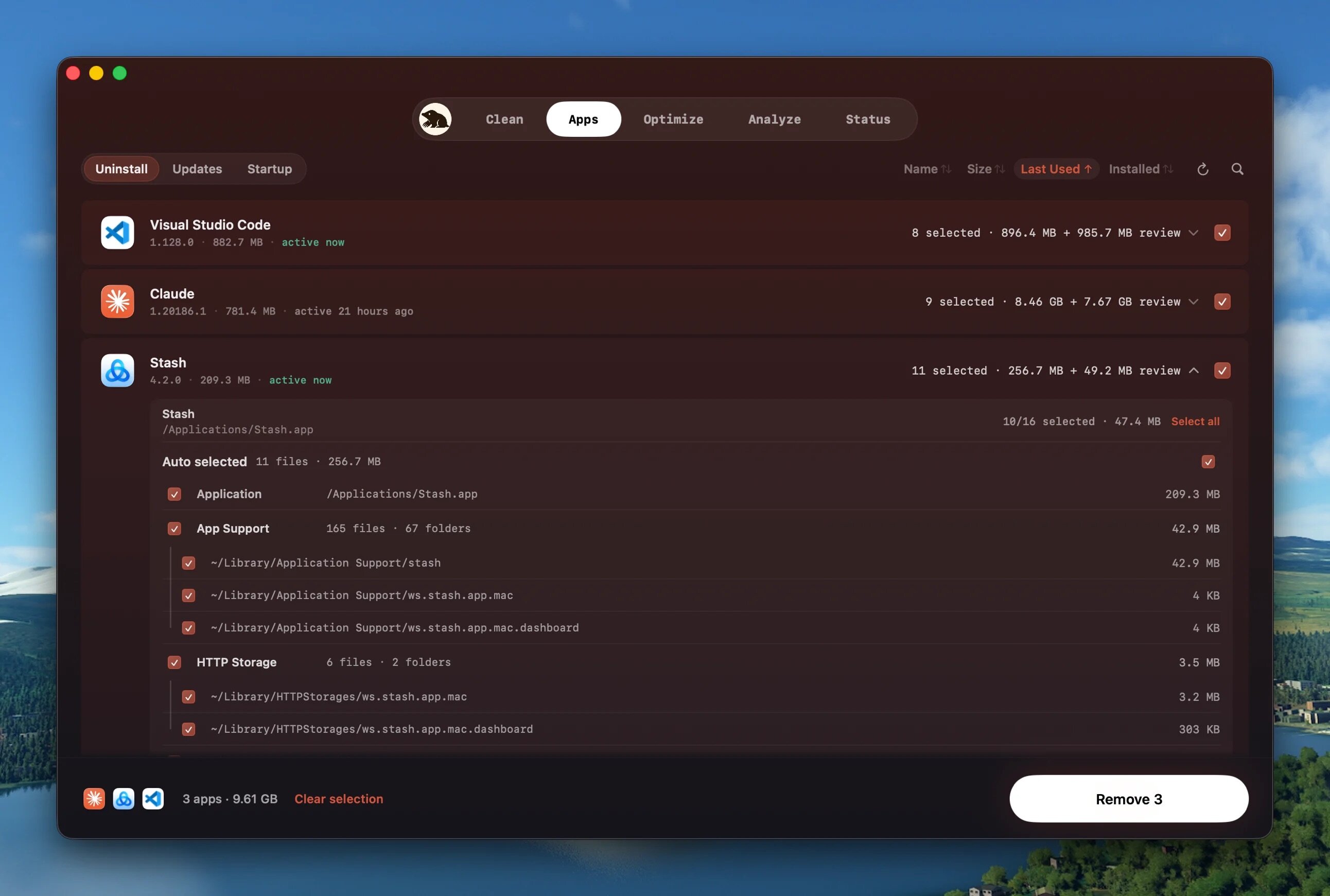
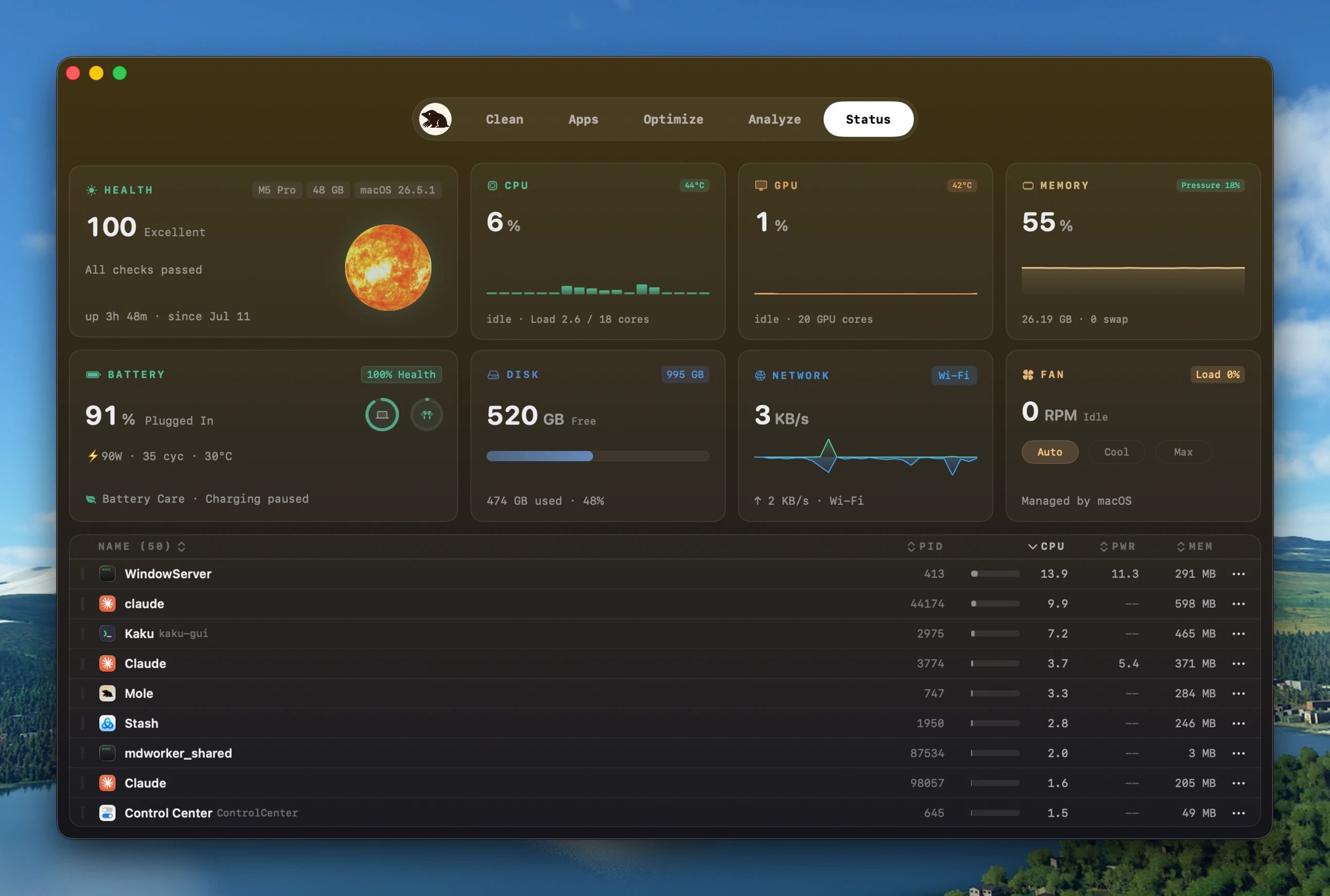
Mole is the all-in-one system maintenance solution for Mac users who want complete control over their computer's performance without juggling multiple tools. By consolidating cleaning, optimization, analysis, and health monitoring into a single app, Mole simplifies Mac maintenance and frees up valuable disk space.
What You Get
Comprehensive Cleaning & Optimization
Remove junk files in seconds—clear caches, logs, and temporary files; eliminate app remnants and startup clutter from your Dock; and handle system maintenance tasks with a single click.
Transparent, Security-First Approach
Mole operates locally with zero network uploads of your files or browsing history. Before any action is taken, you'll see exactly what will be removed and how much space you'll recover—then confirm before cleanup begins.
Smart Performance Monitoring
Get real-time insights into CPU, memory, GPU, disk, network, battery charge, and temperature usage. Analyze disk space visually with interactive tree-view maps to identify what's consuming room on your drive.
Safe & Intelligent
Deep disk scanning with full access combined with automatic detection means Mole actively skips anything suspicious, protecting your system while delivering thorough results. No guesswork—just safe, reliable maintenance.
The Result
Keep your Mac running smoothly, maximize disk space, and maintain peak system health—all without compromising privacy or security.
Version 1.14.0:
- Software updates: Apps downloaded from their websites can now update inside Mole, Homebrew-installed apps update to the right build for this Mac, and a newer build of the same version is detected. Mole asks before quitting a running app and reopens it once the update is installed; an app that cannot be updated tells you why and reuses a finished download instead of fetching it again. ChatGPT and App Store apps transferred to another developer now update normally, and Parallels hands over to its own updater.
- Update All: App Store and Sparkle updates run at the same time, a pending purchase no longer holds up the rest, and the list and counts stay put while the batch runs. One failed or cancelled update does not affect the others, you can retry any time, and the quit prompts, incomplete-check notice and Homebrew repair guidance are clearer.
- Uninstall: Duplicate apps are no longer listed twice, leftover detection is more complete, files left by bundled helpers and older versions are found, and Unity's data folder is listed for your review. Leftovers are listed by path with app and leftover sizes shown separately, empty temporary folders are marked Empty, browser personal data has to be selected by hand, and sensitive data or files another app still uses are never removed. The cleanup prompt after an uninstall elsewhere waits for leftovers to settle and explains sizes and skips.
- Clean: New cleanup for QQ, Feishu, Lark, PyInstaller, automated Chrome, rebuildable SwiftPM and Cargo caches, and older Autodesk Fusion versions, while QQ chats and media, deployment keys and Git-tracked files are always kept. Apps holding a cache can be quit right from Clean and the affected items refresh in place, with no rescan. Slow folders no longer stall the scan, Never Clean can be undone reliably, and AirDrop and running login services are left alone.
- Analyze: Large and developer folders open faster, folders full of one file type are listed by date, and map colours and hover details are easier to read.
- Status: Apple Silicon temperatures are steadier, menu-bar temperature and fan speed refresh every second, and free disk space is accurate in Status and the menu bar. Processes can be sorted, the health score says what it deducted, and a low Bluetooth battery alerts you without opening the panel, whether the menu-bar icon is static or animated.
- Keep Screen On: Sessions pause at 20% battery, resume once plugged in, and an unlimited session survives a restart.
- Background use: Hidden windows release graphics memory within a minute, Status refreshes less while another app is in front, and Mole checks for its own updates less often.
- Activation and devices: Simpler first-run and purchase screens show terms and pricing at a glance, Return activates a key, activated devices can be managed, and light mode no longer flashes white at launch.
- Interface: Controls, menu animations and pointer feedback are consistent, wide-window layouts and minimized-window restoration are better, Clean buttons stay visible on small screens, repeated password prompts are fewer, and startup items can be retried when they fail to load.
- Language and compatibility: Brazilian Portuguese is added, and with the language set to automatic the first launch after updating follows the Mac's preferred language while manual choices stay. Intel Macs on the legacy Metal compatibility layer show static planets to avoid a reported startup crash.
Frequently asked questions
How do I install the app?
Mount the image, drag the app into the "Applications" folder and launch it. If the system blocks the launch, allow it in "System Settings → Privacy & Security".
The app is damaged or won't launch
Reinstalling from a fresh image usually helps. Make sure your macOS version matches the one listed in the compatibility specs.
How do I update?
Download the new version from the site and install it over the current one — your settings will be preserved.
The download link doesn't work
Try a mirror or a download manager. For large files the browser often drops the connection.
How do I completely remove the app?
Use an uninstaller utility — it cleans up the service files that remain after moving the app to the trash.





Choose a download source
Mole 1.14.0 · 19.04 MB
Previous versions
Mole 1.14.0
Previous versions are available to registered users.