Disk PLUS 1.73
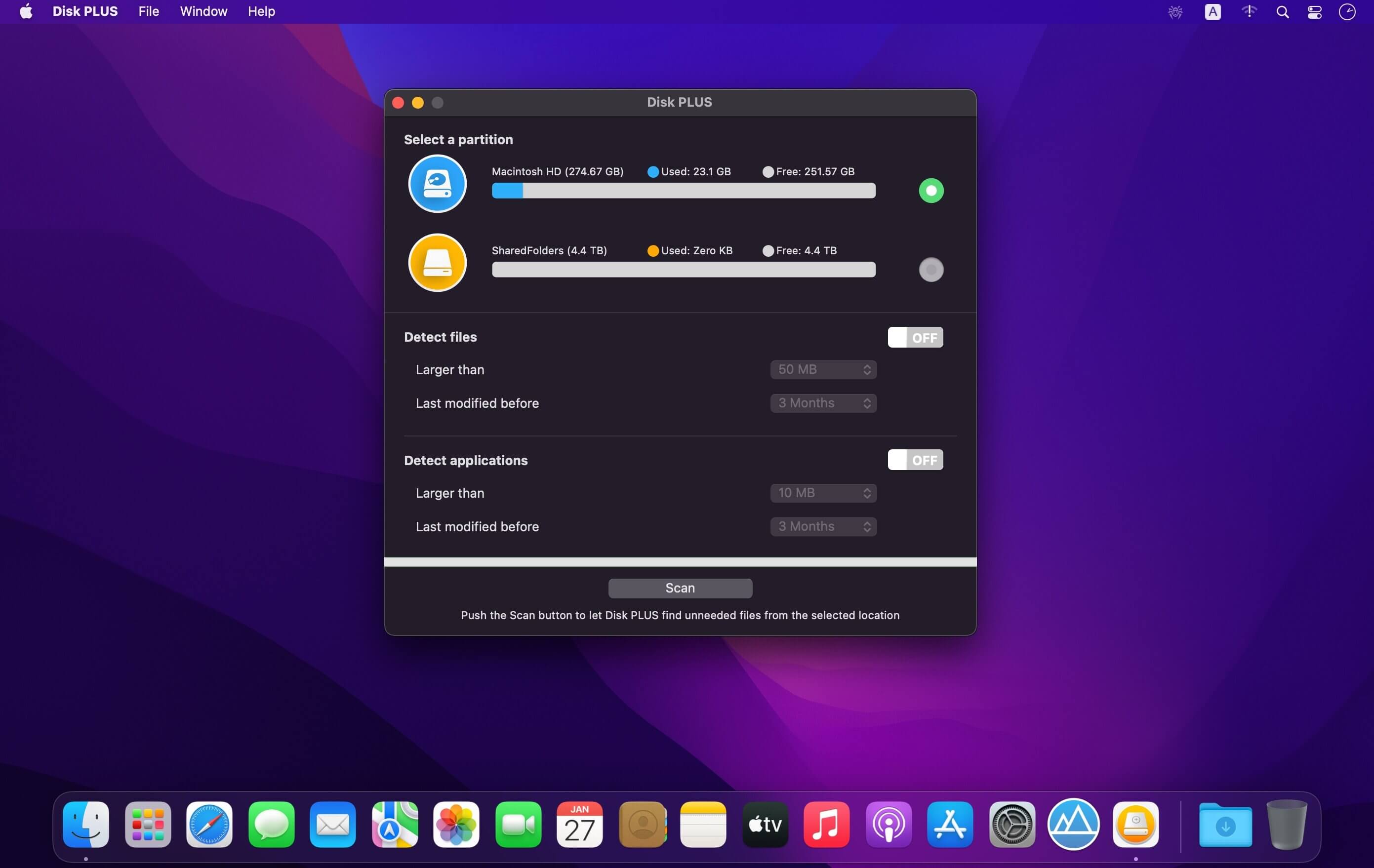
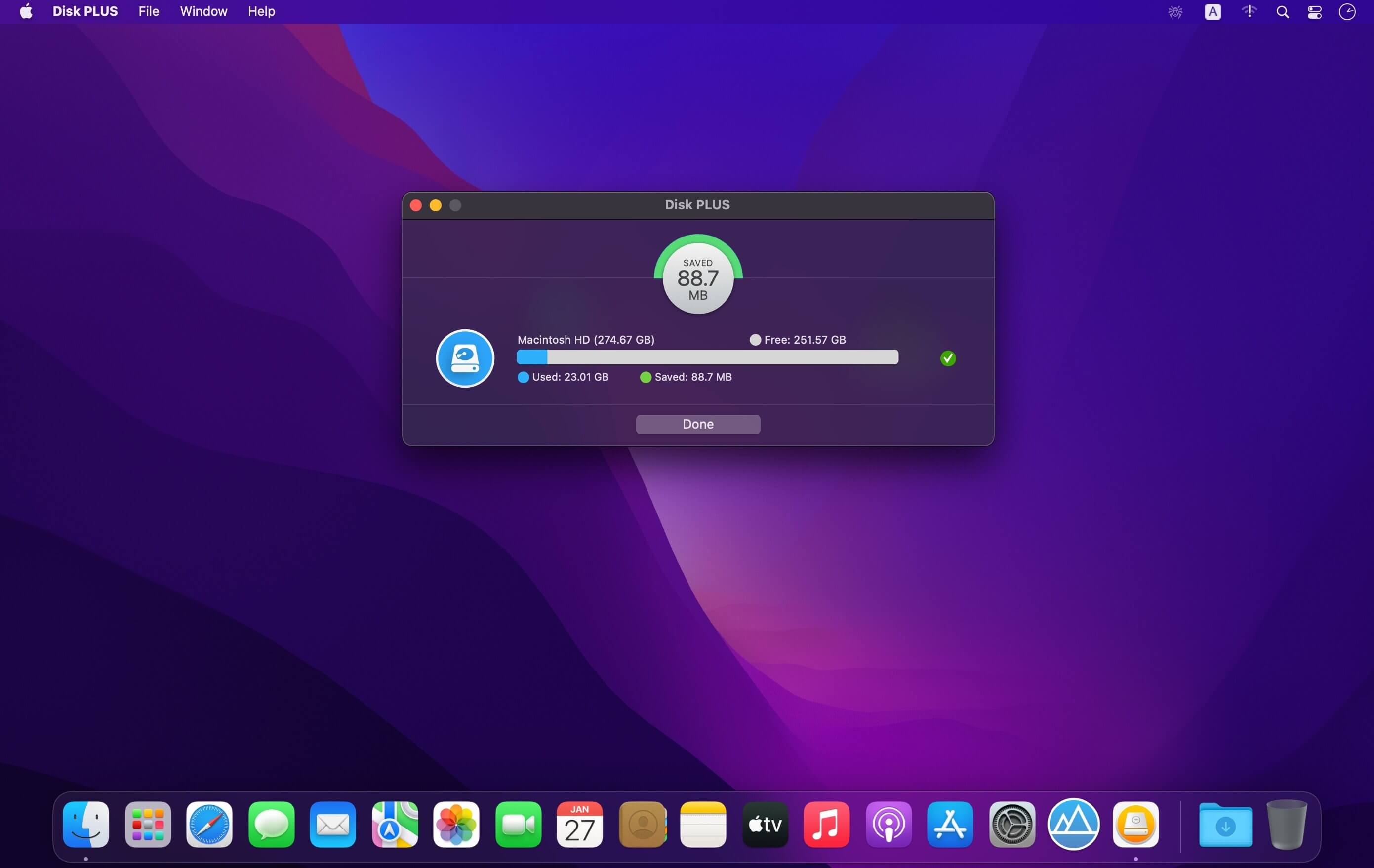
Disk PLUS is a very comprehensive multipurpose disk utility that can be used as both a disk cleaner and a space recovery tool. As a disk cleaner, it detects junk data from various hard to detect locations regularly cleaning which will keep your Mac optimized and in good condition. As a space recovery tool, it is often capable of reclaiming several Gigabytes of valuable disk space. A unique feature of Disk PLUS is its ability to recover space from ANY partition on ANY drive including external drives such as thumb drives. Disk PLUS is comprehensive, intelligent, intuitive, and extremely safe use.
COMPREHENSIVE
Internal Drive (OS X Partition)
- Application Caches & Logs
- Mail Downloads
- Xcode Developer Build Files
- Old iOS Update Files
- Miscellaneous Data (Crash Reports, Windows Thumbs DB files)
- Trash
- Unused Files
- Unused Applications
- Downloads Folder
- Browser Data (Safari, Google Chrome, Firefox)
Internal Drive (Data Partition)
- Miscellaneous Data (Windows Thumbs DB files)
- Trash
- Unused Files
- Unused Applications
External Drives (Thumb Drives etc.)
- Miscellaneous Data (Spotlight Files, .DS_Store files, File System Event Notification Temporary files, Windows Thumbs DB files)
- Trash
- Unused Files
- Unused Applications
SAFE TO USE
The data to be cleaned up is neatly divided into two parts - “Safe To Delete” and “Review And Delete”.
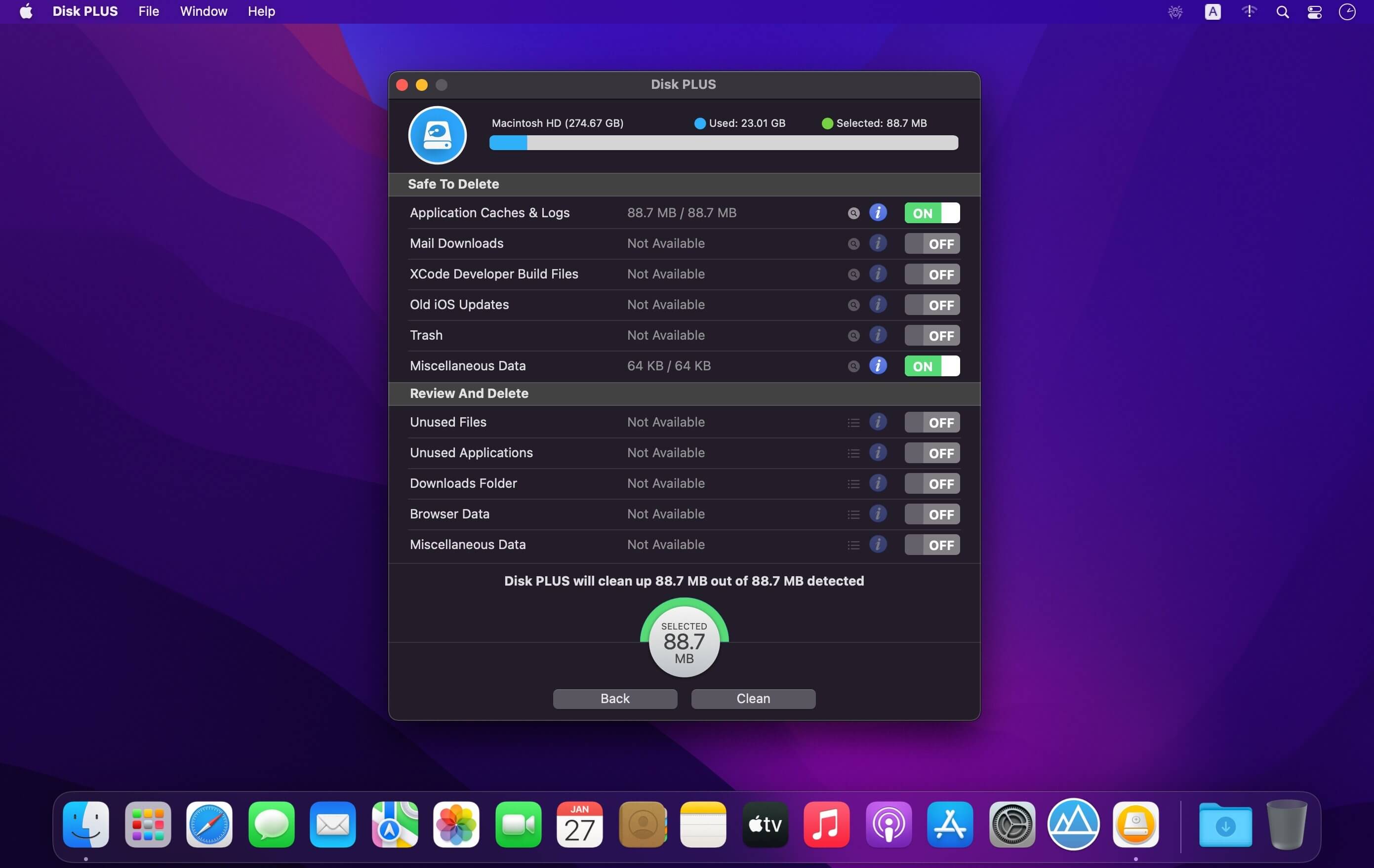
The “Safe To Delete” section normally contains data that is junk and can be safely cleaned up to recover large amounts of disk space. Cleaning some of these such as Application Caches and Logs, Trash etc. will also improve your system’s performance. This is the section that you will be cleaning again and again to keep your system clean and optimized.
The “Review and Delete” section contains items that require you to take an informed decision and hence are turned off by default for better safety. You will be deleting the stuff in this section only when you really run out of space on a particular partition.
INTUITIVE
The files in the Downloads Folder and the Unused Files Category are neatly classified based on their file types. Files are grouped into the following categories
- Document
- Archive
- Image
- Audio
- Bundle
- Video
- Other
INTELLIGENT
How intelligent is Disk PLUS?
1. Disk PLUS knows that removing an application is different from removing an ordinary file. Applications are not isolated files - they often have other related files and folders lying around in the system. Disk PLUS is smart enough to detect and group these by the Application to which they belong so that you can easily review them for removal. Thus Disk PLUS helps in completely uninstalling large unused applications rather than simply removing the application alone.
2. When cleaning Browser Data, safe to remove items like local Caches are separated out from Cookies (including Local Storage). This is particularly useful since most users like to retain their browser cookies while choosing to delete the rest of the browser data.
NOTE
Disk PLUS is sandboxed for enhanced security and hence only detects and cleans data it is permitted to remove.
Subsequent Features
- Icon favorites
- SVG file library
- More sizes of device
Version 1.73
- Bug fixes
Frequently asked questions
How do I install the app?
Mount the image, drag the app into the "Applications" folder and launch it. If the system blocks the launch, allow it in "System Settings → Privacy & Security".
The app is damaged or won't launch
Reinstalling from a fresh image usually helps. Make sure your macOS version matches the one listed in the compatibility specs.
How do I update?
Download the new version from the site and install it over the current one — your settings will be preserved.
The download link doesn't work
Try a mirror or a download manager. For large files the browser often drops the connection.
How do I completely remove the app?
Use an uninstaller utility — it cleans up the service files that remain after moving the app to the trash.



Choose a download source
Disk PLUS 1.73 · 9.94 MB