
Zenteek 1.7.2
Zenteek macOS music player for audiophiles and collectors
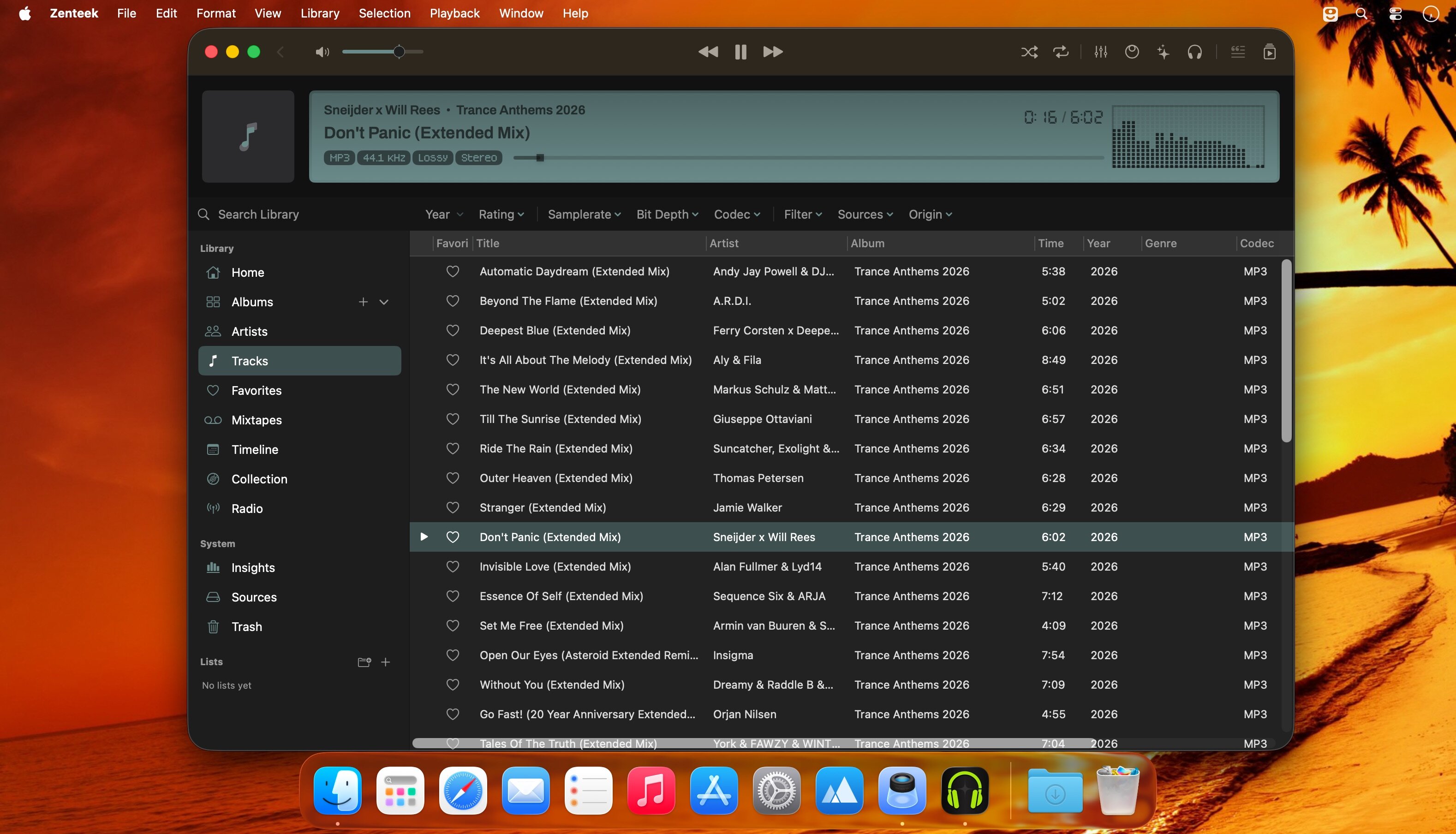
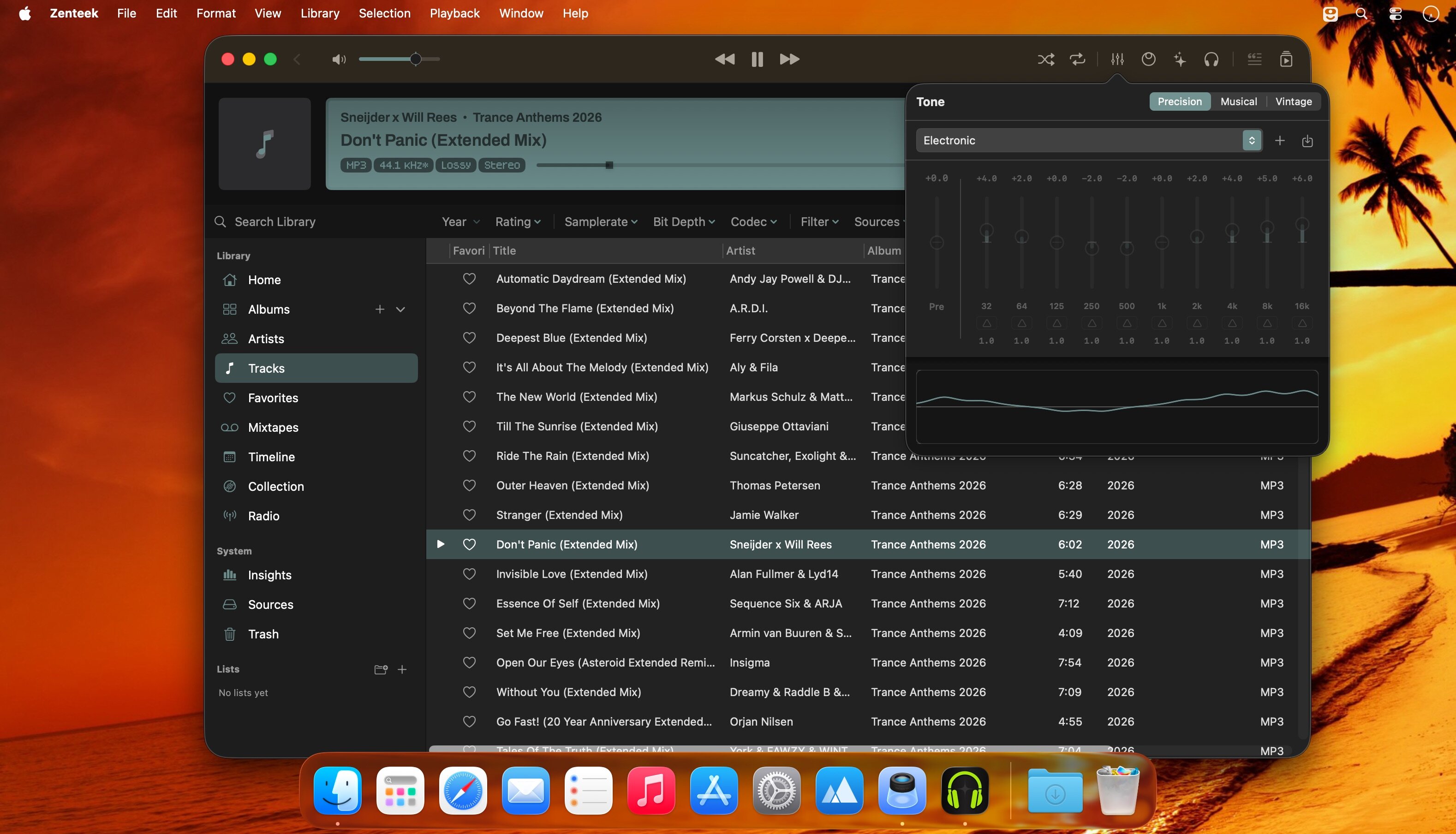
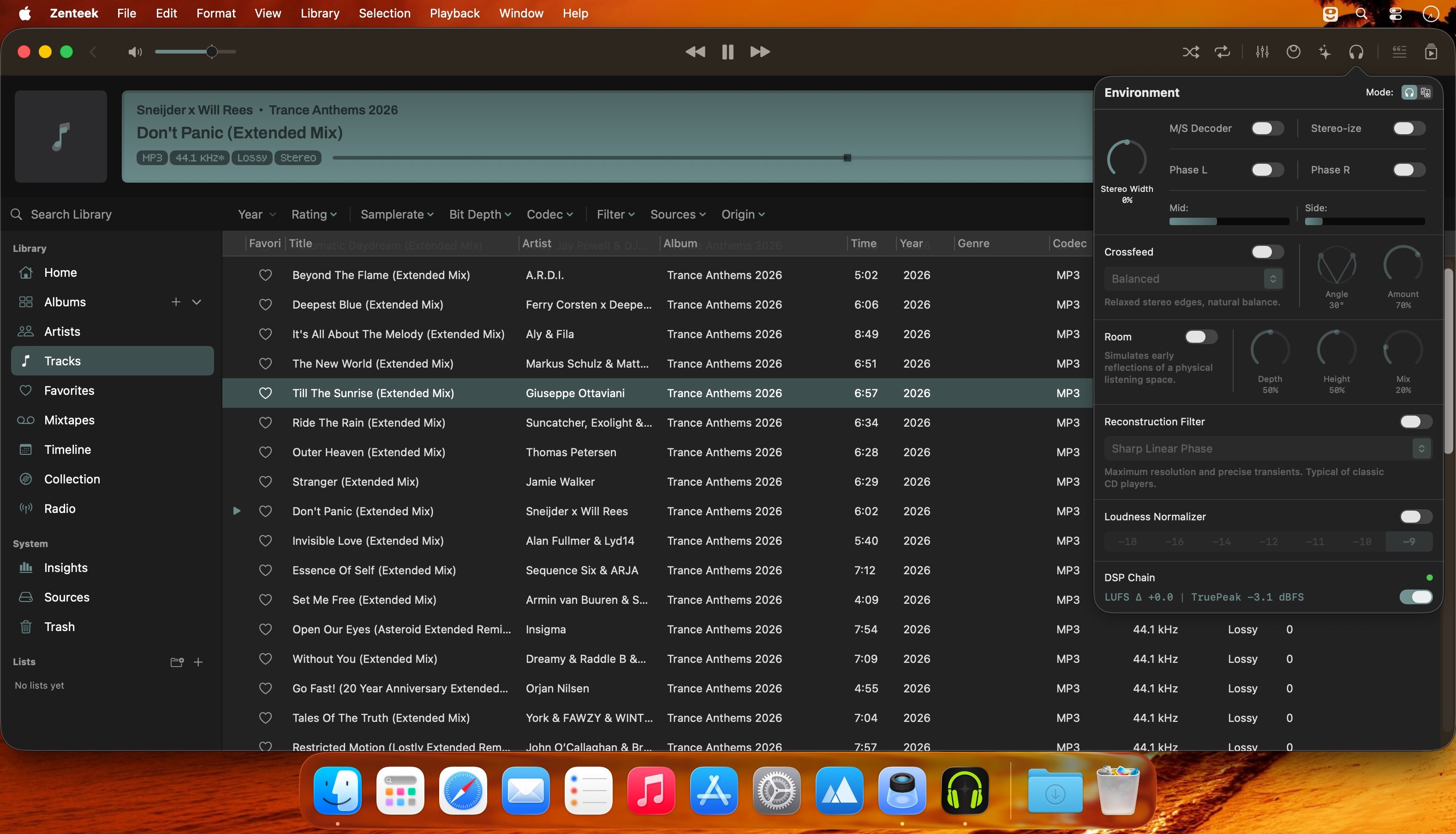
Zenteek — a premium macOS music player for audiophiles and collectors.
Built for collectors
Keep your originals intact. Zenteek treats your library like an archive: folder structure, release integrity and metadata remain unchanged so you can browse thousands of records without losing orientation. Precise filters, immersive Cover Flow and tactile browsing make large collections feel manageable and meaningful.
Find anything instantly
One compact command center searches tracks, artists, albums, lyrics, credits and descriptions. Jump straight to albums, contributor profiles or playback without breaking your flow.
Trusted credits, not guesses
Explore every release a producer, engineer or session musician touched across your collection, powered by MusicBrainz and Discogs. Real credits — no invented graphs or mystery attributions.
True bit‑perfect playback
Exclusive CoreAudio output with automatic device matching ensures zero system interference, no resampling and no hidden processing — just the exact signal delivered to your DAC.
Studio‑grade DSP (optional)
Mastering‑inspired tools including harmonic excitation, tape saturation, bass enhancement, transient shaping and analog preamp coloration. Spatial options such as crossfeed, room simulation and stereo expansion. Fully optional and fully tweakable.
Mixtapes reimagined
Digital mixtapes with the discipline of physical media: authentic 60‑ and 90‑minute tape formats, Side A/Side B sequencing and an interface designed for deliberate listening and thoughtful pacing.
High‑performance visuals
Realtime Metal visualizers that scale from a compact player to immersive fullscreen, with support for classic Milkdrop presets for the WinAmp visualizer ecosystem.
Custom, restrained UI
One accent color personalizes the app while a dark, minimal interface keeps attention on the music—clean typography, minimal chrome, maximum focus.
Formats and features
Plays FLAC, ALAC, DSD, MP3, AAC, OPUS, WAV and AIFF. Live indexing, metadata enrichment, lyrics search, global search, DSP tools and Apple Silicon performance round out a player designed for sound-first listening and serious library stewardship.
Version 1.7.2:
Direct DSD, Multichannel Audio, Transport Monitor, Metadata Matching and More
- An all-new transport system manages gapless playback and crossfades across mixed audio formats.
- Added direct DSD playback via DoP, including seeking and improved device switching.
- Improved support for DFF, DSF, and DST-compressed DSD audio.
- Added DSD output status, badges, and tooltips to the main display for a transparent view of the active signal path.
- Improved bit-perfect PCM output through better container and device-format matching.
- Added an option to hide multichannel audio files, available from the View menu.
- Fixed “Now Playing” metadata updates when switching between PCM and DSD playback.
- Added manual album match correction, including catalog-number search.
- Added manual artist match correction, allowing you to search Zenteek's database for alternative matches.
- Added separate language selection for enriched Artist and Album descriptions in Metadata Settings.
- Improved AirPlay playback reliability and synchronization.
- Fixed shuffle mode to respect the current library context, such as Favorites.
- Reduced CPU usage by putting unused audio monitors to sleep until they are needed.
- Fixed SACD sub-track detection sometimes showing duplicate rows.
- Updated translations for all supported languages.
Frequently asked questions
How do I install the app?
Mount the image, drag the app into the "Applications" folder and launch it. If the system blocks the launch, allow it in "System Settings → Privacy & Security".
The app is damaged or won't launch
Reinstalling from a fresh image usually helps. Make sure your macOS version matches the one listed in the compatibility specs.
How do I update?
Download the new version from the site and install it over the current one — your settings will be preserved.
The download link doesn't work
Try a mirror or a download manager. For large files the browser often drops the connection.
How do I completely remove the app?
Use an uninstaller utility — it cleans up the service files that remain after moving the app to the trash.



Choose a download source
Zenteek 1.7.2 · 30.9 MB
Previous versions
Zenteek 1.7.2
Previous versions are available to registered users.