Next 1.4
Next helps you get control of your expenses.
It's the easiest way to track your expenses. It's fast, elegant and won't get in your way. And with iCloud sync and the additional iPhone/iPad apps, your data is everywhere with you.
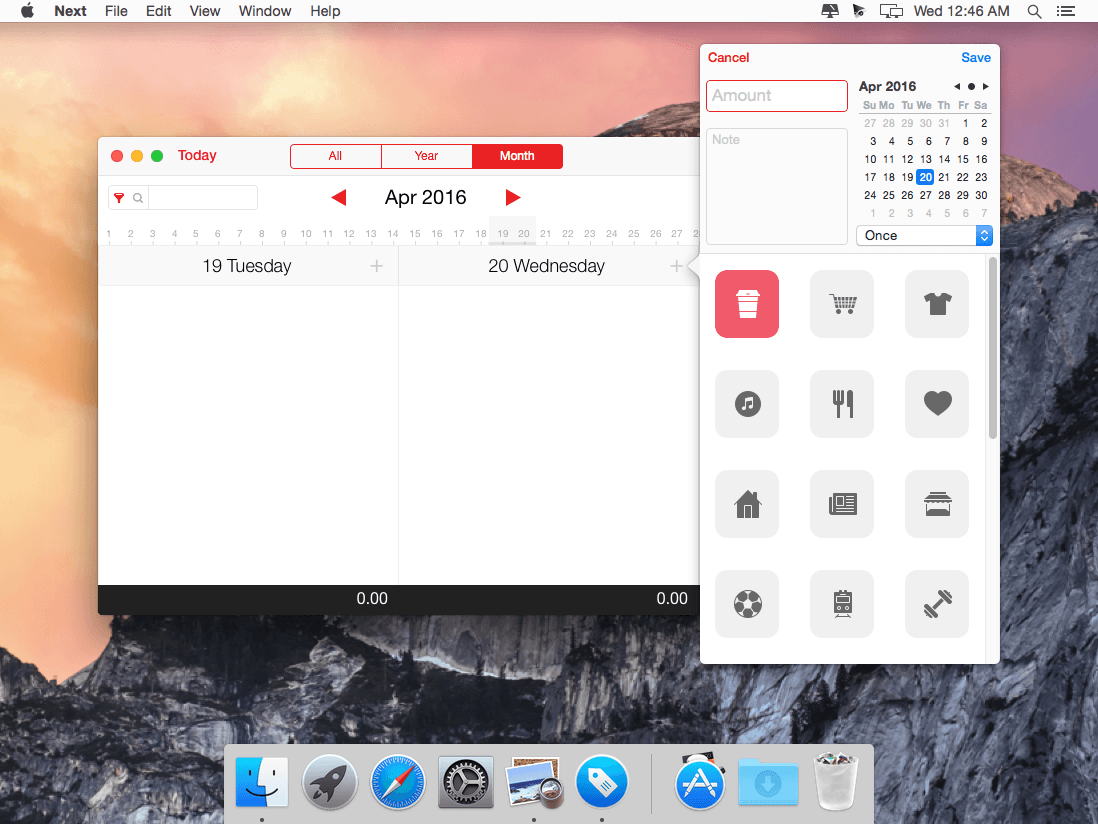
Your expenses are grouped into different views: By year, month or day. And thanks to different colors, you'll see at a glance where and when you've spent too much.
Other features:
- Excel/Numbers export
- Make a Backup file
- iCloud sync
- Many handy keyboard shortcuts for even faster navigation
WHAT’S NEW
Version 1.4
- Recurring expenses!
When you create a new expense you can select if you want to run it only once or if you want to repeat it weekly, bi-weekly, monthly, bi-monthly, quarterly, half-yearly or even yearly.
You can select it right below the date picker.
(Make sure to update all your Next apps to the latest version.)
Screenshots

Frequently asked questions
How do I install the app?
Mount the image, drag the app into the "Applications" folder and launch it. If the system blocks the launch, allow it in "System Settings → Privacy & Security".
The app is damaged or won't launch
Reinstalling from a fresh image usually helps. Make sure your macOS version matches the one listed in the compatibility specs.
How do I update?
Download the new version from the site and install it over the current one — your settings will be preserved.
The download link doesn't work
Try a mirror or a download manager. For large files the browser often drops the connection.
How do I completely remove the app?
Use an uninstaller utility — it cleans up the service files that remain after moving the app to the trash.
VersionNext 1.4
Developernoidentity gmbh
CompatibilityOS X 10.10 or later, 64-bit processor
LanguageEnglish, French, German, Japanese, Simplified Chinese, Traditional Chinese
IncludesPre-K'ed



Information
Visitors in the group Guests cannot leave comments on this publication.
Choose a download source
Next 1.4 · 13.68 MB