Kaleidoscope 7.0.1
Kaleidoscope file comparison tool for text, images, folders, code

With remote collaboration becoming the norm, and cloud storage services making backups accessible to everyone, it’s common to have multiple versions of the same file, with slight differences that can’t be easily distinguished.
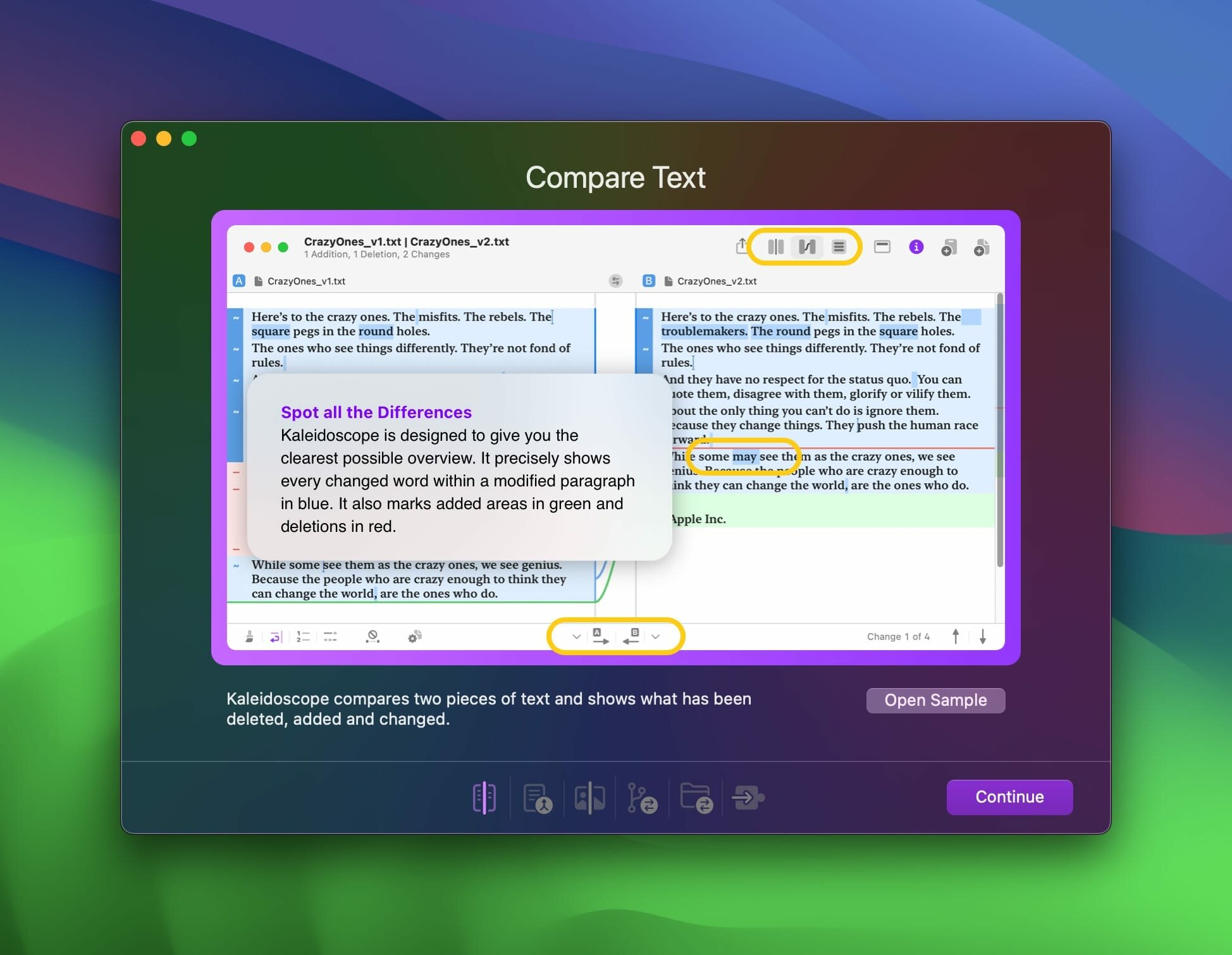
Kaleidoscope was created to help you spot these differences at a glance, in addition to helping you deal with potential conflicts. It’s suitable for text, images, folders, and source code, with features for both regular users and developers.
When loading two documents, you’ll see them side by side, with differences highlighted using a straightforward color code: green for additions, blue for modifications, and red for missing text. There are several other viewing modes, which may be more or less suitable for particular files.
To resolve conflicts, just select a change and choose whether to preserve the version on the left or right. Alternatively, you can opt for the three-way merge method, which creates a new file in the middle, with the existing documents on either side; then, choose what you want to preserve from both files.
There are several ways to compare images. The one-up view puts one on top of the other, and their order is cycled at a specified interval. The split view is fairly straightforward, with the interesting ability to move both ends of the separator freely. The app can also calculate a difference mask for spotting very small changes.
The controls are easy to work with, and you can have more than two images loaded at the same time — they are all visible in the file shelf and can be added to the comparison when needed.
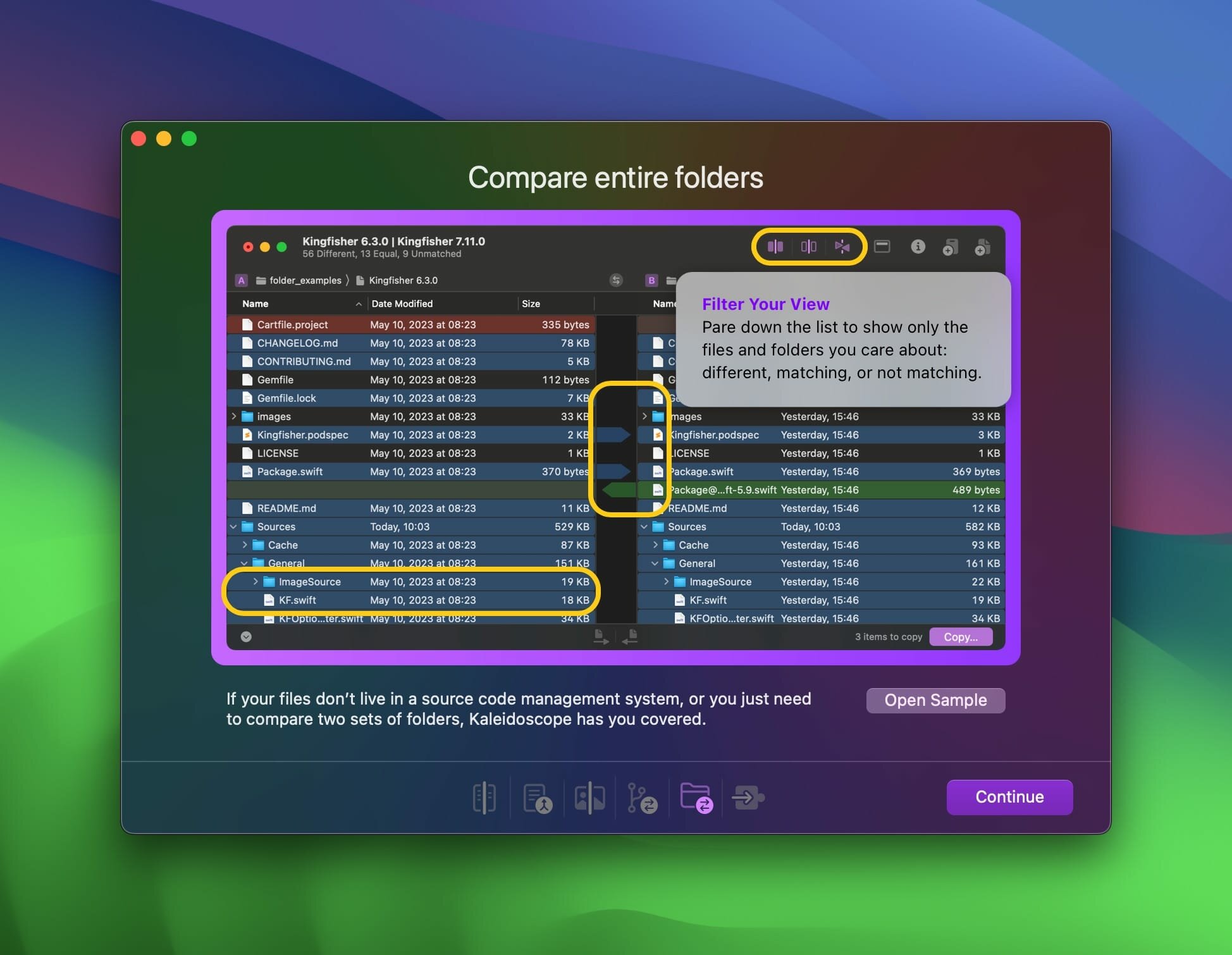
Whether it’s a simple file folder or a project’s source, you can see which files are present in one location and missing or modified in the other. The process is a lot like managing changes in documents.
Kaleidoscope also offers integration with version control systems like Git, allowing you to track changes in your repositories.
If you’re after a powerful, versatile comparison tool, Kaleidoscope has tons to offer. You can use it for anything from documents and images to folders and source code repositories, and it can handle pretty much anything you throw at it.
However, it does require a subscription, so it might not be the best choice for users who just want a simple comparison utility and have no need for its more advanced, developer-oriented features.
Version 7.0.1:
Frequently asked questions
How do I install the app?
Mount the image, drag the app into the "Applications" folder and launch it. If the system blocks the launch, allow it in "System Settings → Privacy & Security".
The app is damaged or won't launch
Reinstalling from a fresh image usually helps. Make sure your macOS version matches the one listed in the compatibility specs.
How do I update?
Download the new version from the site and install it over the current one — your settings will be preserved.
The download link doesn't work
Try a mirror or a download manager. For large files the browser often drops the connection.
How do I completely remove the app?
Use an uninstaller utility — it cleans up the service files that remain after moving the app to the trash.

Choose a download source
Kaleidoscope 7.0.1 · 41.64 MB
Previous versions
Kaleidoscope 7.0.1
Previous versions are available to registered users.