
here 3.10
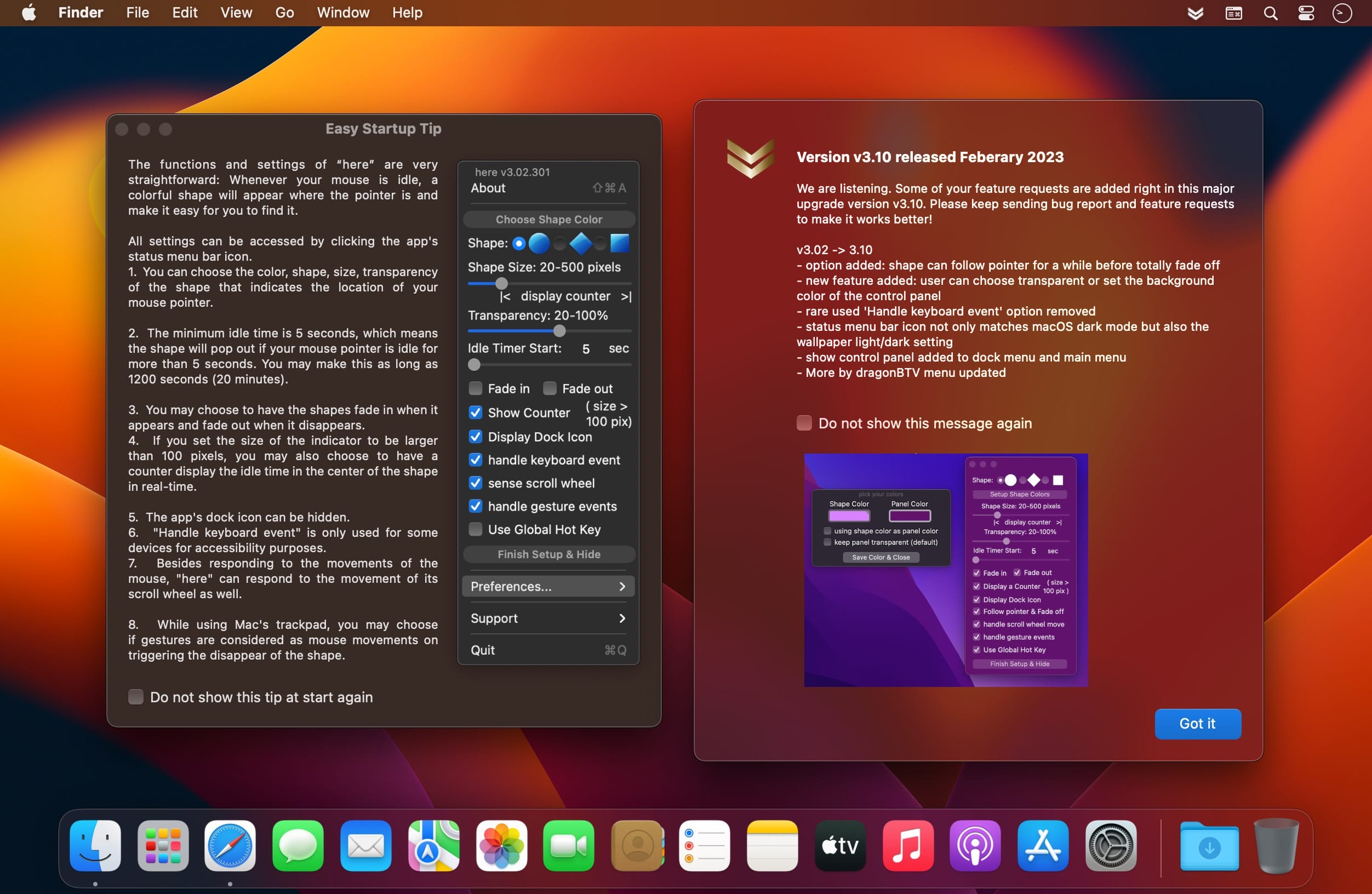
Take your eyes off the screen and 'here' will show you exactly where your mouse pointer is. No shaking your mouse and losing your position.
Creating a critical spreadsheet, retouching a complex photo, or reading a scientific paper? After you answer your phone, rub your eyes, or step away, you'll waste precious time looking for your mouse cursor. With a desktop that's also saturated with files and folders, just turn away and you'll go looking for that cursor again. Work on multiple monitors late into the night? Now you'll know where, and on which monitor — even from across the room!
"here" is a brilliant new app that helps you pick up where you left off. Anytime your mouse is idle, a bright, shape highlights your cursor, marking its position. Inside your shape, a live counter displays how long your mouse, pen, or touchpad has been inactive. Easily change your shape's color, size, and transparency to fit your task or just because you want to. As soon as you resume work, your shape will fade or pop off. Pause or take a break, and your shape comes back on, waiting patiently for you to continue.
If every second counts in what you do, always know where your cursor is. It's 'here'.
Features
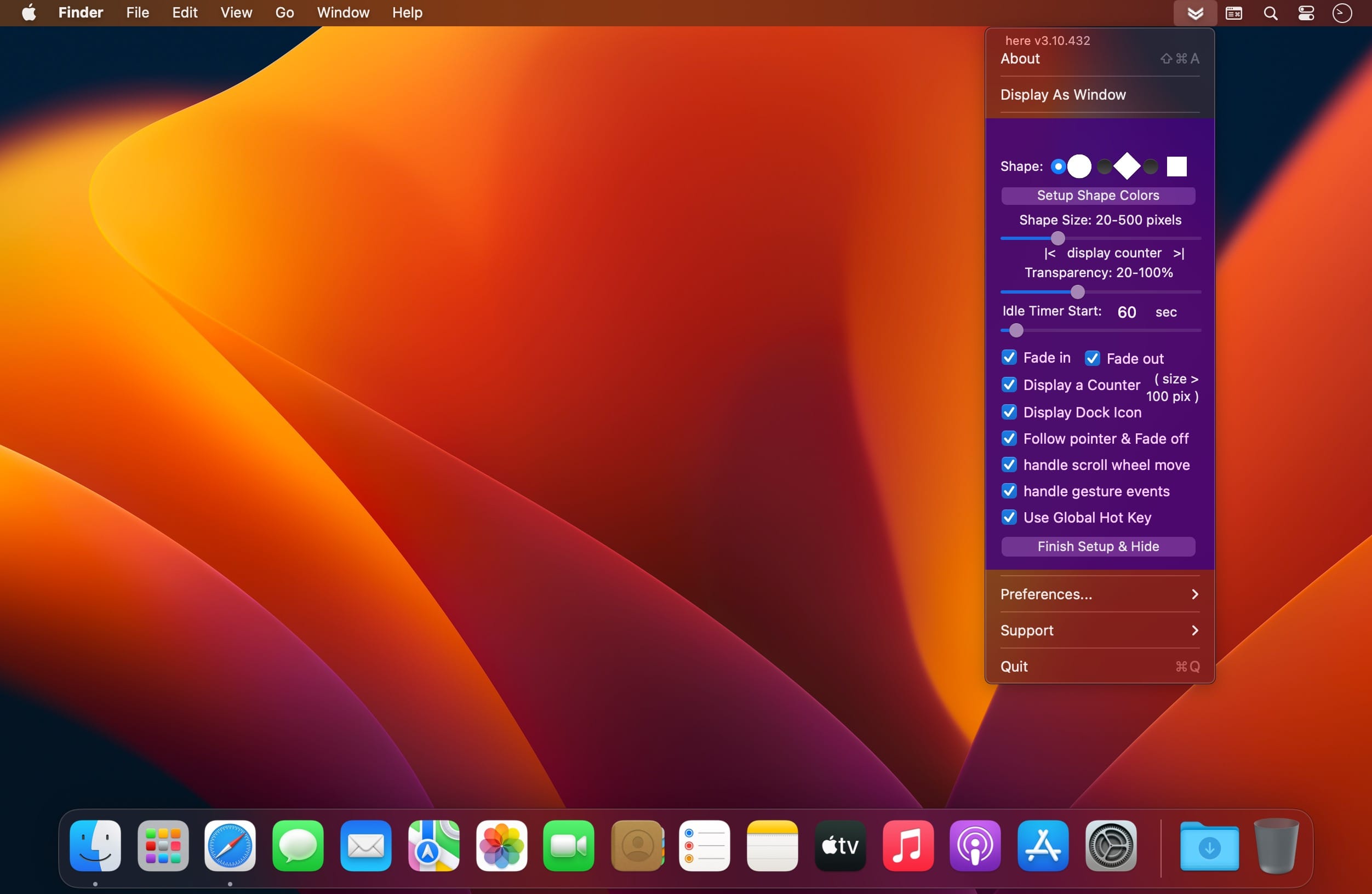
- Choice of 3 shapes: circle, diamond, or square. more shapes coming soon
- Adjustable size of 20 to 500 pixels
- Choose or change color anytime
- Color transparency from 20 to 100%
- Set "idle time" before shape's appearance from 5 to 1200 seconds (20 minutes)
- "idle time" counter displays inside shape at 1/10 second intervals (shape size must be above 130 pixels)
- Option to turn off the "idle time" counter
- Choose if your shape fades in, fades out, pops on, or pops off
- Senses mouse movements, pens, mouse scroll wheel, or touchpad gesture events
- Handles keyboard events when not focused on text input mode
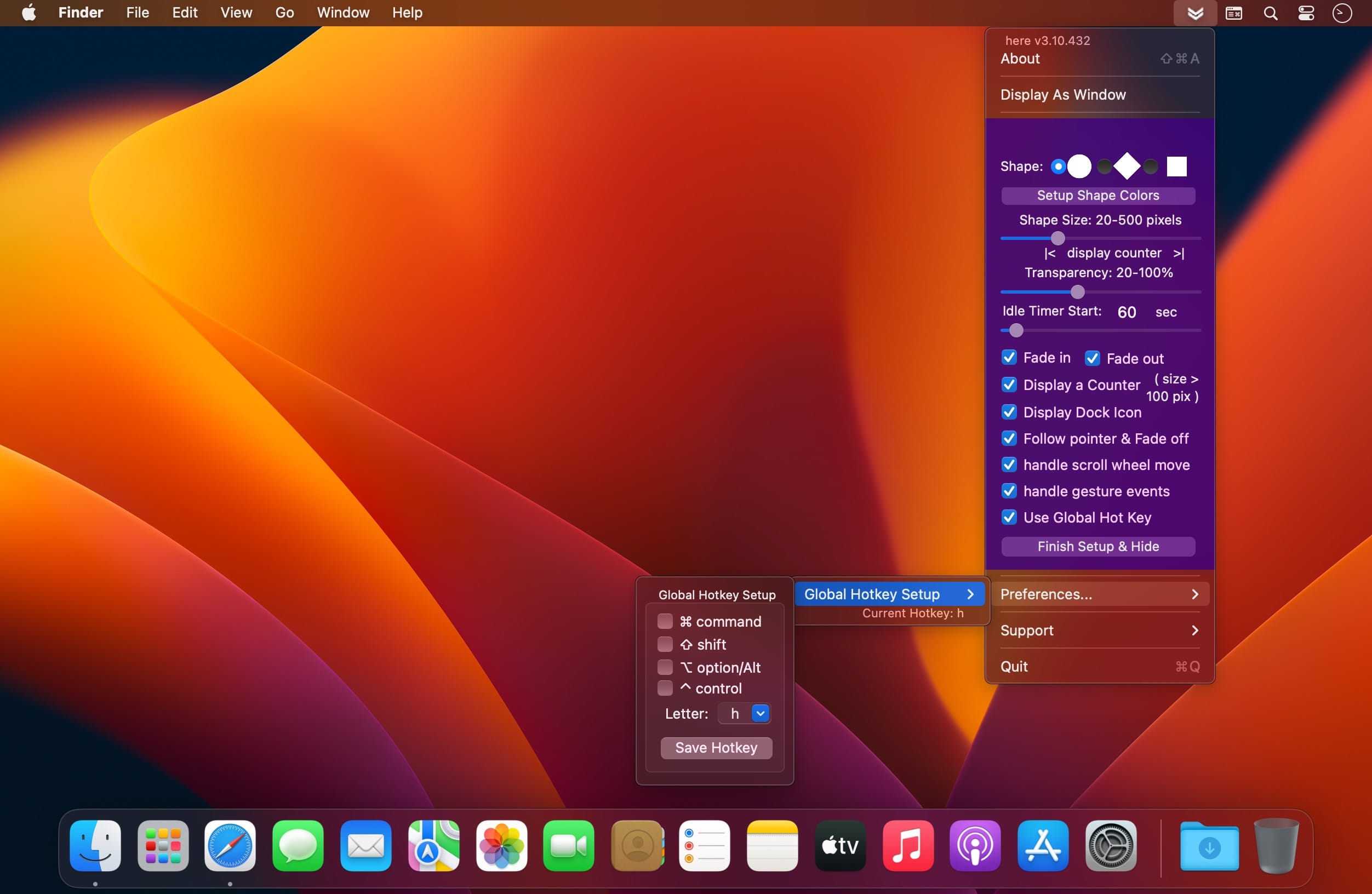
- Simple control panel, easily accessible from the menu bar
- Instant feedback configuring color, size, and transparency
- Shows mouse position during (idle and forced) sleep and wake up
- Multithreading core
Version v3.10
- option added: shape can follow pointer for a while before totally fading off
- a new feature added: user can choose transparently or set the background color of the control panel
- rare used 'Handle keyboard event' option removed
- status menu bar icon not only matches macOS dark mode but also the wallpaper light/dark setting
- show control panel added to dock menu and main menu
- More by dragonBTV menu updated
Frequently asked questions
How do I install the app?
Mount the image, drag the app into the "Applications" folder and launch it. If the system blocks the launch, allow it in "System Settings → Privacy & Security".
The app is damaged or won't launch
Reinstalling from a fresh image usually helps. Make sure your macOS version matches the one listed in the compatibility specs.
How do I update?
Download the new version from the site and install it over the current one — your settings will be preserved.
The download link doesn't work
Try a mirror or a download manager. For large files the browser often drops the connection.
How do I completely remove the app?
Use an uninstaller utility — it cleans up the service files that remain after moving the app to the trash.



Choose a download source
here 3.10 · 3.51 MB