EPUB Reader Pro 3.0.2
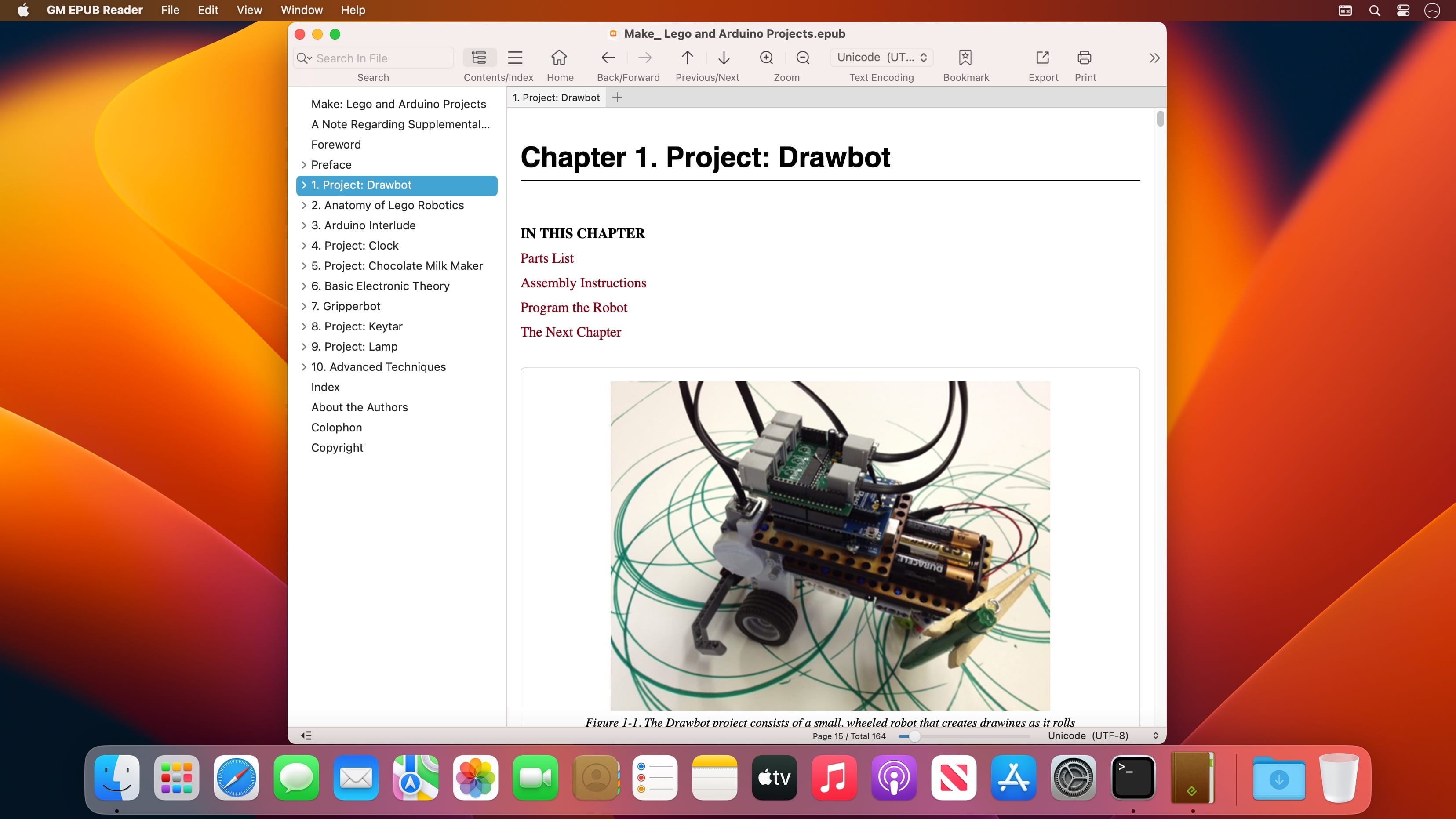


The GM EPUB Reader is a full-featured ebook reader with a simple and beautiful interface and a good reading experience.
EPUB Reader
- Support for reading EPUB and Mobi files.
- Support single page search and full text search, and highlight search results.
- Support the forward and backward browsing history.
- Support page turning, zooming, and sidebar shrinking.
- Support page printing.
- Support to view basic information of files.
- Support page number display and quick page switching.
- Support EPUB to PDF, Mobi to EPUB, Mobi to PDF.
- Support extracting images from EPUB and Mobi.
EPUB Bookshelf
- All the files you have read will be saved in the bookshelf for quick review next time.
- Support file(s) drag and drop addition.
Reading Experience
- It can remember the location of the last reading, so that it can continue reading next time.
- Photo adaptation, better layout.
- Support for page zooming using command+ or command- key combinations.
- Support for quick page turns and quick view of history pages using a combination of command and up and down left and right arrows.
- In the process of page reading, you can use the buttons J and K to quickly slide up and down the page.
Version 3.0.1
- New: The text selection menu is now fully customizable. Support for sorting, hiding, and adding custom Al actions.
- New: Added support for custom icons in bookshelf categories.
- New: Al chat history is now saved locally, with support for reviewing past conversations.
- Fixed: Resolved known issues and improved overall stability.
Frequently asked questions
How do I install the app?
Mount the image, drag the app into the "Applications" folder and launch it. If the system blocks the launch, allow it in "System Settings → Privacy & Security".
The app is damaged or won't launch
Reinstalling from a fresh image usually helps. Make sure your macOS version matches the one listed in the compatibility specs.
How do I update?
Download the new version from the site and install it over the current one — your settings will be preserved.
The download link doesn't work
Try a mirror or a download manager. For large files the browser often drops the connection.
How do I completely remove the app?
Use an uninstaller utility — it cleans up the service files that remain after moving the app to the trash.



Choose a download source
EPUB Reader Pro 3.0.2 · 20.28 MB
Previous versions
EPUB Reader Pro 3.0.2
Previous versions are available to registered users.