
Web Dumper 3.4.5

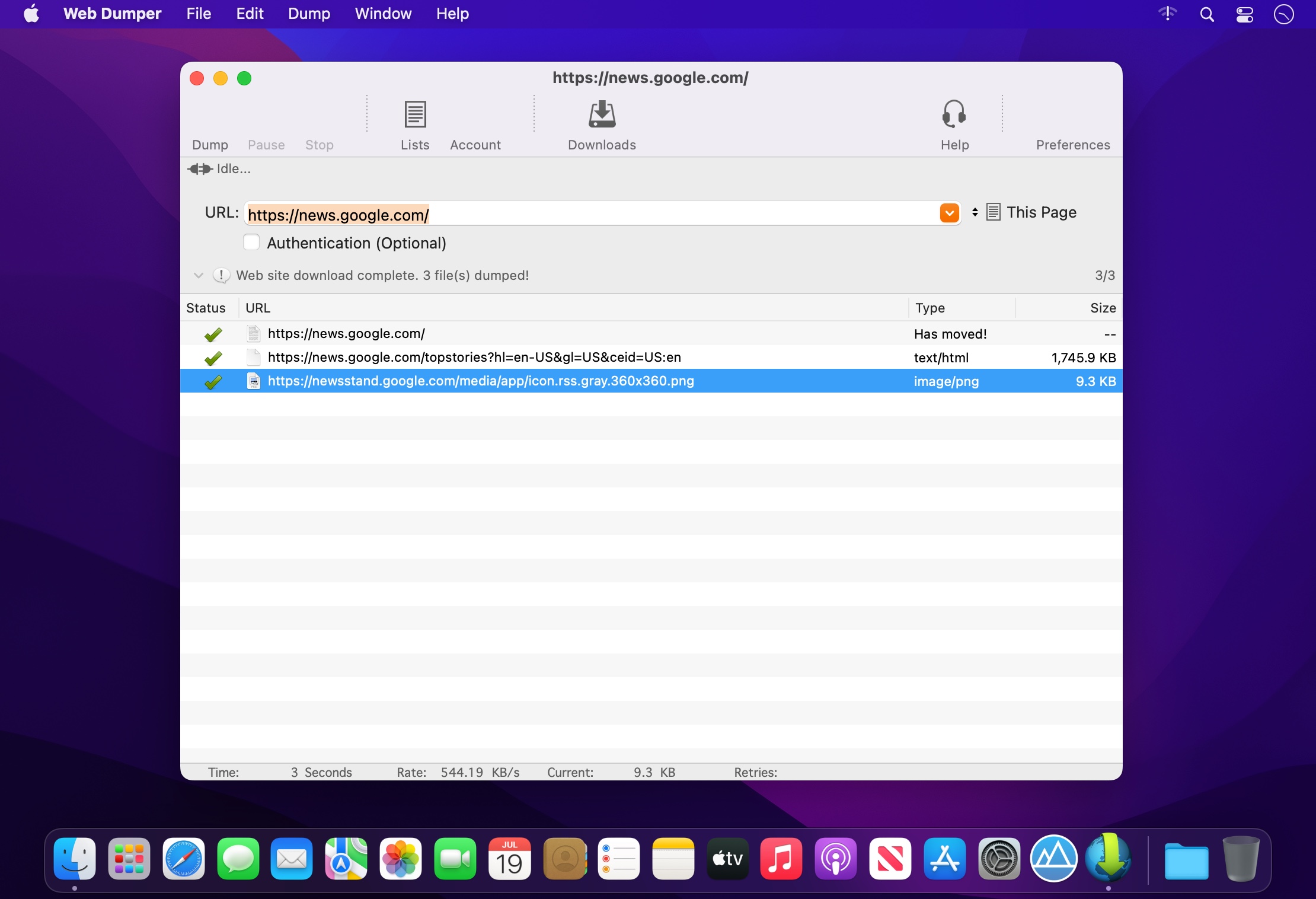

If you are viewing a Web site with your browser and you decide that you would like to make a copy of it on your hard drive, you have to manually save each page as you view it along with embedded pictures, sounds and so on. This can be a very long and tedious process, and in many cases it's more trouble than it's worth. It doesn't have to be that way, however, as Web Dumper makes this whole process very fast and easy.
With Web Dumper you can download entire Websites off of the Internet, and save them on your hard drive for later offline browsing. Downloaded Web sites are saved on your hard drive with their directory structure intact. Web Dumper automatically downloads HTML documents along with their embedded pictures, sounds, movies and so on while it screens them to look for any enclosed links to other documents.
Web Dumper lets you select which kinds of file you want to be dumped between more than 60 available standard types, the folder depth level, how links must be processed and if it must re-link your HTML documents for offline browsing.
In addition Web Dumper gives support to incremental downloads. Indeed, you can fetch contents by enclosing sequence numbers into brackets directly into the URL. For examplehttp://www.maxprog.com/picture[12-15].jpg will have Web Dumper to download 'picture12.jpg' to 'picture15.jpg'. You can insert more sequences like inhttp://www.maxprog.com/test[1-2]/picture[001-002].jpg resulting in the files 'picture001.jpg' and 'picture002.jpg' from the folders 'test1' and 'test2' to be downloaded. The possibilities are endless, you can fetch whole image libraries or any kind of file (html, movies, etc…) in a blink.
Version 3.4.5
- Better extraction internalization.
- The toolbar icons have been colored to distinguish them better.
Frequently asked questions
How do I install the app?
Mount the image, drag the app into the "Applications" folder and launch it. If the system blocks the launch, allow it in "System Settings → Privacy & Security".
The app is damaged or won't launch
Reinstalling from a fresh image usually helps. Make sure your macOS version matches the one listed in the compatibility specs.
How do I update?
Download the new version from the site and install it over the current one — your settings will be preserved.
The download link doesn't work
Try a mirror or a download manager. For large files the browser often drops the connection.
How do I completely remove the app?
Use an uninstaller utility — it cleans up the service files that remain after moving the app to the trash.




Choose a download source
Web Dumper 3.4.5 · 20.51 MB