
Data Rescue 6.0.9
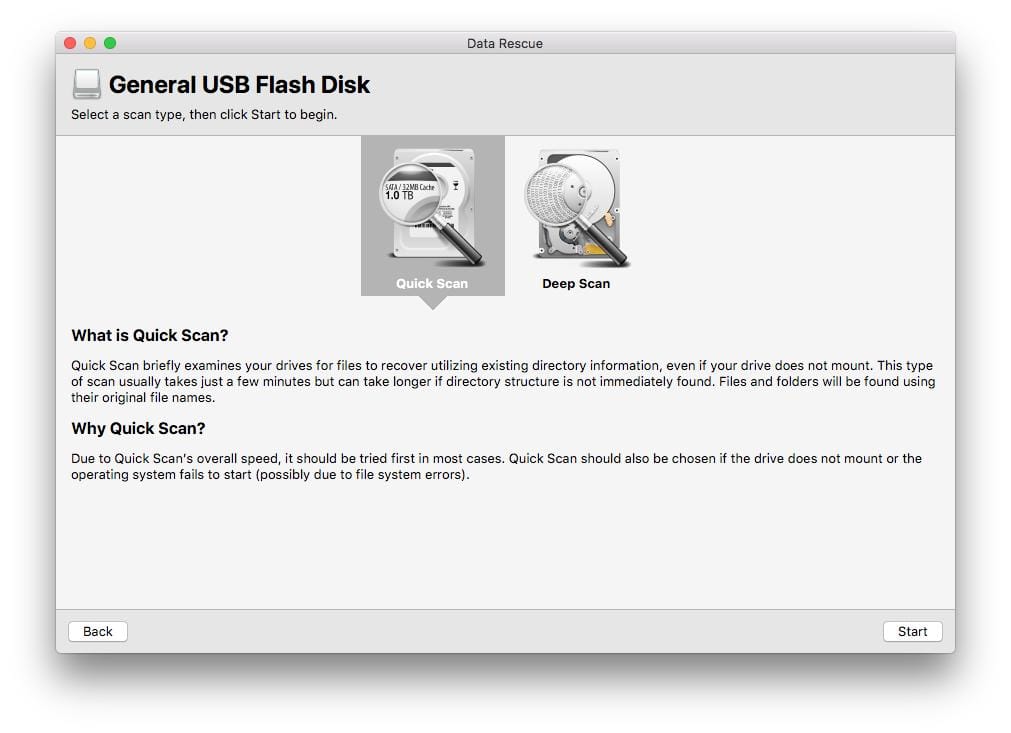
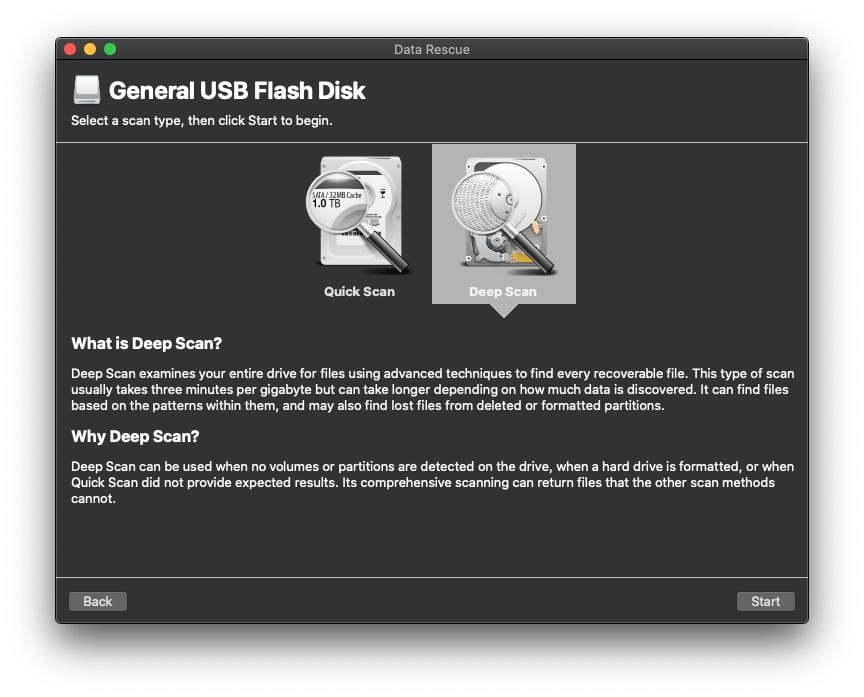
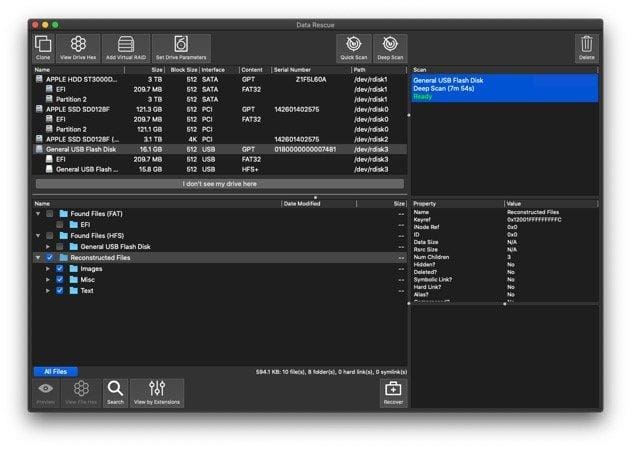
Data Rescue’s new and improved features let you scan, search, and recover your files faster than ever before. We have modernized the file-preview capabilities, added new files types to the recovery library, and so much more. Your data recovery solution has improved. Upgrade and experience it.
Data Rescue is data recovery software for Mac. Find, recover, and preview accidentally deleted files, lost data, and reformatted drives with ease. Go beyond hard-drive recovery software. Data Rescue recovers files from a multitude of devices including SD cards, USB drives, CF cards, solid-state drives, and more. Our new design, features, and functionality make Data Rescue the most comprehensive and robust Mac data-recovery software. With over 150 industry awards since 2002, you are getting a dedicated recovery software refined through success and experience. Data Rescue (purchased or demo) also comes with full, US-based support. We’re here for you from download to recovery.
Version 6.0.9:
- Support macOS Sequoia 15 and Windows 11 24H2 Tech Previews
- Create Recovery Drive: add Install / Open for macOS Sonoma
- Upgrade compilers and review settings (optimize for speed)
- Upgrade GUI and PDF libraries on Windows (Qt 5.12 to 5.15)
- Fix WebView runtime warnings for HTTPS and NSView on macOS
- Fix crash in system_identity module when account not found
- Use latest WKWebView API in Embedded Browser / Help Viewer
- Support .ips automatic crash reports and extend debug info
- Update internal and third-party libraries (macOS, Windows)
Frequently asked questions
How do I install the app?
Mount the image, drag the app into the "Applications" folder and launch it. If the system blocks the launch, allow it in "System Settings → Privacy & Security".
The app is damaged or won't launch
Reinstalling from a fresh image usually helps. Make sure your macOS version matches the one listed in the compatibility specs.
How do I update?
Download the new version from the site and install it over the current one — your settings will be preserved.
The download link doesn't work
Try a mirror or a download manager. For large files the browser often drops the connection.
How do I completely remove the app?
Use an uninstaller utility — it cleans up the service files that remain after moving the app to the trash.





Choose a download source
Data Rescue 6.0.9 · 33.74 MB
Previous versions
Data Rescue 6.0.9
Previous versions are available to registered users.