Magic Battery Mini 4.2.5

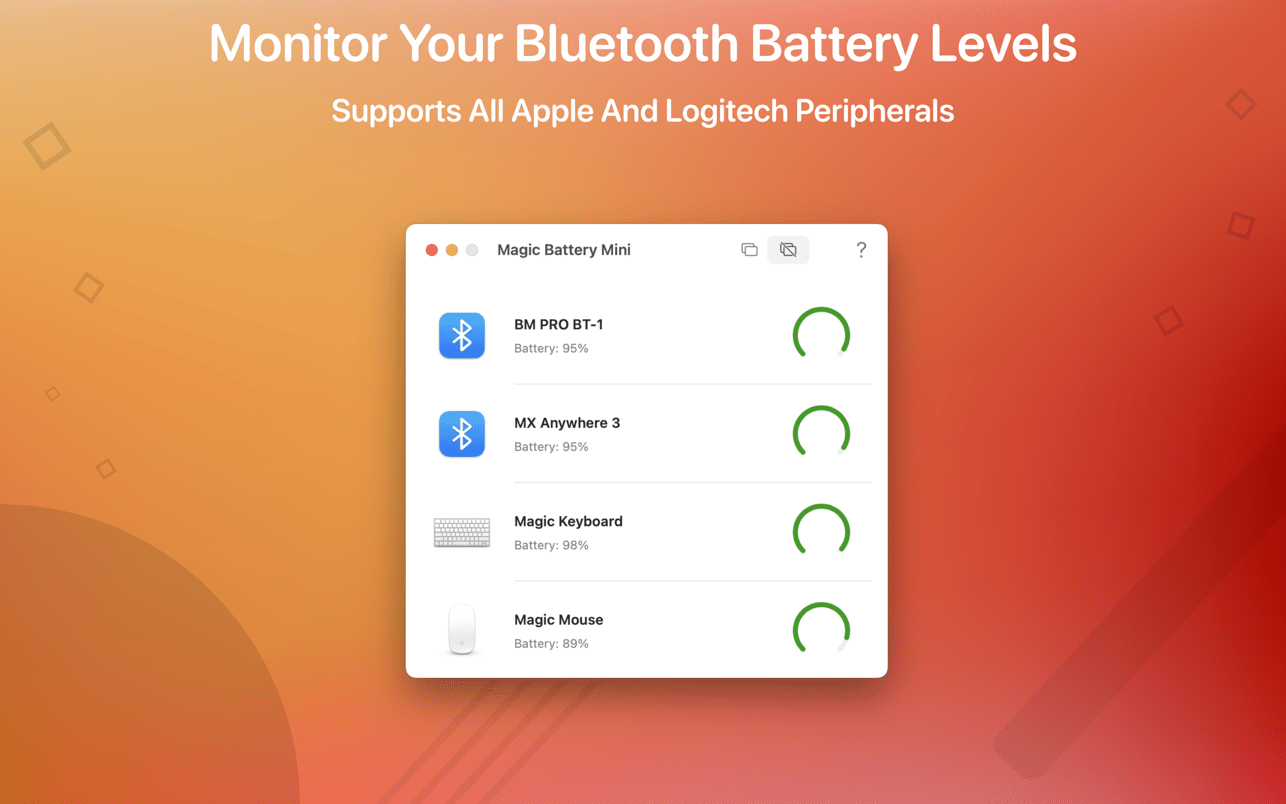
Magic Battery Mini supports all Apple and Logitech peripherals. Battery information will be shown in a small window or in the Notification Center widget.
Magic Battery Mini shows the battery level of supported input devices that are connected via Bluetooth.
The following devices are supported (if your device is not listed, please contact the support):
Input devices:
- Apple Magic Mouse
- Apple Magic Mouse 2
- Apple Magic Trackpad 2
- Apple Wireless Keyboard
- Apple Wireless Trackpad
- Logitech mice like the MX Anywhere 3
- Logitech keyboards like the K380
The app features:
- Displays battery information for connected Bluetooth devices in a lightweight window.
- This app comes with a widget that integrates into the notification center.
- Connected or disconnected devices are detected automatically. The view is then adjusted accordingly.
All products that are supported and were listed above are a registered trademark of Apple Inc. or Logitech Inc.
Version 4.2.5
- This update improves the stability of the app. Turn on automatic updates to stay up to date.
Frequently asked questions
How do I install the app?
Mount the image, drag the app into the "Applications" folder and launch it. If the system blocks the launch, allow it in "System Settings → Privacy & Security".
The app is damaged or won't launch
Reinstalling from a fresh image usually helps. Make sure your macOS version matches the one listed in the compatibility specs.
How do I update?
Download the new version from the site and install it over the current one — your settings will be preserved.
The download link doesn't work
Try a mirror or a download manager. For large files the browser often drops the connection.
How do I completely remove the app?
Use an uninstaller utility — it cleans up the service files that remain after moving the app to the trash.


Choose a download source
Magic Battery Mini 4.2.5 · 5.28 MB