
MediaInfo 26.05
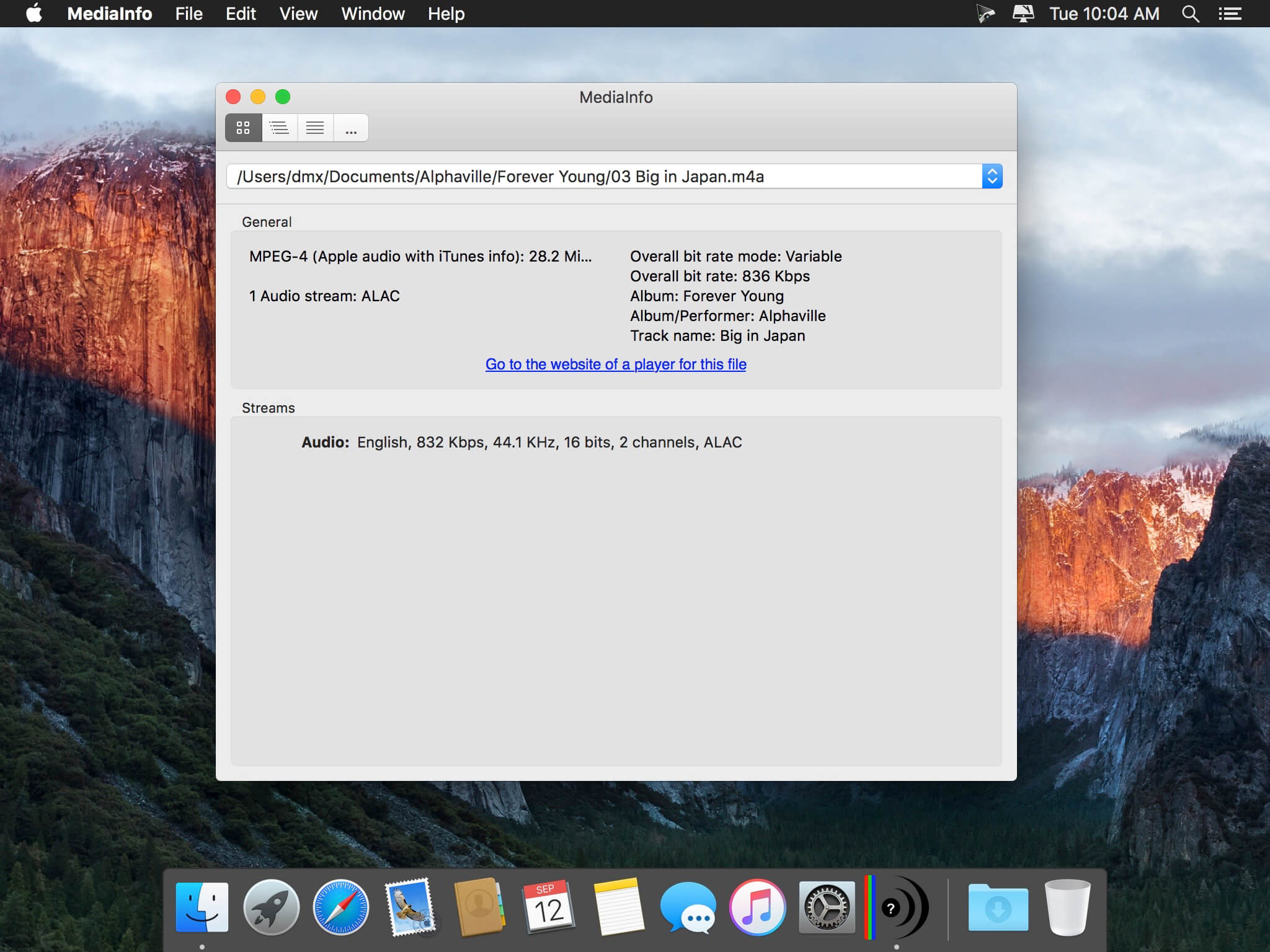
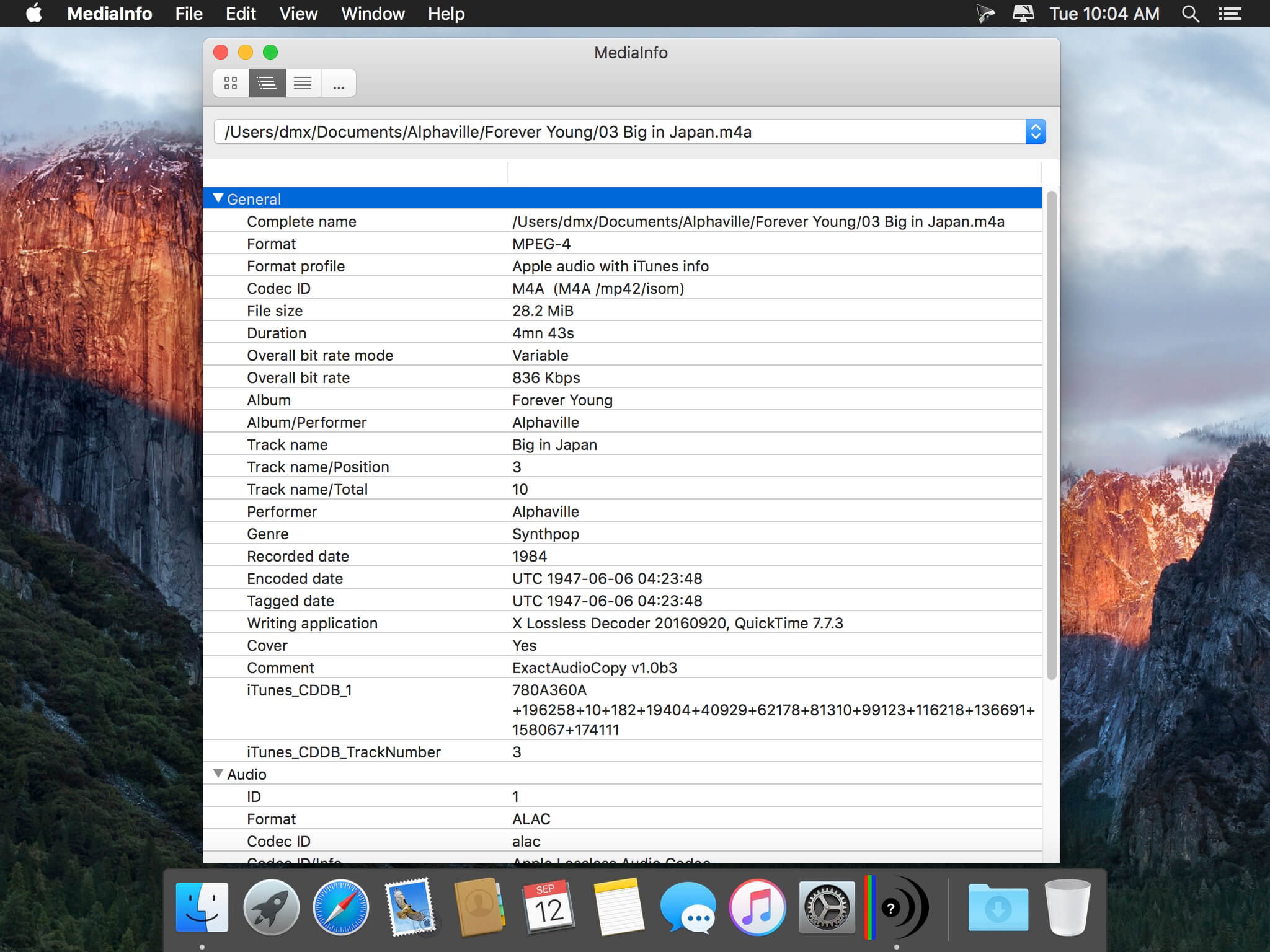
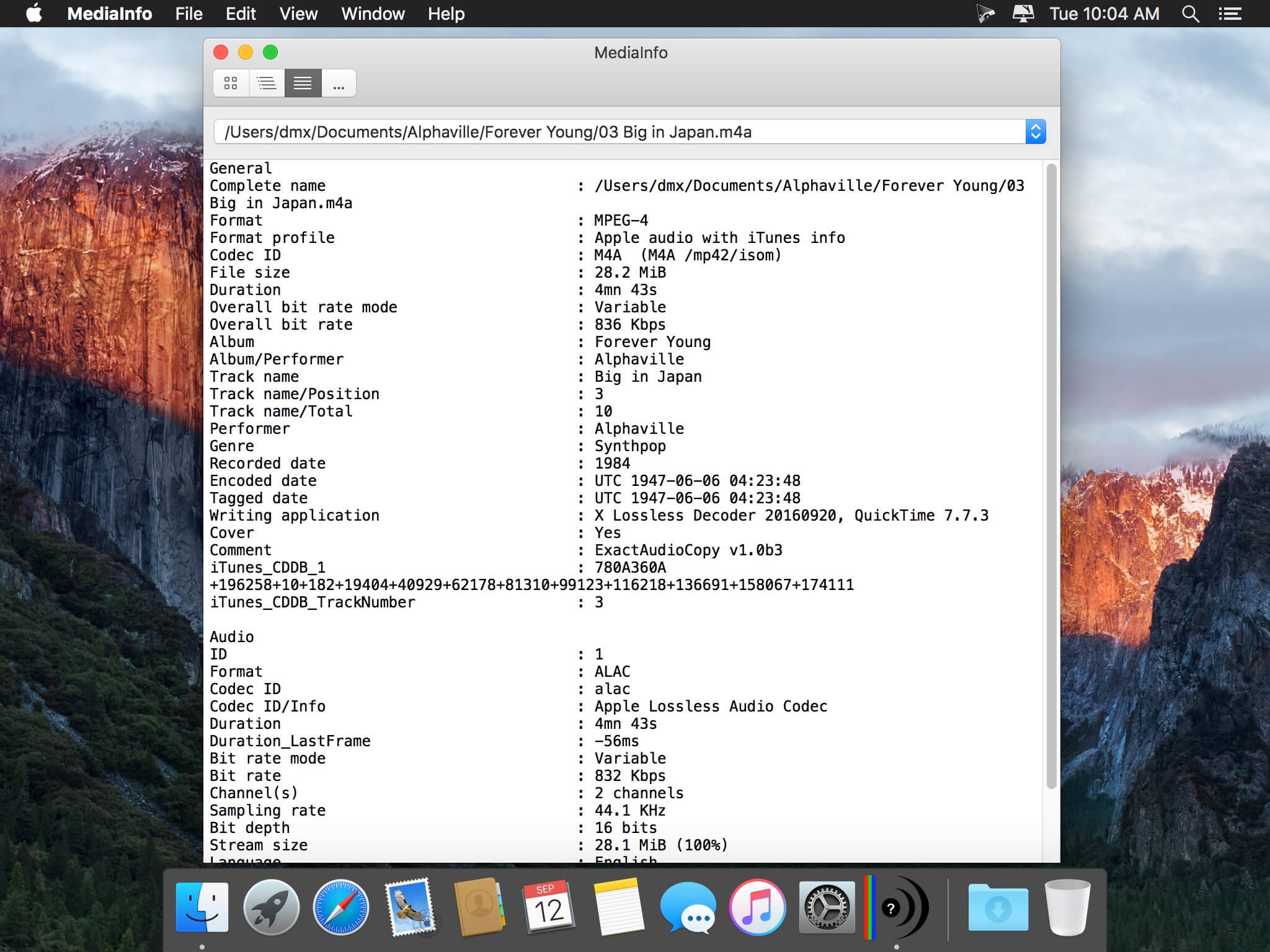
MediaInfo is a convenient unified display of the most relevant technical and tag data for video and audio files.
The MediaInfo data display includes:
- Container: format, profile, commercial name of the format, duration, overall bit rate, writing application and library, title, author, director, album, track number, date...
- Video: format, codec id, aspect, frame rate, bit rate, color space, chroma subsampling, bit depth, scan type, scan order...
- Audio: format, codec id, sample rate, channels, bit depth, bit rate, language...
- Subtitles: format, codec id, language of subtitle...
- Chapters: count of chapters, list of chapters...
The MediaInfo analyticals includes:
- Container: MPEG-4, QuickTime, Matroska, AVI, MPEG-PS (including unprotected DVD), MPEG-TS (including unprotected Blu-ray), MXF, GXF, LXF, WMV, FLV, Real...
- Tags: Id3v1, Id3v2, Vorbis comments, APE tags...
- Video: MPEG-1/2 Video, H.263, MPEG-4 Visual (including DivX, XviD), H.264/AVC, Dirac...
- Audio: MPEG Audio (including MP3), AC3, DTS, AAC, Dolby E, AES3, FLAC, Vorbis, PCM...
- Subtitles: CEA-608, CEA-708, DTVCC, SCTE-20, SCTE-128, ATSC/53, CDP, DVB Subtitle, Teletext, SRT, SSA, ASS, SAMI...
MediaInfo features include:
- Read many video and audio file formats
- View information in different formats (text, tree)
- Export information as text
- Graphical user interface, command line interface, or library (.dylib) versions available (command line interface and library versions are available separately, free of charge, on the editor website)
- Integrate with the shell (drag 'n' drop, and Context menu)
Version 26.01
- Update to MediaInfo library 26.01 with bug fixes, see https://mediaarea.net/MediaInfo/ChangeLog for more details
Frequently asked questions
How do I install the app?
Mount the image, drag the app into the "Applications" folder and launch it. If the system blocks the launch, allow it in "System Settings → Privacy & Security".
The app is damaged or won't launch
Reinstalling from a fresh image usually helps. Make sure your macOS version matches the one listed in the compatibility specs.
How do I update?
Download the new version from the site and install it over the current one — your settings will be preserved.
The download link doesn't work
Try a mirror or a download manager. For large files the browser often drops the connection.
How do I completely remove the app?
Use an uninstaller utility — it cleans up the service files that remain after moving the app to the trash.





Choose a download source
MediaInfo 26.05 · 25.31 MB
Previous versions
MediaInfo 26.05
Previous versions are available to registered users.
Comments 5