
batchDPI 2.06
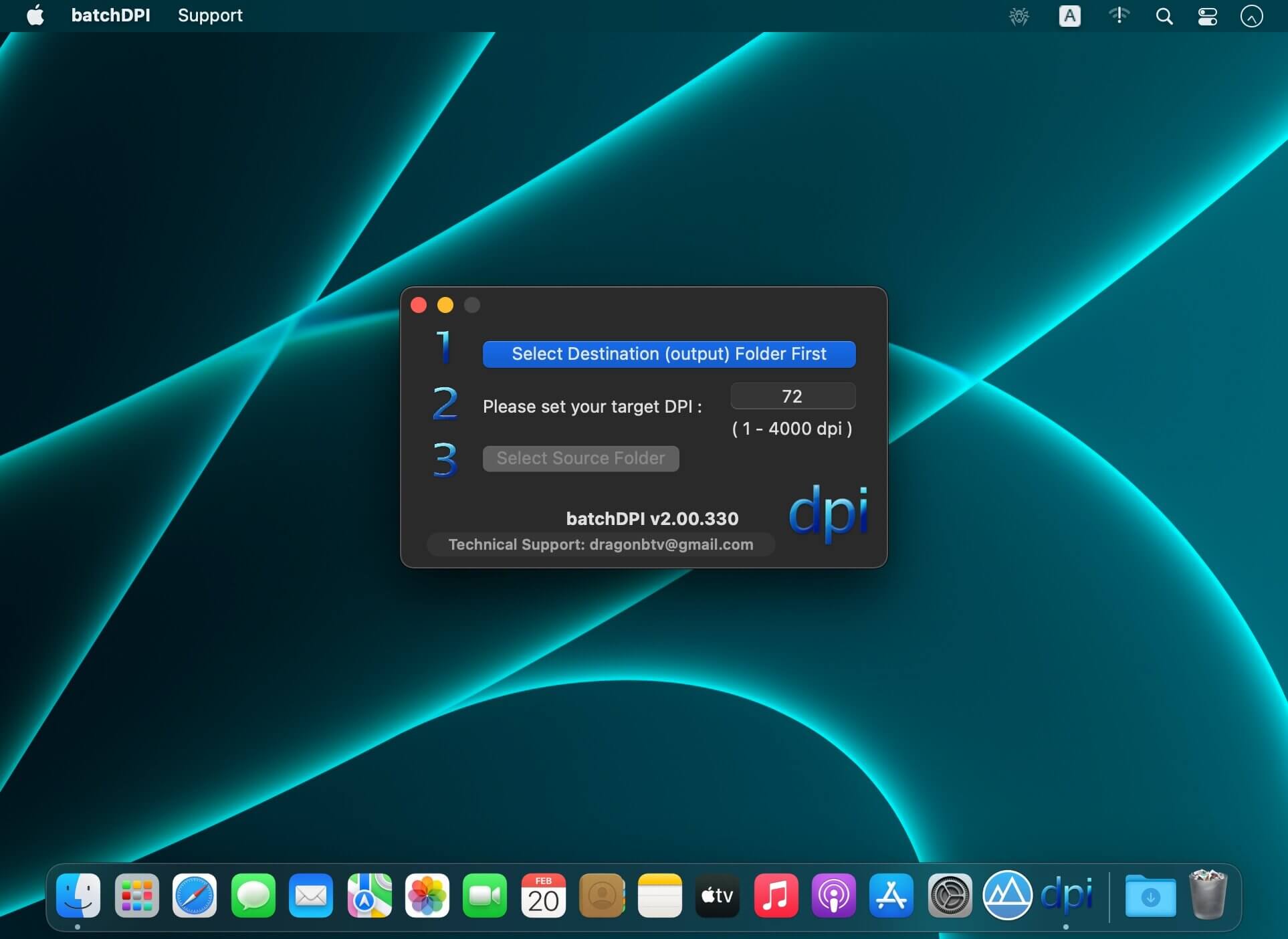
The default DPI of the macOS system is 72dpi, Microsoft Windows is 96dpi, your camera takes photos at maybe 350dpi, your scanned photo has a DPI of 600dpi, your PhotoShop was set to 100dpi…
Although the difference in DPI will not affect the quality of your picture unless you print them, it does bring some unexpected and quite messy issues when you work with pictures with different DPI.
With simple clicks, batchDPI can set all pictures in a folder to a uniform DPI you chose, no matter where they were downloaded or inputted from, or what they were edited with.
By the way, it's very interesting to find out if your favorite desktop wallpaper is originally created for Mac or PC, just check its DPI, 72dpi for Mac and 96dpi for PC. :)
Features
- Any Mac (Apple Silicon, Intel) version for macOS Big Sur
- Batch change thousands of pictures' DPI with a few simple clicks;
- Will copy (not replace) your photos to ensure the safety of your originals;
- Special destination folder first procedure protects against the overwrite of your original files;
- Toggle-able beep after each file processed;
- Progress indicator during processing;
- Destination folder will open automatically after processing;
- Supported formats: png, jpg, jpeg, other format support will be added upon your feature requests;
- New core for faster conversion
- Interface fine-tuning for dark mode
- New startup tip alert added
- All deprecated functions rewritten
Version v2.00
- Any Mac (Apple Silicon, Intel) version for macOS Big Sur
- new core for faster conversion
- interface fine-tuning for dark mode
- support menu updated
- fix background issue on dark mode
- new startup tip alert added
- all deprecated functions rewritten
Frequently asked questions
How do I install the app?
Mount the image, drag the app into the "Applications" folder and launch it. If the system blocks the launch, allow it in "System Settings → Privacy & Security".
The app is damaged or won't launch
Reinstalling from a fresh image usually helps. Make sure your macOS version matches the one listed in the compatibility specs.
How do I update?
Download the new version from the site and install it over the current one — your settings will be preserved.
The download link doesn't work
Try a mirror or a download manager. For large files the browser often drops the connection.
How do I completely remove the app?
Use an uninstaller utility — it cleans up the service files that remain after moving the app to the trash.



Choose a download source
batchDPI 2.06 · 2.8 MB