
Calculator for Safari 1.6.1

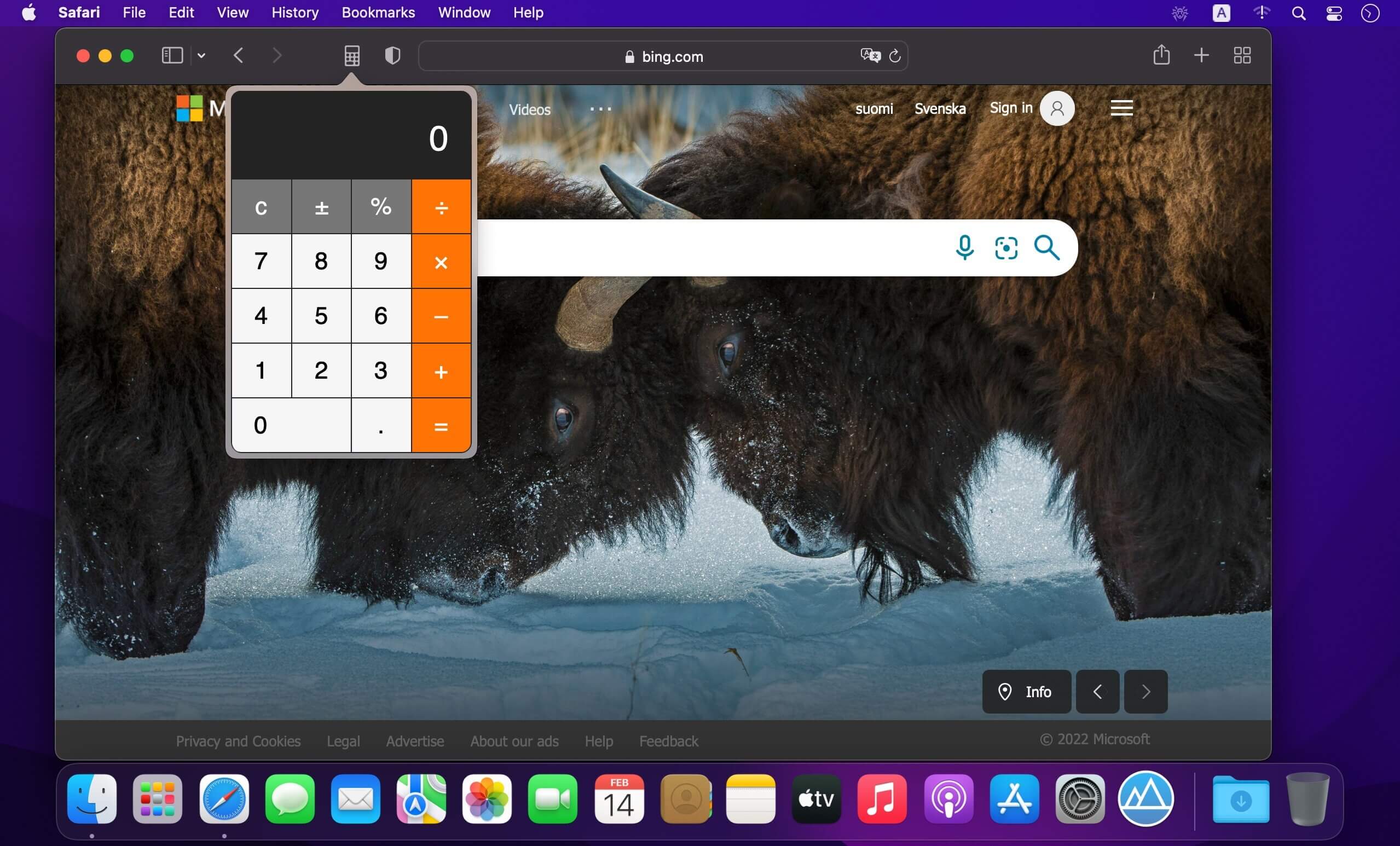
Add a simple Calculator to your browser! You can open the calculator while browsing any web page.
Make easy operations like Addition, Subtraction, Multiplication and Division. You also can use decimals for your operations. Supports: Keyboard, NumPad and Mouse.
HOW TO USE EXTENSION:
Start by installing the latest macOS updates to make sure that Safari is up to date. You need Safari 12 or later to get Safari extensions from the App Store. To download and install an extension, click 'Get' or click the price. You might be asked to sign in with your Apple ID. Click 'Install'. After the extension is installed, click 'Open'.
Then return to Safari to turn on the extension you installed:
- Choose 'Safari' → 'Preferences'.
- Click 'Extensions'.
- Select the checkbox next to the 'Calculator for Safari'.
All extensions installed from the App Store are automatically kept up to date.
MANAGING EXTENSIONS:
Choose 'Safari' → 'Preferences', then click 'Extensions'.
- To turn off an extension, deselect its checkbox.
- To uninstall an extension, select the extension and click the 'Uninstall' button. If you can't determine what an extension does, or you don't expect to use it again, you should uninstall it.
Version 1.6.1
- Fixes localizations
Frequently asked questions
How do I install the app?
Mount the image, drag the app into the "Applications" folder and launch it. If the system blocks the launch, allow it in "System Settings → Privacy & Security".
The app is damaged or won't launch
Reinstalling from a fresh image usually helps. Make sure your macOS version matches the one listed in the compatibility specs.
How do I update?
Download the new version from the site and install it over the current one — your settings will be preserved.
The download link doesn't work
Try a mirror or a download manager. For large files the browser often drops the connection.
How do I completely remove the app?
Use an uninstaller utility — it cleans up the service files that remain after moving the app to the trash.





Choose a download source
Calculator for Safari 1.6.1 · 5.3 MB