
aTypeTrainer4Mac 4.41
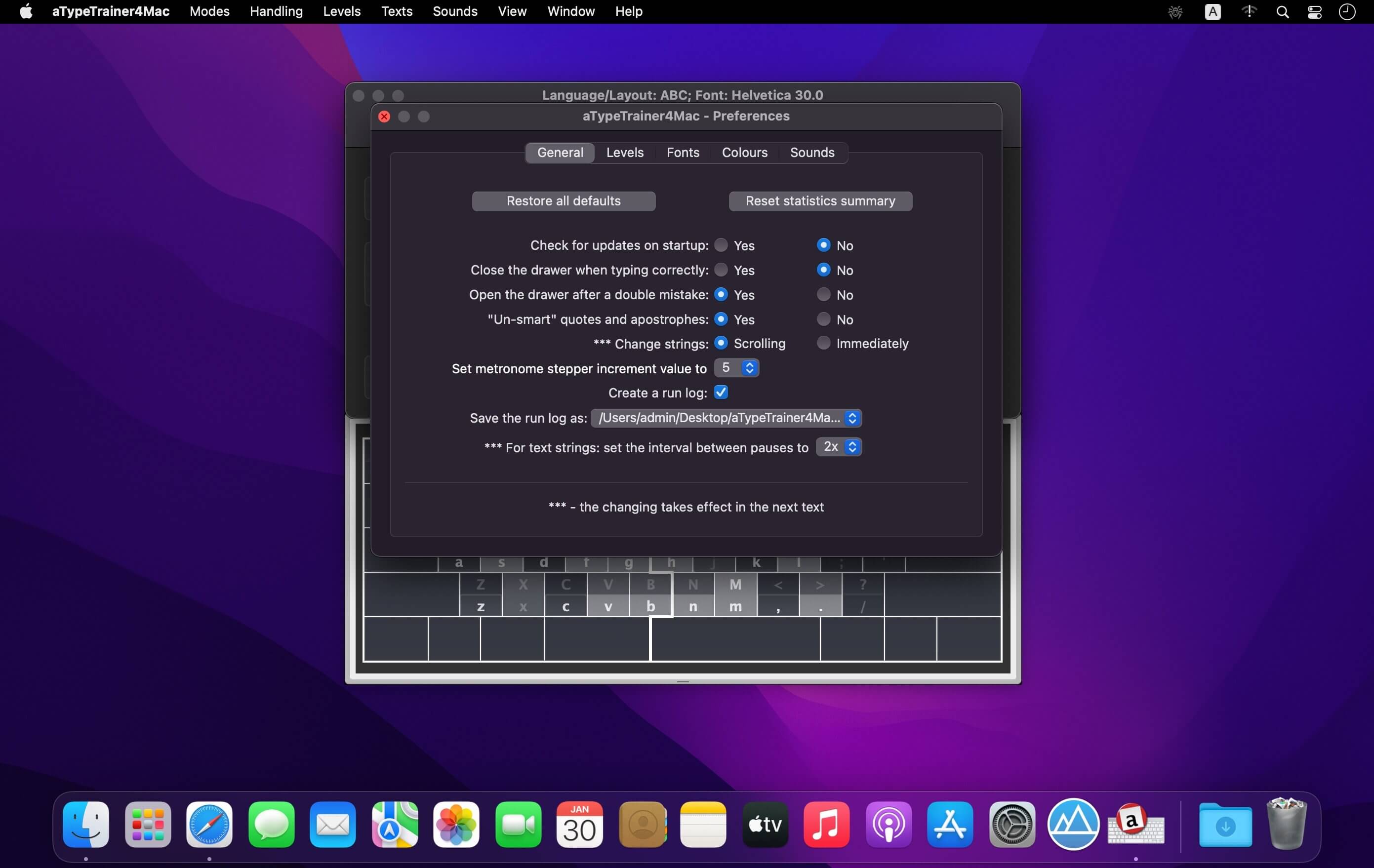
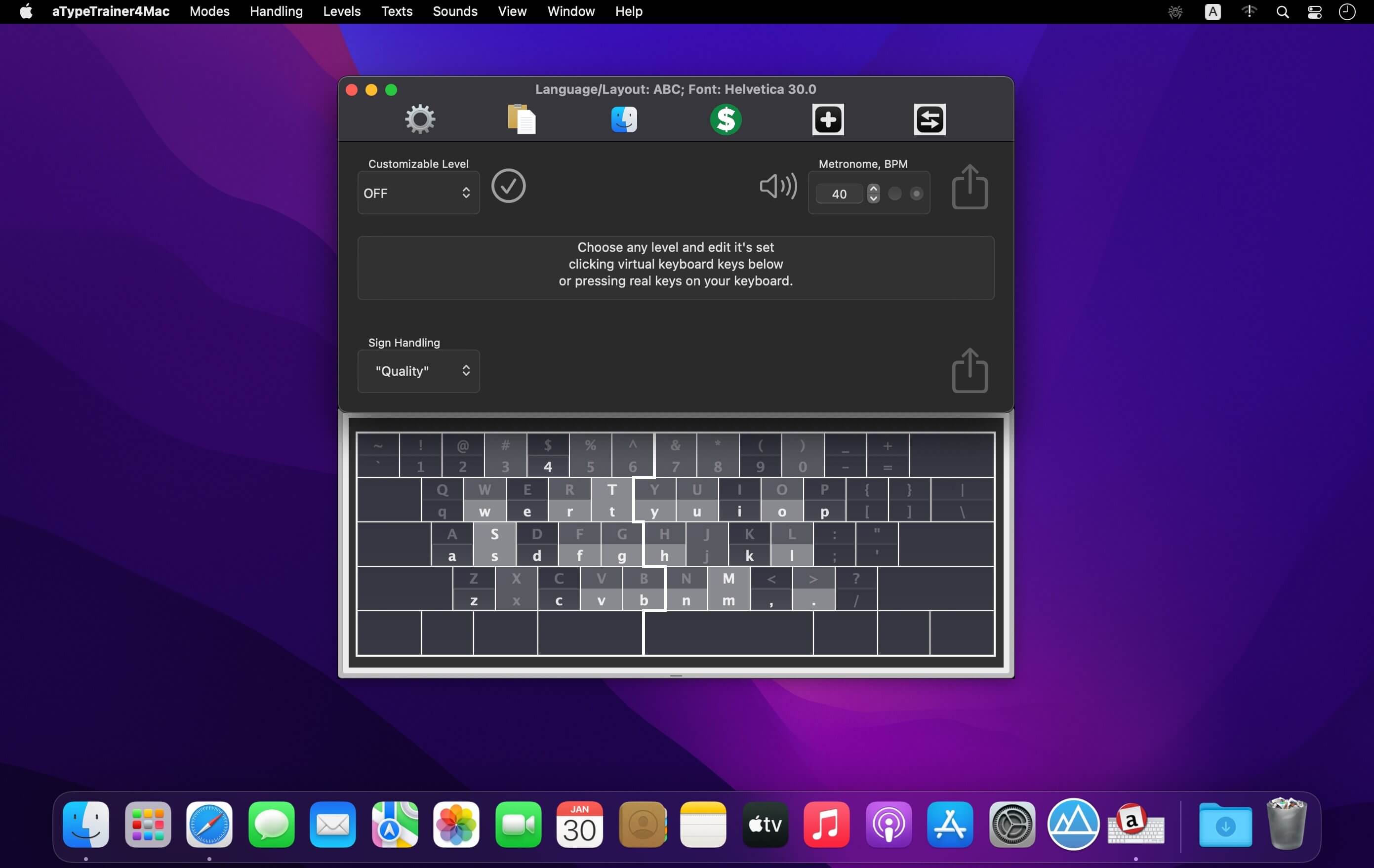
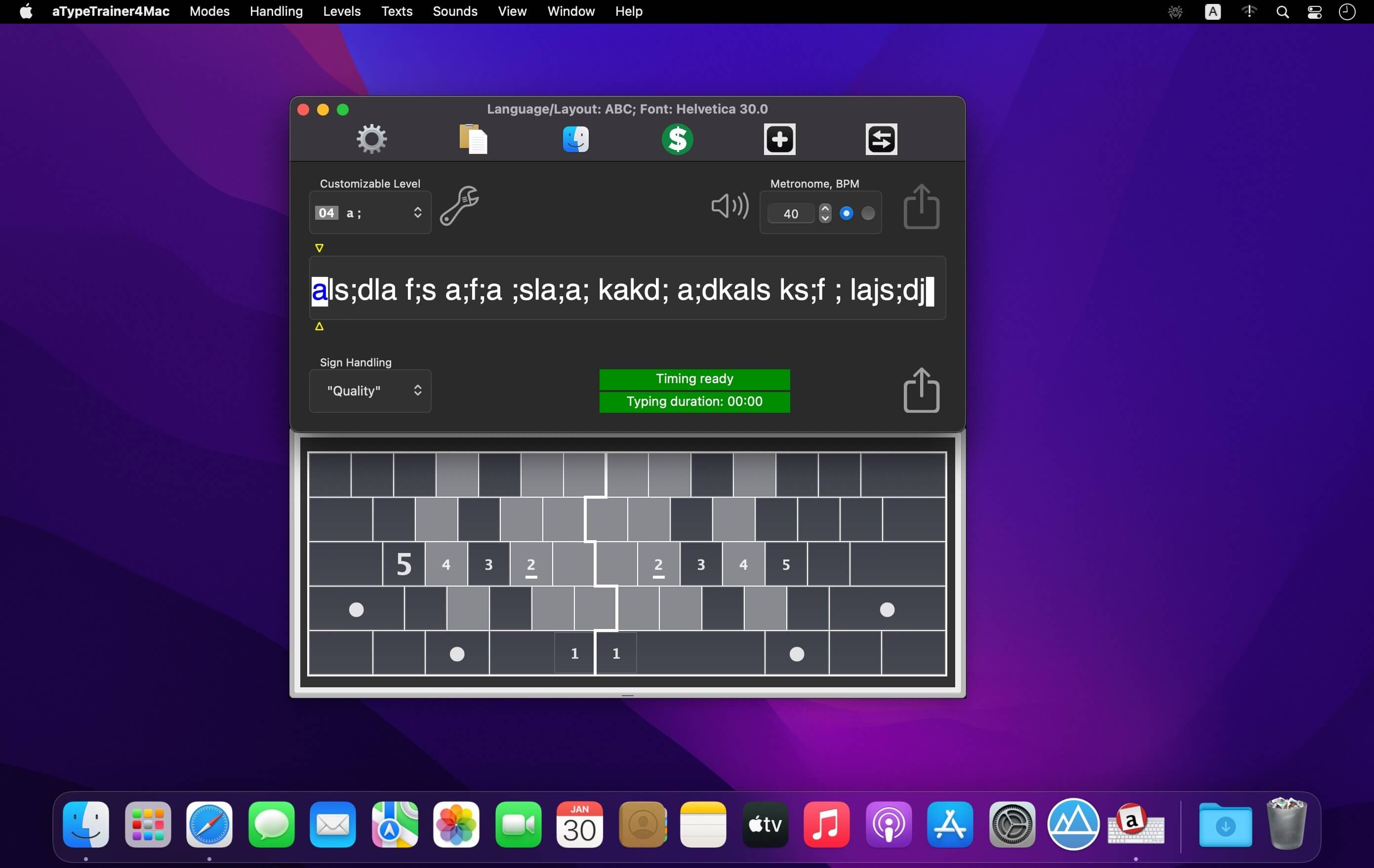
aTypeTrainer4Mac offers you the possibility to improve your typing skills by helping you memorize the place of each key on your keyboard, and making you switch to a more time efficient position for your fingers.
Simple but efficient typing tutor that integrates a lesson plan focused on difficulty level
To help you get started, aTypeTrainer4Mac comes with a lessons collection designed to help you get accustomed with the position of each key on the keyboard. You start by practicing for only 2 keys, and then new elements are added for each level.
aTypeTrainer4Mac will time your performance and displays your characters per minute / words per minute score, but also includes a metronome that can help you set up a typing rhythm. You also get to setup the typing priority: accuracy, quality, or quantity.
Create new exercises by using your own text documents or emails
Once you went through the aTypeTrainer4Mac default lesson plan, you can continue practicing by using custom text content. aTypeTrainer4Mac allows you to easily import RTF files, but can also import the content of the email currently selected in your Mail app, or the text of the latest active TextEdit file.
Other customization options can be accessed via the app’s Preferences: you can change the default sound set, the interface color scheme, the font style, change the rules for passing to a new level in the lesson plan, adjust the animation effects, and so on.
Improve your typing skills by memorizing the position of each key and learning to place your fingers on the keyboard in an efficient manner
aTypeTrainer4Mac proposes simple but efficient solutions for improving your typing speed and accuracy, however, if you never used this type of app, the correct position of your fingers is not that obvious.
Version 4.41
- Slightly improved
Frequently asked questions
How do I install the app?
Mount the image, drag the app into the "Applications" folder and launch it. If the system blocks the launch, allow it in "System Settings → Privacy & Security".
The app is damaged or won't launch
Reinstalling from a fresh image usually helps. Make sure your macOS version matches the one listed in the compatibility specs.
How do I update?
Download the new version from the site and install it over the current one — your settings will be preserved.
The download link doesn't work
Try a mirror or a download manager. For large files the browser often drops the connection.
How do I completely remove the app?
Use an uninstaller utility — it cleans up the service files that remain after moving the app to the trash.




Choose a download source
aTypeTrainer4Mac 4.41 · 1.89 MB