
File Links 1.04
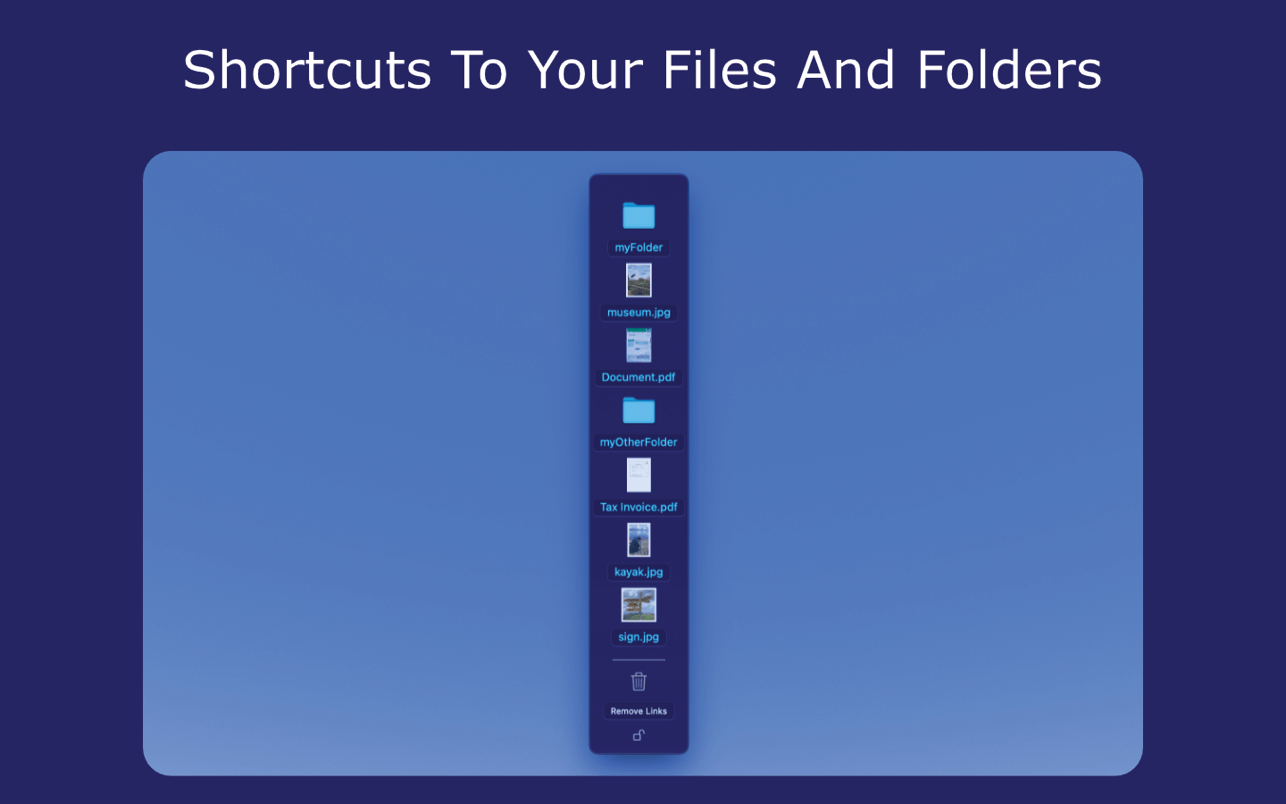
Desktop links to files, folders and apps without moving your files or applications.
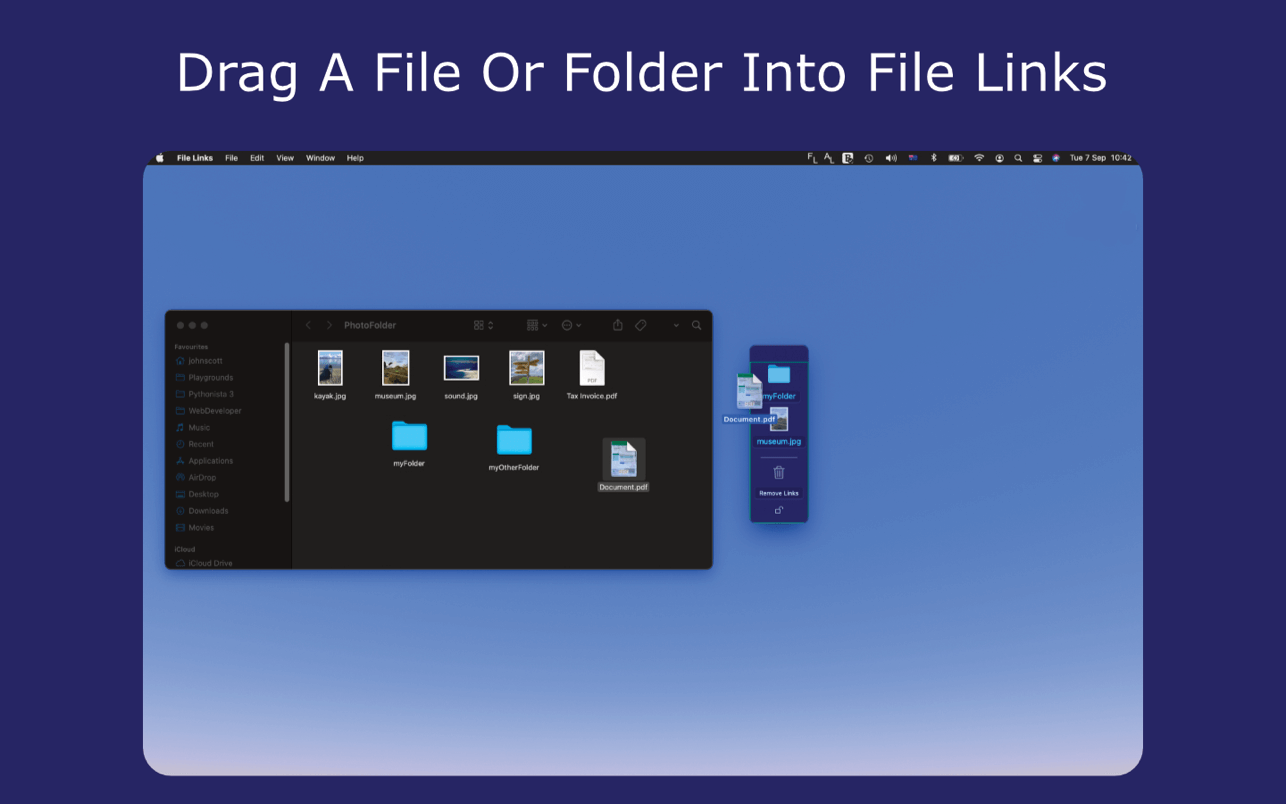
If you work with multiple files and folders, drag your files or folders into the File Links window.
File Links creates shortcuts to your files, but does not move them from their original location.
Dragged to the side of the screen, switch quickly between your chosen files.
- Just drag and drop a file or folder into File Links to create a shortcut to the file.
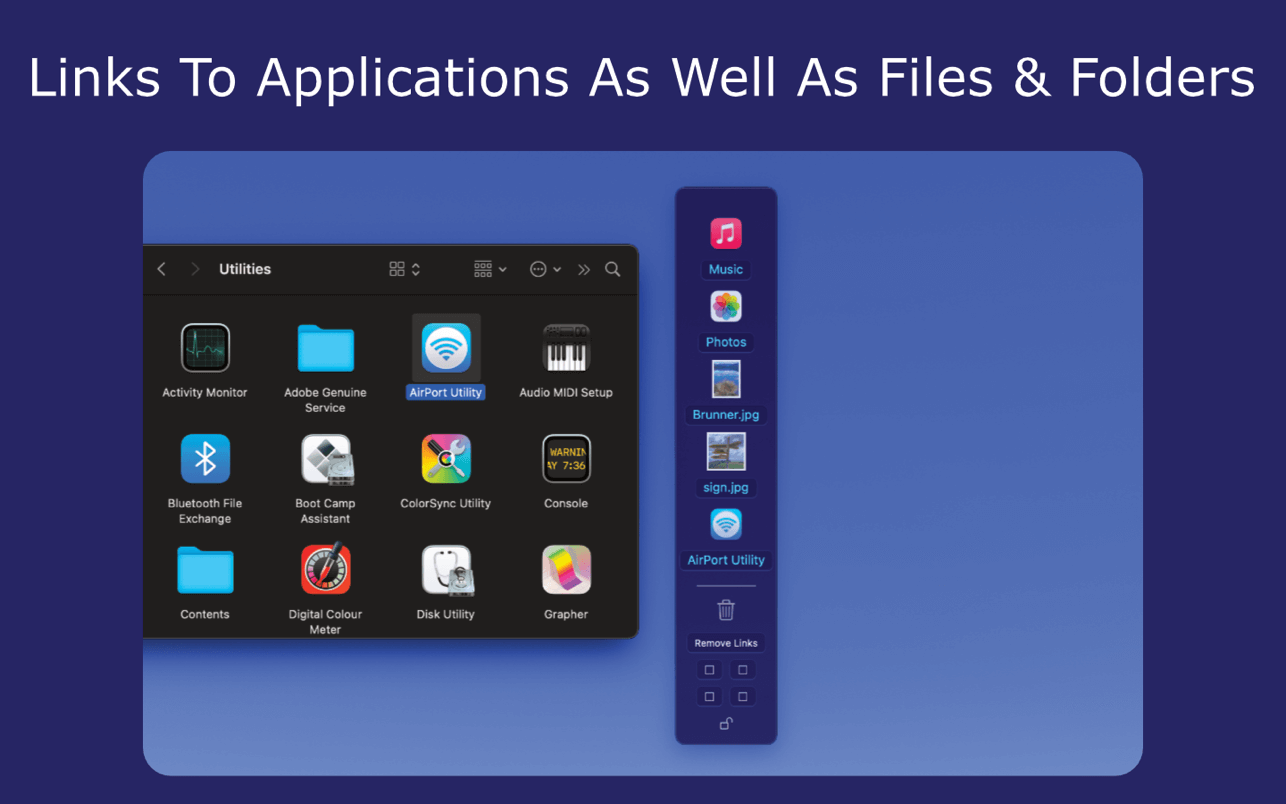
- Drag applications into File Links from your applications folder to create a desktop link to your app. This creates a desktop window allowing quick access to your apps, as well as files and folders, from your desktop. The application remains in your applications folder, and is not moved.
- File Links remembers your shortcuts list even after closing the app.
- File list can be quickly shown or hidden from your desktop by clicking on the status bar 'FL' icon.
- Pin File Links to any screen corner to optimise screen space.
- Customise File Links using the preferences menu.
Version 1.04
- Manual File Links window resizing and scrolling can be enabled
Frequently asked questions
How do I install the app?
Mount the image, drag the app into the "Applications" folder and launch it. If the system blocks the launch, allow it in "System Settings → Privacy & Security".
The app is damaged or won't launch
Reinstalling from a fresh image usually helps. Make sure your macOS version matches the one listed in the compatibility specs.
How do I update?
Download the new version from the site and install it over the current one — your settings will be preserved.
The download link doesn't work
Try a mirror or a download manager. For large files the browser often drops the connection.
How do I completely remove the app?
Use an uninstaller utility — it cleans up the service files that remain after moving the app to the trash.

Choose a download source
File Links 1.04 · 1.9 MB