Kaleidoscope 4.5.1

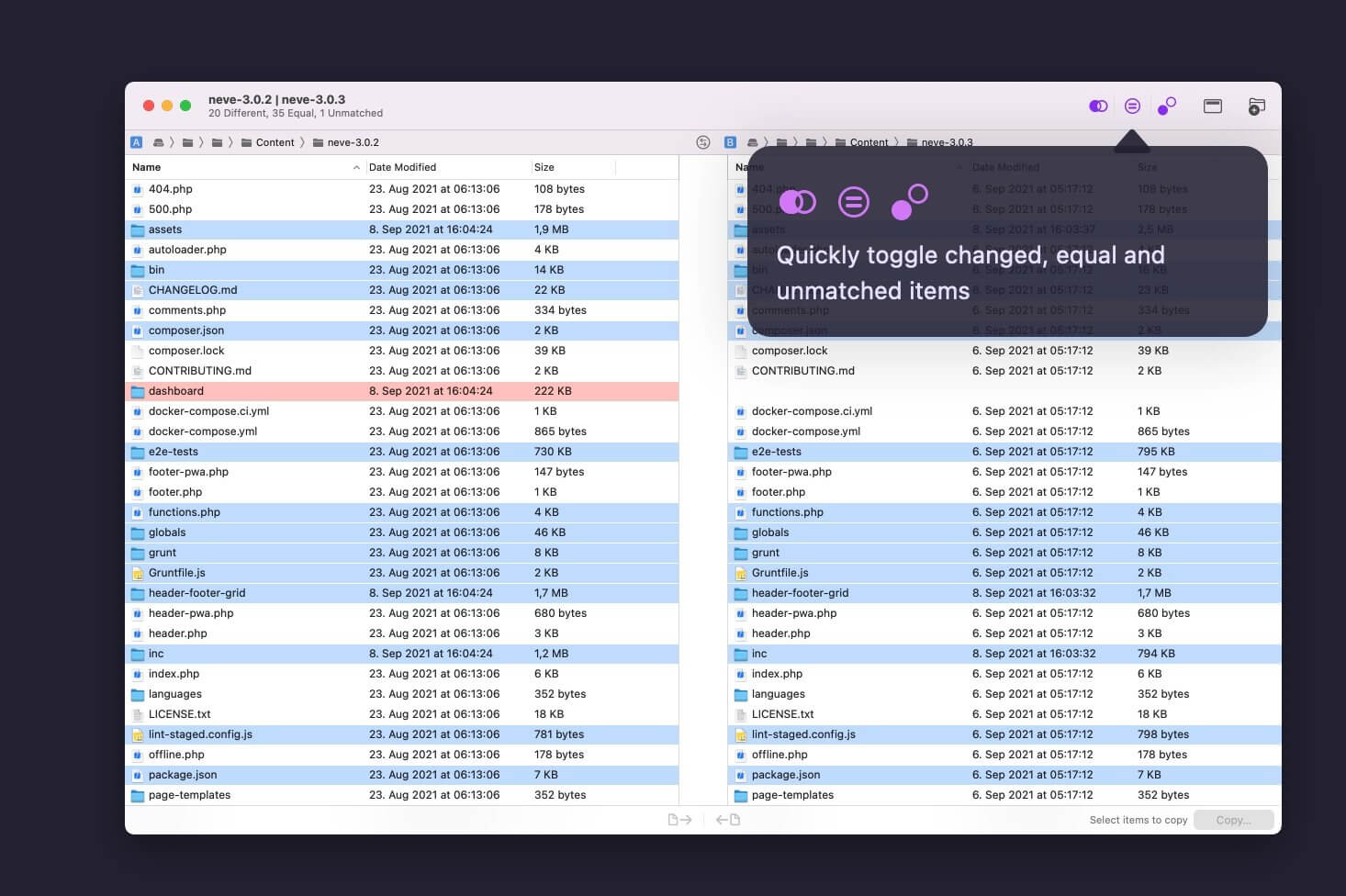
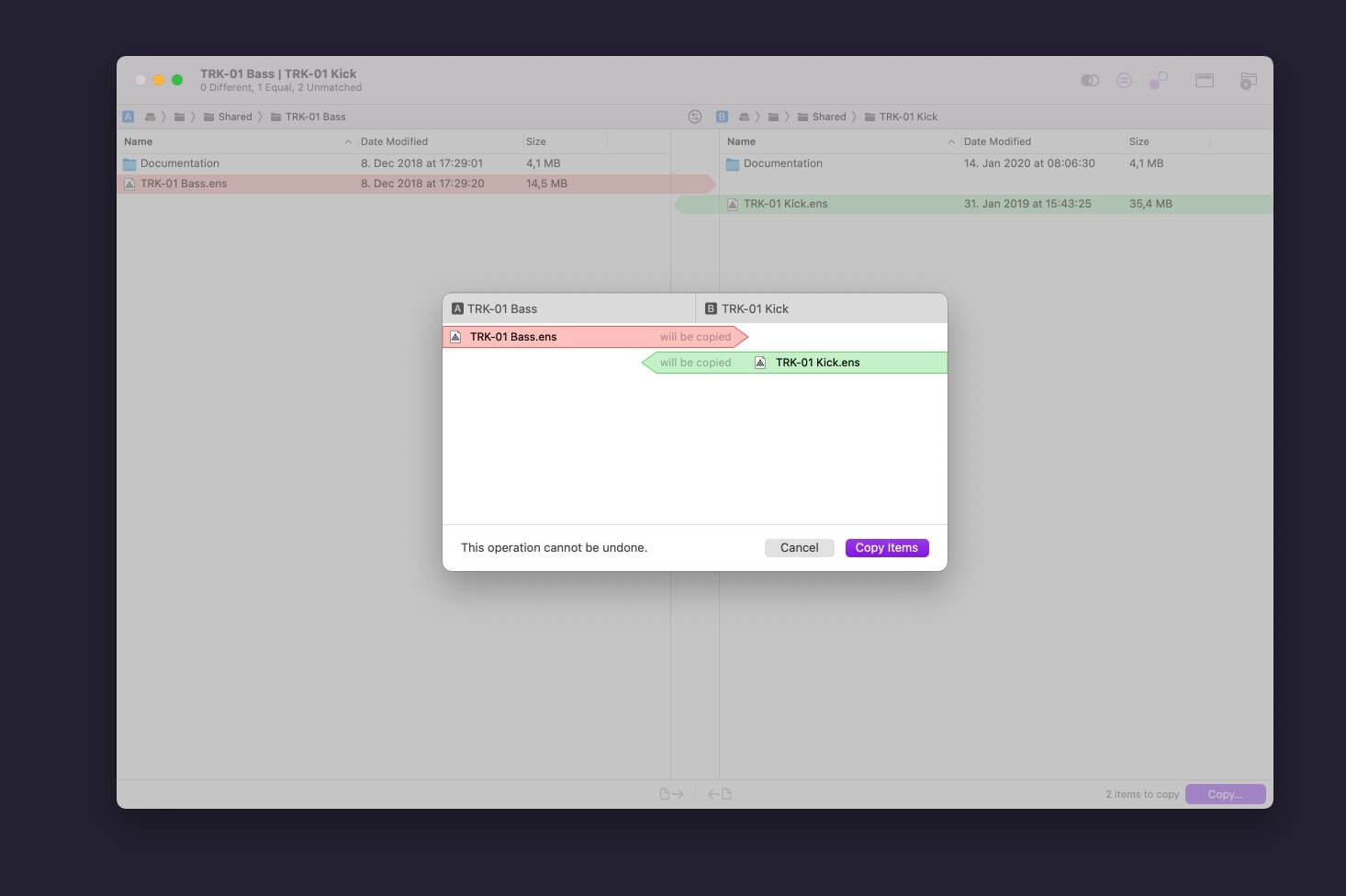
Kaleidoscope is the most powerful file comparison app. Spot the differences in text and image files, or even folders full of files. Review changes in seconds, with the world's most advanced and beautiful file comparison app.
Kaleidoscope 3 features the first major redesign in over eight years, with support for Apple Silicon-based Macs, a redesigned interface that looks great in the latest versions of macOS, and new dark mode support, Kaleidoscope 3 marks the comeback of a longtime developer favorite for spotting changes in text, images, and folders. There is a new Reader view, and changesets have received major improvements.
WHAT'S NEW IN KALEIDOSCOPE 3?
- Redesigned interface, including new dark mode and new app icon; Kaleidoscope's design now fits macOS Big Sur and macOS Monterey
- Runs natively on all Macs, including those based on Apple silicon (Apple M1 chip).
- Reader view makes it easier to focus on the content
- Greater control over how text layout, with better font options and display choices
- Ability to ignore particular folders and files during folder compare, using powerful patterns.
- Persistent top toolbar with convenient Add and Paste buttons
- Redesigned Unified text comparison and File Shelf views to make it easier to review differences and keep track of files being compared
- Powerful filters for comparing items in changeset windows
KALEIDOSCOPE FEATURES:
- Two-Way Text Comparison & Merging
- Supports any text file, Word documents, PDF, RTF
- Super-fast diffing of lines and character-level changes
- Directly paste from clipboard
- Three powerful display modes: Blocks, Fluid and Unified
- Color coding to spot added, deleted, and changed text
- Powerful text layout customization
- Reader view that helps focus on content
- Built-in search
Three-Way Merge
- Review code changes and resolve conflicts
- Edit text inline
- Intelligently auto-merge the right content
Powerful Image Comparison
- Supports any file that can be imported as bitmap
- Directly paste from clipboard
- Compare images in four different modes: Two-Up, One-Up, Split and Difference
- Spot subtle pixel differences with a high contrast “difference mask”
- Navigate large images using pan & zoom tools
Folder Comparison
- Ultra-fast algorithm for finding differences in large folders
- Sort and filter down to what is most important
- Powerful ignore patterns to exclude extraneous files and folders
- Drill deeper into folders for more detailed comparisons
- Copy your preferred files across sources
Code Review
- Well-designed overview of all files changed in a changeset
- Find a file by filtering by name or by kind of change
- Inspect changes in text and image files using all of Kaleidoscope's compare tools
Easy Workflow Integration
- Git, Mercurial, Subversion, Bazaar, and Perforce support
- Works as a fully functional diff or merge tool
- ksdiff tool unleashes the power of the unix command-line
- Supported by a growing list of GUI source control management apps
- Integrate with the Xcode debugger (lldb) for text and graphics
- Integrates with tools like Alfred for even faster workflows
Version 4.5:
New Features:
- Many new Text Themes have been added. Also, Text Themes now influence the overall background and text colors.
- The Folder Comparison has an entirely new, more subtle, look. Bold type and blue text tell you at first glance what is different. Visit Settings > Folder to adjust icon and text size to your liking.
- When used via git difftool --dir-diff, the folder comparison now follows symlinks, showing you live updates of the linked files, making the --dir-diff (-d) option much more usable with Kaleidoscope.
Enhancements:
- The File Properties now provide you with even more insights. Similar to the Folder Comparison, you can immediately see which side of the comparison is larger, newer, or where file permissions differ. If an item has modified extended attributes, those attributes are now shown.
- Various smaller performance improvements in text views.
- Visual updates to make the Path Bar more stable.
- A few updates to Kaleidoscope Help
Bugfixes:
- Fixed an issue where the content could resize the changeset sidebar.
- Various smaller fixes.
Frequently asked questions
How do I install the app?
Mount the image, drag the app into the "Applications" folder and launch it. If the system blocks the launch, allow it in "System Settings → Privacy & Security".
The app is damaged or won't launch
Reinstalling from a fresh image usually helps. Make sure your macOS version matches the one listed in the compatibility specs.
How do I update?
Download the new version from the site and install it over the current one — your settings will be preserved.
The download link doesn't work
Try a mirror or a download manager. For large files the browser often drops the connection.
How do I completely remove the app?
Use an uninstaller utility — it cleans up the service files that remain after moving the app to the trash.



Choose a download source
Kaleidoscope 4.5.1 · 39.22 MB
Previous versions
Kaleidoscope 4.5.1
Previous versions are available to registered users.