RadarScope 5.6
RadarScope: See storms in their original radial detail
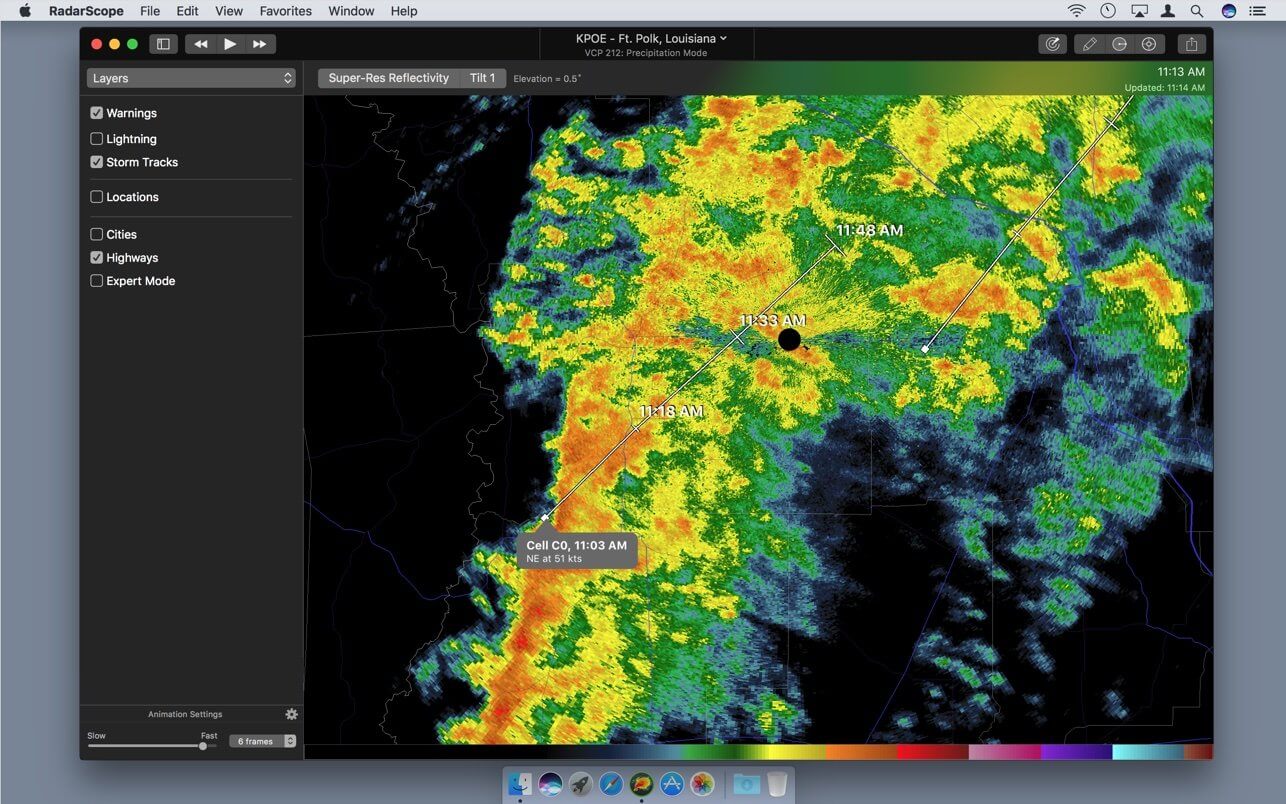
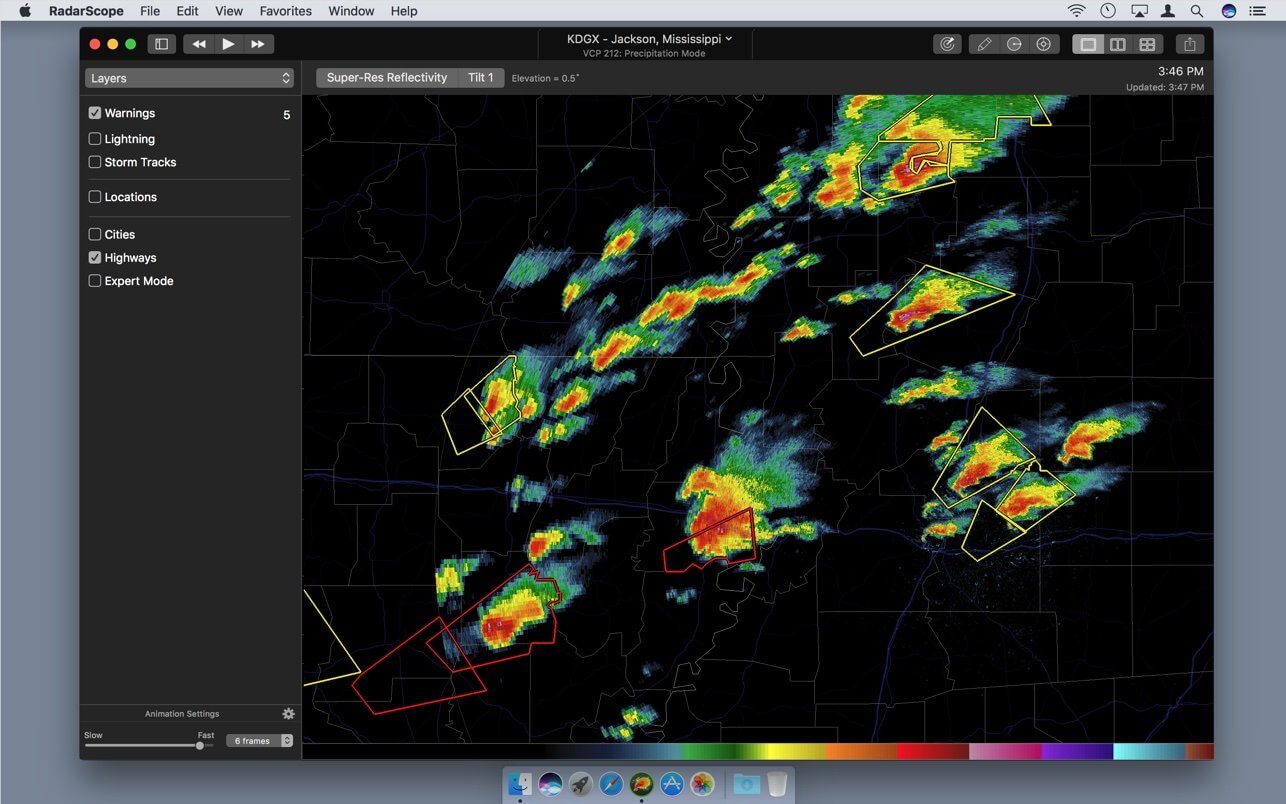
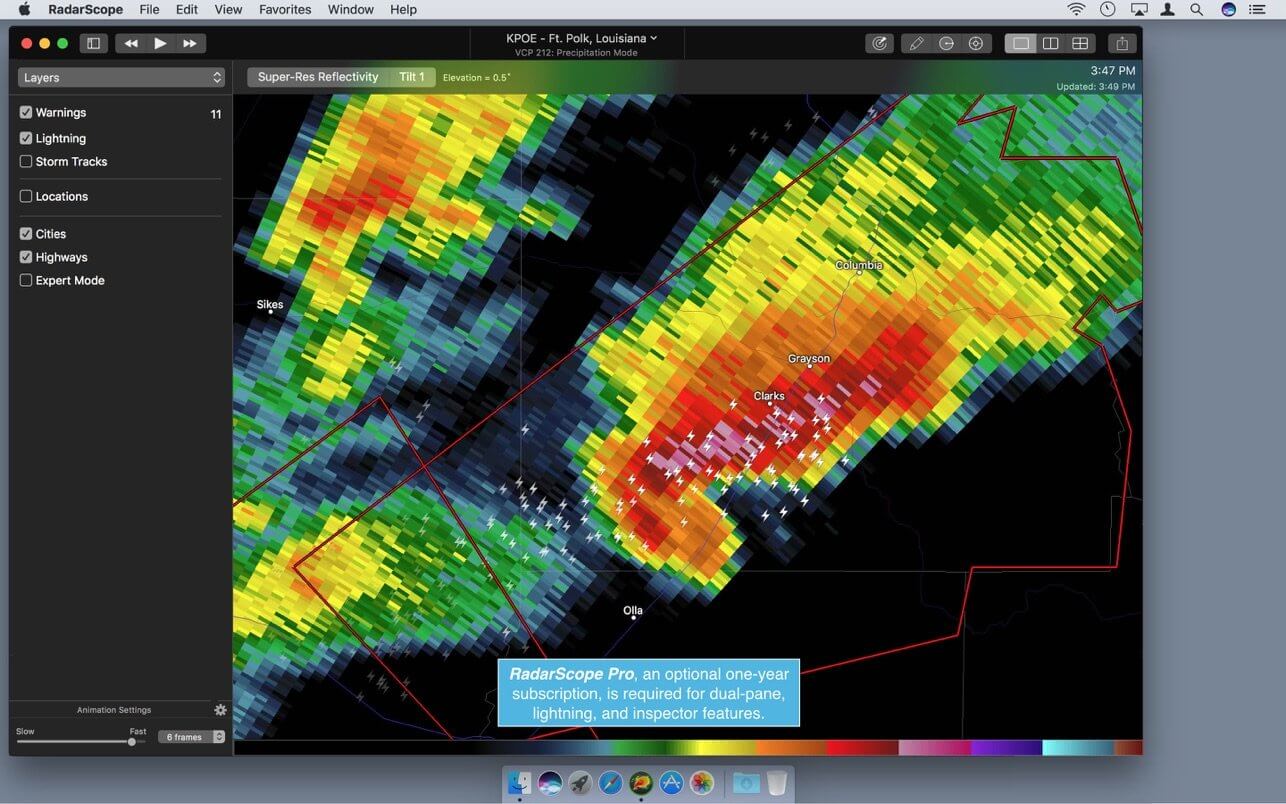
RadarScope is a professional weather radar application for monitoring severe weather across the United States, Puerto Rico, and Guam. It uses data from the National Weather Service’s NEXRAD network of high-resolution S-band Doppler radars to deliver detailed Level 3 radar imagery and active weather alerts.
Designed for weather enthusiasts and storm watchers, RadarScope lets you analyze reflectivity, velocity, storm structure, mesocyclones, and other radar signatures associated with tornadoes, severe thunderstorms, flash floods, and hurricanes.
The intuitive interface makes it easy to explore radar data. The main display shows available maps, while the Inspector panel provides detailed information about selected storms, warnings, and weather events. Use the location menu to switch between radar sites, access drawing tools, and adjust your view. The bottom toolbar lets you choose different radar products, while scrolling makes it simple to zoom in and out.
RadarScope can also animate up to 20 frames of radar data, helping you track storm movement and development over time. You can save radar views as image files for later reference.
With fast access to detailed NEXRAD radar data and severe weather information, RadarScope is a valuable tool for anyone who wants to monitor developing storms and stay informed during hazardous weather.
Version 5.6:
New for Everyone:
- Added localizations for more warning impact tags
- Added labels for TDWR hazardous and monitor modes
- Optimized download requests when switching radars
- Optimized receipt validation process
- Updated highway layer
- Improved handling of radar download errors
- Improved error message when restoring purchases
- Improved date formatting on shared images
- Improved loop exporting
- Fixed a bug that incorrectly displayed some wind impact tags
- Fixed incorrect wind speeds in some warning impact tags
- Fixed a watchOS bug that entered full screen mode when panning
- Fixed a macOS bug where the navigation back button was not always visible
- Fixed some truncated labels on watchOS
- Fixed a bug that caused the detail view toolbar to flash
- Fixed a bug that prevented detail views from loading radar data
- Fixed a bug that applied the wrong style to detail view text
- Fixed various missing localizations
New for Pro Tier One:
- Added day three probabilistic outlook category
- Improved rendering of outlook CIGs
- Fixed a bug that caused outlooks to blink when switching types
- Fixed a bug that caused dual-pane mode to use the wrong screen orientation
- New for Pro Tier Two:
- Updated street maps with optimized caching
- GFS forecast products
- HRRR forecast products
- HRW-ARW forecast products
- HRW-FV3 forecast products
- NAM-CONUS forecast products
- NAM-12km forecast products
- ECMWF HRES forecast products
- Optimized performance of MRMS, RTMA, and GOES products
- Optimized download of sounding data
- Updated sea-level pressure color table and range
- Updated color palettes for dewpoint, visibility, and cloud cover
- Updated color palette ranges for some GOES products
- Increased maximum loop frames for tiled products to 40 frames
- Fixed incorrect tilt name for certain L2 products
- Fixed a unit conversion bug for MRMS precip rate
- Fixed a tile loading bug when zooming on watchOS
- Fixed a bug where Level 2 loops did not show download progress
- Fixed a bug in sounding calculations for most unstable parcel
- Fixed a bug in the sounding time picker
- Fixed a bug with the soudning sharing feature
New for Weather Pulse Subscribers:
- GFS forecast products
- HRRR forecast products
- HRW-ARW forecast products
- HRW-FV3 forecast products
- NAM-CONUS forecast products
- NAM-12km forecast products
- ECMWF HRES forecast products
- Optimized performance of MRMS, RTMA, and GOES products
- Updated sea-level pressure color table and range
- Updated color palettes for dewpoint, visibility, and cloud cover
- Updated color palette ranges for some GOES products
- Increased maximum loop frames for tiled products to 40 frames
- Fixed an MRMS precip rate bug
- Fixed a unit conversion bug for MRMS precip rate
- Fixed a tile loading bug when zooming on watchOS
Frequently asked questions
How do I install the app?
Mount the image, drag the app into the "Applications" folder and launch it. If the system blocks the launch, allow it in "System Settings → Privacy & Security".
The app is damaged or won't launch
Reinstalling from a fresh image usually helps. Make sure your macOS version matches the one listed in the compatibility specs.
How do I update?
Download the new version from the site and install it over the current one — your settings will be preserved.
The download link doesn't work
Try a mirror or a download manager. For large files the browser often drops the connection.
How do I completely remove the app?
Use an uninstaller utility — it cleans up the service files that remain after moving the app to the trash.


Choose a download source
RadarScope 5.6 · 93.65 MB