Focusplan Pro 1.6.17

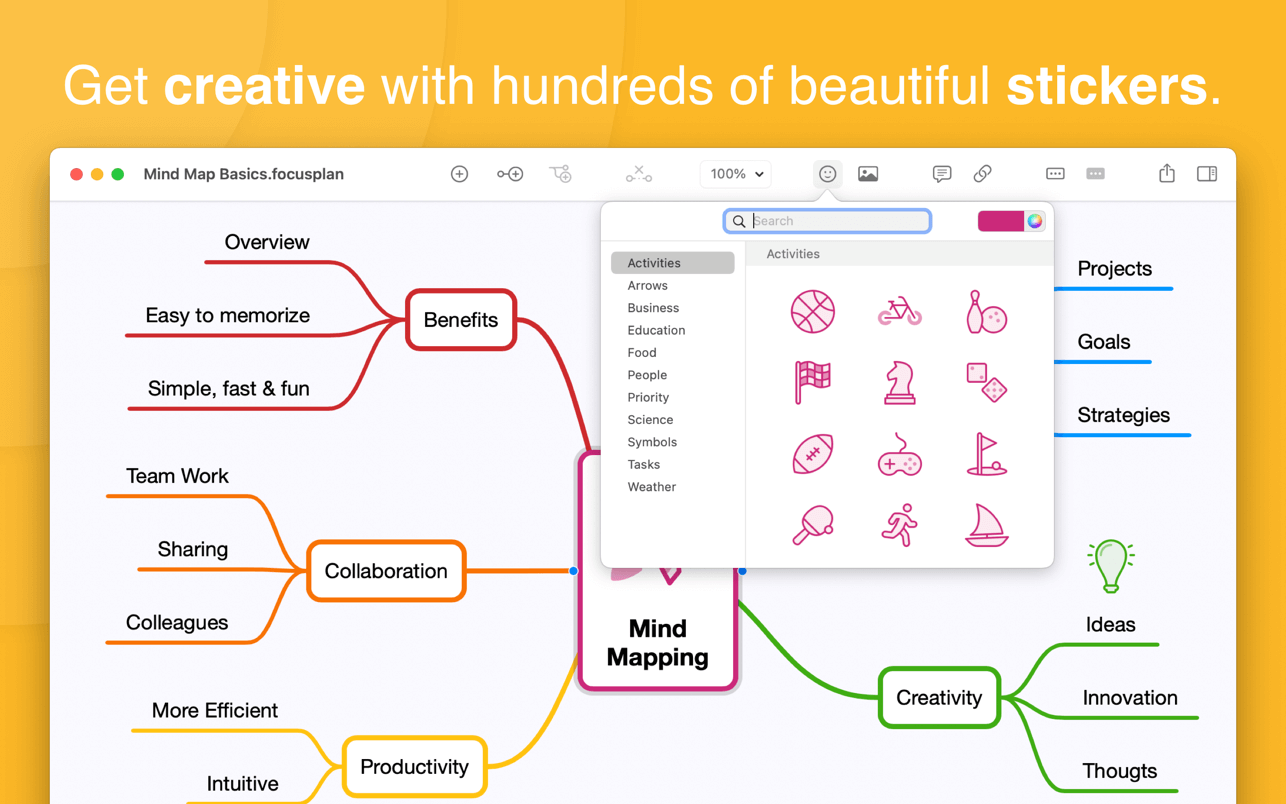

Focusplan is a powerful, full-featured, and flexible mind mapping and brainstorming app for everyone. It helps you capture, develop, and share your concept ideas, turning them into a stunning mind map.
TOP MIND MAPPING USES
- Thought structuring
- Brainstorming
- Project planning
- Preparing a speech
- Manage meetings
- Write a quick summary
- Note taking
- Meeting notes
- Organize ideas
- Studying
- Knowledge base
- …and many more!
HIGHLIGHT FEATURES
- Unique and powerful free-layout canvas
- Supports multiple mind maps on a single page
- Add images and stickers to your mind maps
- Add and edit notes, links, and attachments to your topics
- Includes 200+ colorful and creative stickers with adjustable color tints
- Includes 14 ready-to-use, beautiful and configurable themes
- Import, export, and share your custom themes with your family, friends, and colleagues
- Configure branches using a variety of styles like Rounded, Linear, Curved, and Angular
- Full text-search topics on the whole mind map
- Organize and restructure using drag & drop, re-arrange, and reconnect topics
- Select, delete, or move multiple topics at the same time
- Fold and unfold branches to make your mind map clear
- Share mind maps via Email, Messages, and more directly from your Mac
- Export mind maps as text, OPML, and image formats
- Seamless synchronization through iCloud Drive
- Dark mode: automatically adapt app appearance to your system preferences or change between Dark and Light mode
- Continuity camera: take a photo on your iOS device and automatically add it to your mind map
Version 1.6.11
- Adds the feature to select all child topics from the selected topic
- Adds user interface improvements and integrations with macOS Monterey
- Fixes an issue where changing theme in some cases the app does not properly display the preview on the inspector
- This update contains stability and performance improvements
Frequently asked questions
How do I install the app?
Mount the image, drag the app into the "Applications" folder and launch it. If the system blocks the launch, allow it in "System Settings → Privacy & Security".
The app is damaged or won't launch
Reinstalling from a fresh image usually helps. Make sure your macOS version matches the one listed in the compatibility specs.
How do I update?
Download the new version from the site and install it over the current one — your settings will be preserved.
The download link doesn't work
Try a mirror or a download manager. For large files the browser often drops the connection.
How do I completely remove the app?
Use an uninstaller utility — it cleans up the service files that remain after moving the app to the trash.





Choose a download source
Focusplan Pro 1.6.17 · 6.72 MB