
ForkLift 2.6.6
ForkLift - File Manager and FTP/SFTP/WebDAV/Amazon S3 client
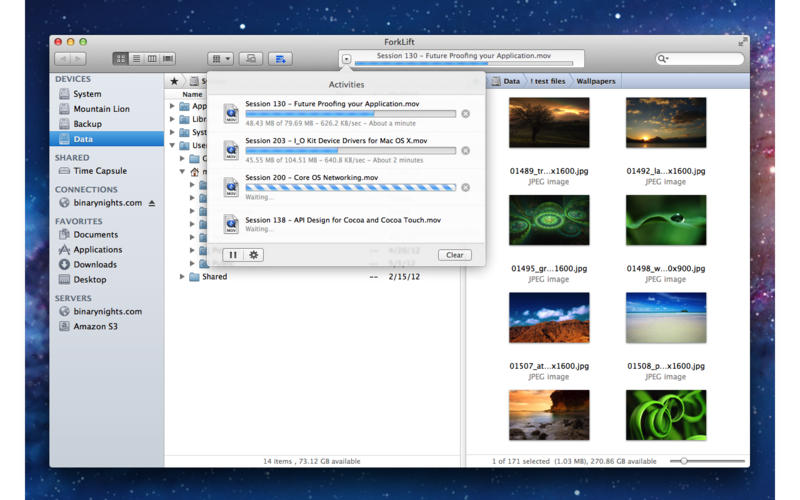
ForkLift is a robust and elegant Finder replacement and FTP + SFTP + WebDAV + Amazon s3 client, fully embracing the Apple methodology of bringing incredible power to a beautiful and easy-to-use, approachable interface, it also integrates multiple features you would normally buy in many separate applications. Batch Rename, App Deleter, Archive creation & management, powerful Folder Sync, and the ability to Split and Combine large files are all at your fingertips.
Features
- Dual-pane, tabbed file management
- Connect to a remote or shared volume using FTP, SFTP, WebDAV, Amazon S3, iDisk, SMB, AFP, NIS
- Stacks: virtual containers for working with many disparate files across volumes
- Workspaces: save a snapshot of your current directories and connections
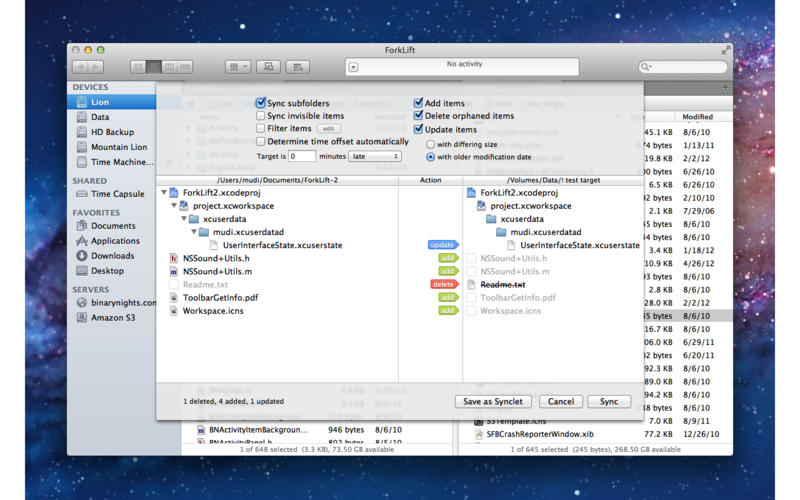
- Folder Sync: keep two folders in sync with granular control including powerful RegExp rules
- Synclets: save any sync setup as a stand-alone app for one-button instant updating from your dock or as a cronjob
- Remote Edit files with the editors of your choice, configurable based on file extensions
- Transfer Queue: manage copy operations with global conflict management and file reordering
- Favorites Manager: organize large numbers of connections with ease
- Multi-Rename files with sequencing, add/replace text, RegExp, and metadata support
- Archive creation and management using the Unarchiver framework
- Powerful RegExp-enabled Search, Filter and Select files on any volume
- App Deleter that automatically finds and deletes related app preferences and plists
- Split and combine large files
- Columns, List, Icon and Cover Flow views with full Quick Look support
- Full keyboard support with configurable shortcuts
- Blazing fast transfer engine
WHAT’S NEW
Version 2.6.6
- Fixes the issue that caused ForkLift to hang on startup on El Capitan
- Numerous other fixes and improvements
Screenshots

Frequently asked questions
How do I install the app?
Mount the image, drag the app into the "Applications" folder and launch it. If the system blocks the launch, allow it in "System Settings → Privacy & Security".
The app is damaged or won't launch
Reinstalling from a fresh image usually helps. Make sure your macOS version matches the one listed in the compatibility specs.
How do I update?
Download the new version from the site and install it over the current one — your settings will be preserved.
The download link doesn't work
Try a mirror or a download manager. For large files the browser often drops the connection.
How do I completely remove the app?
Use an uninstaller utility — it cleans up the service files that remain after moving the app to the trash.
VersionForkLift 2.6.6
DeveloperBinaryNights
CompatibilityOS X 10.7 or later, 64-bit processor
LanguageEnglish, German
IncludesK




Information
Visitors in the group Guests cannot leave comments on this publication.
Choose a download source
ForkLift 2.6.6 · 15.52 MB