
Double Commander 0.7.7
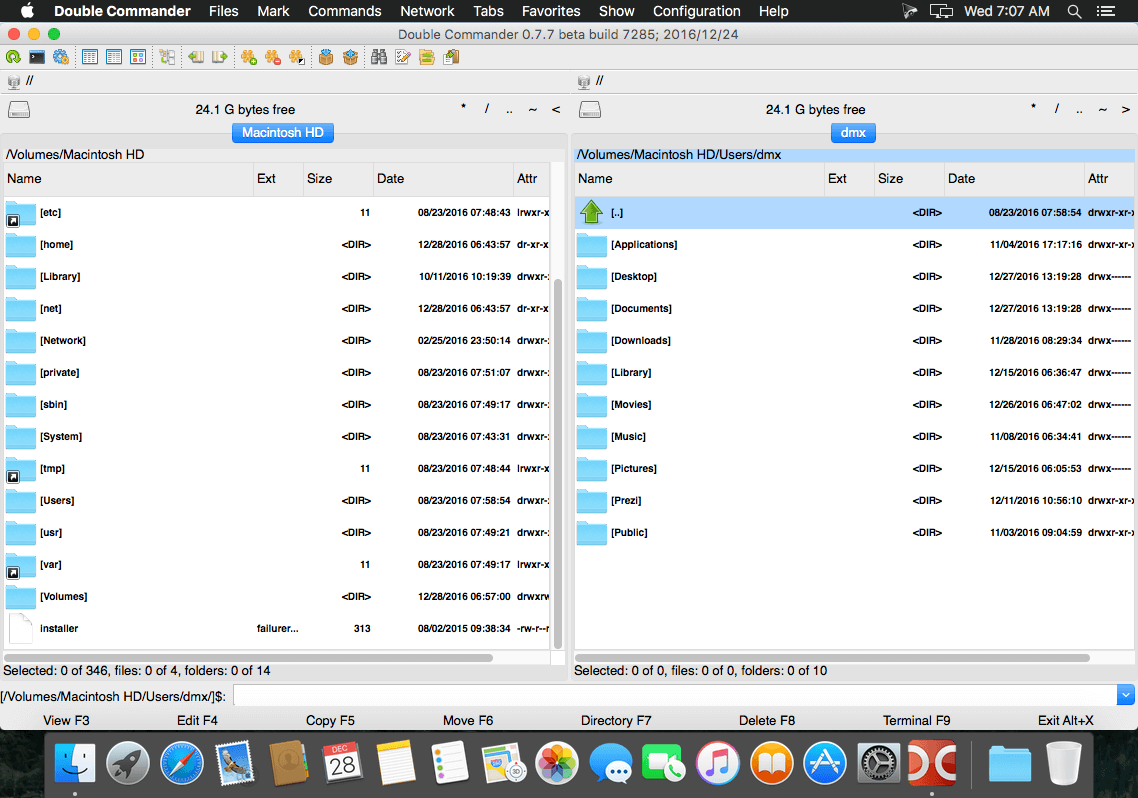
Double Commander is a cross-platform open source file manager with two panels side-by-side. It is inspired by Total Commander and features some new ideas. Here are some key features of Double Commander:
- Unicode support
- All operations working in background
- Multi-rename tool
- Tabbed interface
- Custom columns
- Internal text editor (F4) with syntax highlighting
- Built in file viewer (F3) to view files of in hex, binary or text format
- Archives are handled like subdirectories. You can easily copy files to and from archives. Supported archive types: ZIP, TAR GZ, TGZ, LZMA and also BZ2, RPM, CPIO, DEB, RAR.
- Extended search function with full text search in any files
- Configurable button bar to start external programs or internal menu commands
- Total Commander WCX, WDX and WLX plug-ins support
- File operations logging
- And much more…
Version 0.7.7:
- [Default] Start exe from command line should not inherit cashed PATH variable (Alexx2000) resolved.
- [Default] Double commander causes Dual-GPU MacBook Pro to switch to high-performance graphics (Alexx2000) resolved.
- [Graphical user interface] Search dialog doesn't find anything if it's shown for the first time (Alexx2000) resolved.
- [File operations] After cancelling rar unpacking, the .rar file remains locked (Alexx2000) resolved.
- [File operations] After cancelling extraction from paused state, the partially extracted file is locked, and thus cannot be deleted or overwritten (Alexx2000) resolved.
- [File operations] It's not possible to read some files (file names) from FTP destination . (Alexx2000) resolved.
- [Graphical user interface] После повторного выбора вида "Эскизы" переключается на "Подробный" (Alexx2000) resolved.
- [File operations] Moving directory does not preserve the directory timestamps (Alexx2000) resolved.
Frequently asked questions
How do I install the app?
Mount the image, drag the app into the "Applications" folder and launch it. If the system blocks the launch, allow it in "System Settings → Privacy & Security".
The app is damaged or won't launch
Reinstalling from a fresh image usually helps. Make sure your macOS version matches the one listed in the compatibility specs.
How do I update?
Download the new version from the site and install it over the current one — your settings will be preserved.
The download link doesn't work
Try a mirror or a download manager. For large files the browser often drops the connection.
How do I completely remove the app?
Use an uninstaller utility — it cleans up the service files that remain after moving the app to the trash.


Choose a download source
Double Commander 0.7.7 · 17.03 MB