
Privacy Protector 2.7
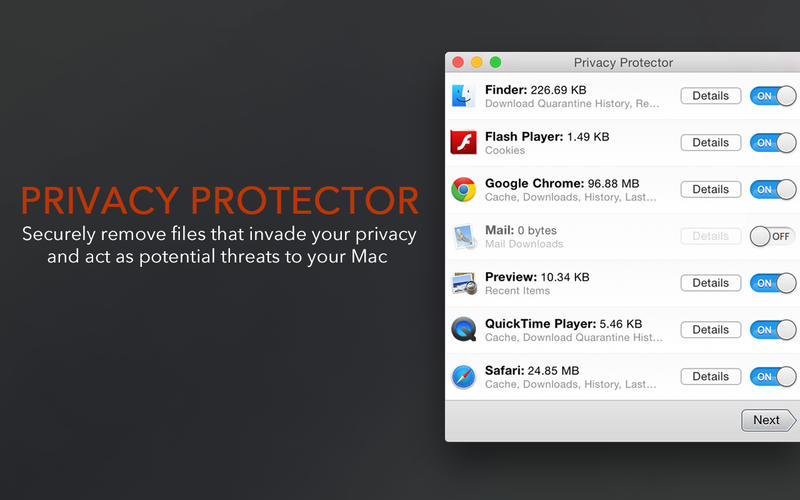
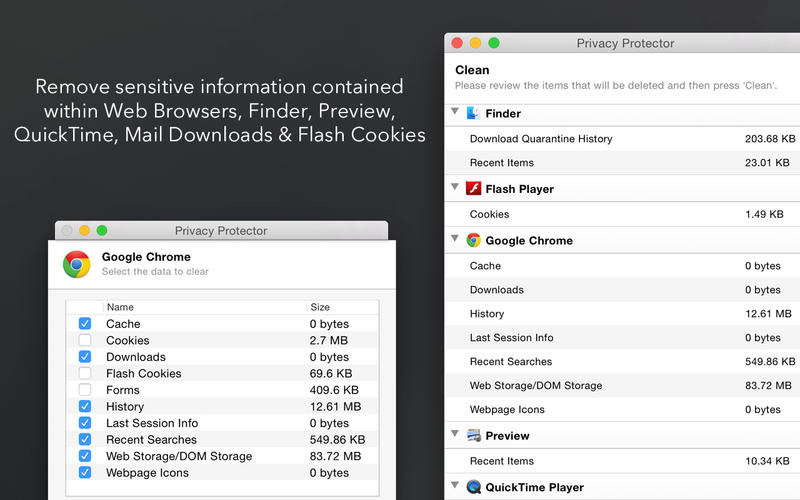
Privacy Protector is a powerful and effective way to securely get rid of files and data that may invade your privacy and act as potential threats to your Mac. You can use this app to remove a host of sensitive information that can be used to track your activities. Specifically, it clears your cache files, cookies, browsing history, and more, all at the click of a button.
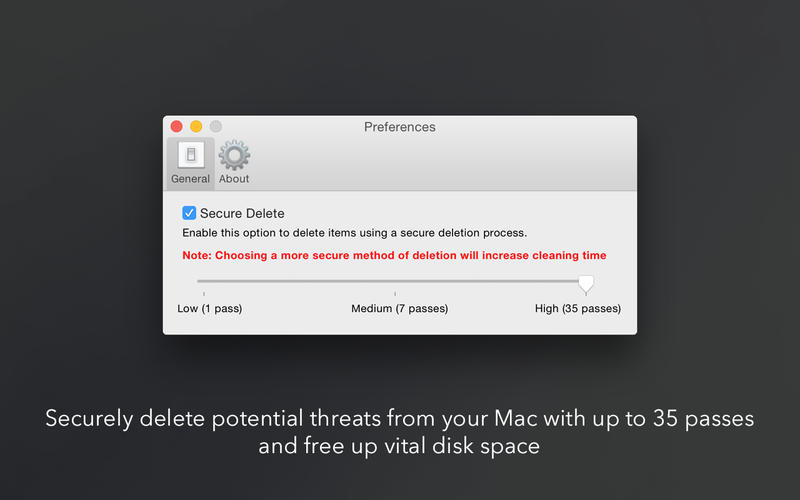
Privacy Protector uses the highest industry encryption standards to ensure that data removal is thorough, yet safe and secure. You can manually adjust the level of security you want in the deletion process, with the ability to overwrite files with up to 35 passes to ensure complete removal of sensitive information. Moreover, removal of data not only ensures you maintain your privacy, you also gain back valuable disk space upon cleansing your system.
Use Privacy Protector for the following:
- Internet Browsers: Remove Caches, Cookies, History, Downloads, Forms, Recent Searches, Web Storage, Last Session Information and much more
- QuickTime Player: Remove Caches, Download Quarantine History, Recent Items
- Finder: Remove Download Quarantine History, Recent Items
- Preview: Remove Recent Items
- Empty Mail Downloads
- Remove Flash Cookies
WHAT’S NEW
Version 2.7
- Added support for Touch Bar
- User interface improvements
SCREENSHOTS
Frequently asked questions
How do I install the app?
Mount the image, drag the app into the "Applications" folder and launch it. If the system blocks the launch, allow it in "System Settings → Privacy & Security".
The app is damaged or won't launch
Reinstalling from a fresh image usually helps. Make sure your macOS version matches the one listed in the compatibility specs.
How do I update?
Download the new version from the site and install it over the current one — your settings will be preserved.
The download link doesn't work
Try a mirror or a download manager. For large files the browser often drops the connection.
How do I completely remove the app?
Use an uninstaller utility — it cleans up the service files that remain after moving the app to the trash.
VersionPrivacy Protector 2.7
DeveloperFIPLAB Ltd
CompatibilityOS X 10.7 or later, 64-bit processor
LanguageEnglish
IncludesPre-K'ed




Information
Visitors in the group Guests cannot leave comments on this publication.
Choose a download source
Privacy Protector 2.7 · 6.31 MB