PrivacyScan 1.9.5
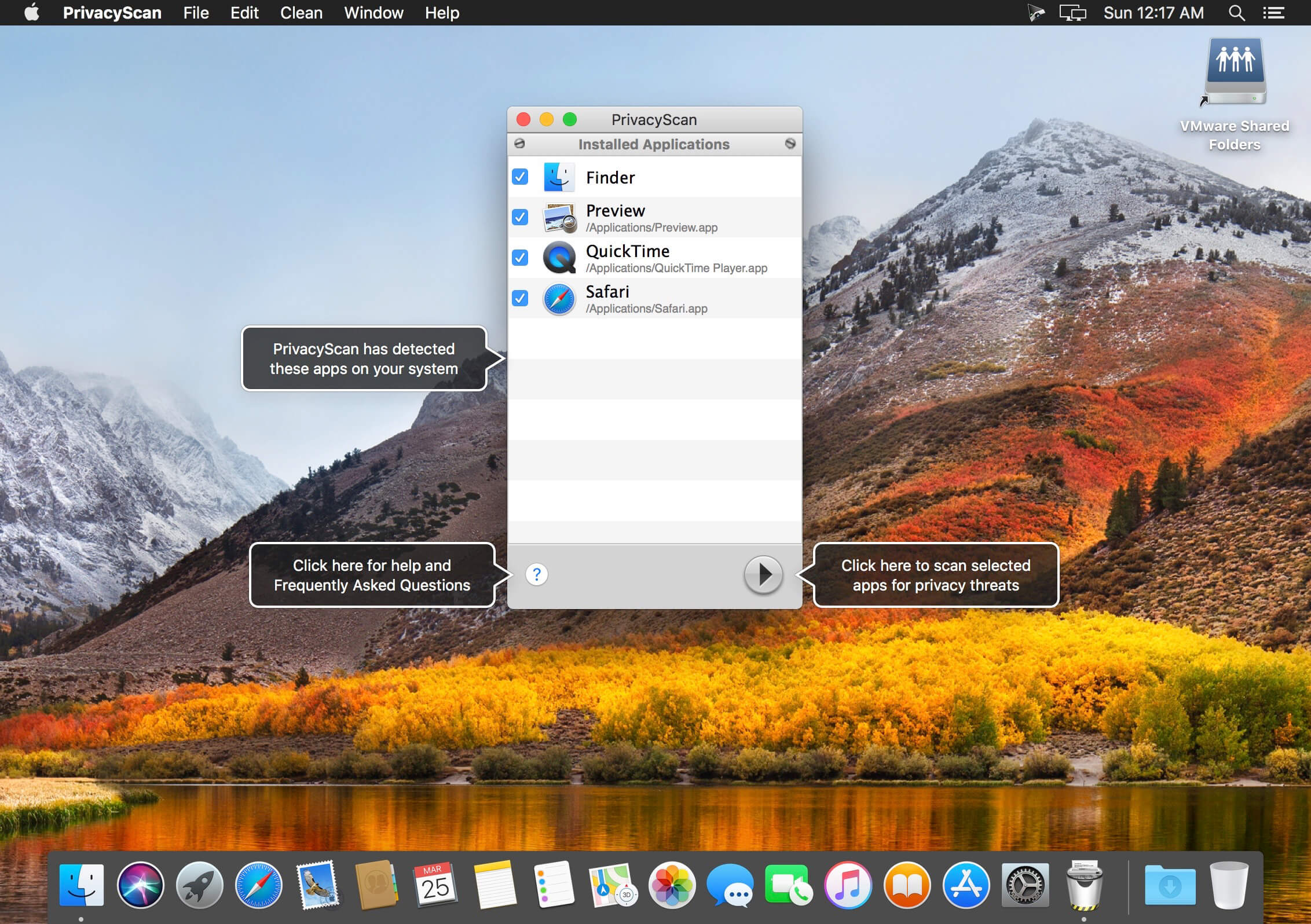
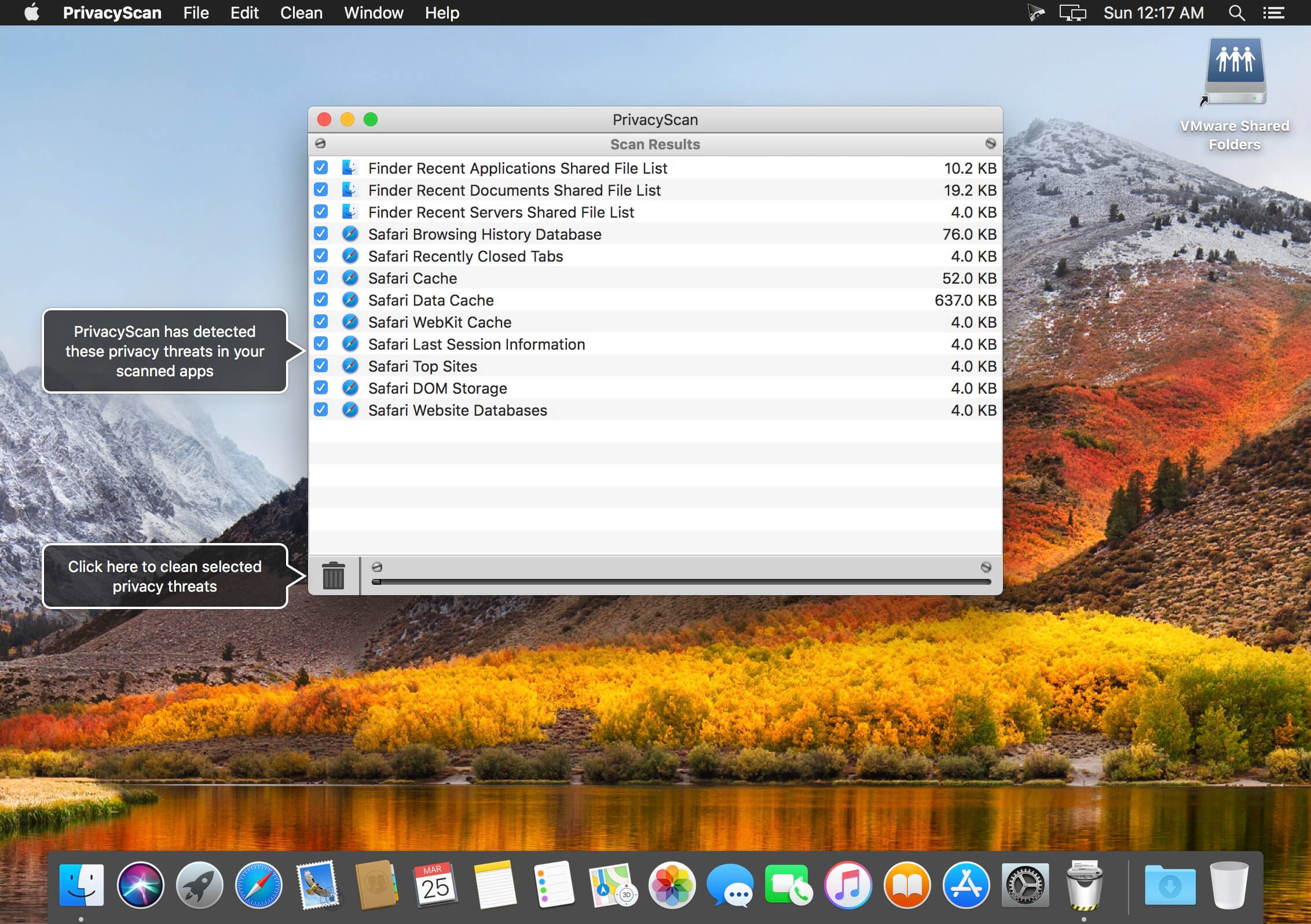

Securely erase those pesky files that violate your privacy by allowing people to see where you were surfing and what you were doing on your computer. Safely and securely destroy Internet files used for tracking your whereabouts such as cache files, browsing history, cookies, flash cookies and temporary files to clean your Mac and save space while stopping snoopers from spying on your system.
With PrivacyScan, you can rest assured that your tracks remain covered, your private information remains private, and deleted items stay that way. The secure shredding offered within PrivacyScan goes above and beyond United States Department of Defense (DoD) deletion standards by overwriting files with up to 35 passes to ensure complete deletion of sensitive data.
PrivacyScan works with many media, Internet, and popular apps such as web browsers, to scan for potential privacy threats and offer removal options to help protect your privacy and cleanse your system to save disk space.
Version 1.9.5
- PrivacyScan is now compatible with macOS 10.14 (Mojave)
- Fixed a bug where Chrome Download Metadata wasn’t being identified for cleaning in some situations
- Fixed a bug where Firefox Browsing History wasn’t being identified for cleaning in some situations
- Fixed a bug where Firefox Download History wasn’t being identified for cleaning in some situations
- Fixed a bug where Safari Caches were not being identified for cleaning in some situations
- User interface updates and improvements
Frequently asked questions
How do I install the app?
Mount the image, drag the app into the "Applications" folder and launch it. If the system blocks the launch, allow it in "System Settings → Privacy & Security".
The app is damaged or won't launch
Reinstalling from a fresh image usually helps. Make sure your macOS version matches the one listed in the compatibility specs.
How do I update?
Download the new version from the site and install it over the current one — your settings will be preserved.
The download link doesn't work
Try a mirror or a download manager. For large files the browser often drops the connection.
How do I completely remove the app?
Use an uninstaller utility — it cleans up the service files that remain after moving the app to the trash.
VersionPrivacyScan 1.9.5
DeveloperSecureMac.com, Inc
CompatibilityOS X 10.6 or later, 64-bit processor
LanguageEnglish
IncludesK'ed by TNT



Information
Visitors in the group Guests cannot leave comments on this publication.
Choose a download source
PrivacyScan 1.9.5 · 7.64 MB