
DrawOutX 2.3

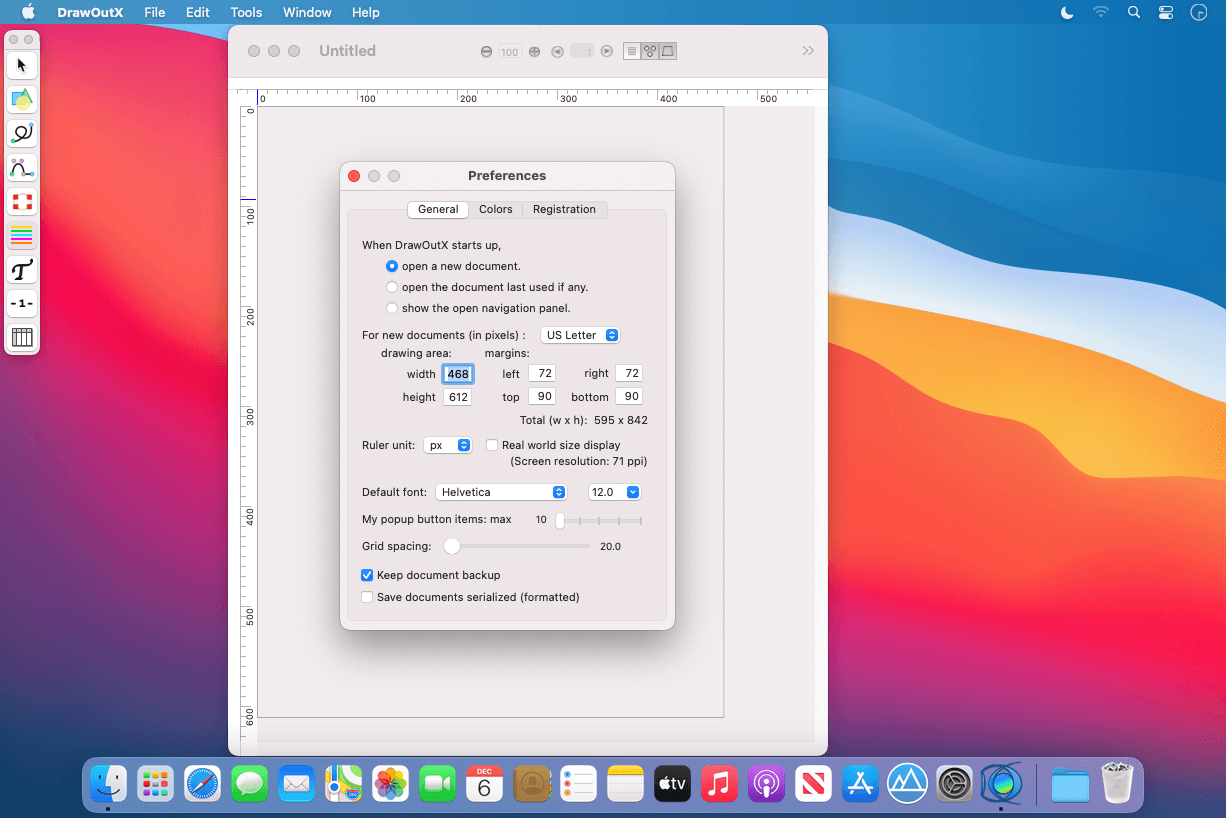
DrawOutX lets you create multi-page documents with simple draw and flexible layout. You can draw and control bezier paths (saved shapes, free lines, or lines and curves in mixture), write or paste text where you want, drag-and-drop images, add simple tables, stamp date and page, and finally export all or a part of the document as image (JPEG, PDF, PNG and TIFF).
You can
- Draw and edit simple shapes
- Write, paste or drag & drop text anywhere in documents
- Drag & drop images anywhere in document
- Adjust each object's various properties
- Control the order of all the objects specifically
- Import PDF as image and add text & shapes or clip parts in arbitrary shapes
- Saving add, move, or delete pages and merge image files
- Export the whole or parts of documents as image files
- ... Please find many features DrawOutX offers in the program's Help menu.
Version 2.3:
- Release notes were unavailable when this listing was updated
Frequently asked questions
How do I install the app?
Mount the image, drag the app into the "Applications" folder and launch it. If the system blocks the launch, allow it in "System Settings → Privacy & Security".
The app is damaged or won't launch
Reinstalling from a fresh image usually helps. Make sure your macOS version matches the one listed in the compatibility specs.
How do I update?
Download the new version from the site and install it over the current one — your settings will be preserved.
The download link doesn't work
Try a mirror or a download manager. For large files the browser often drops the connection.
How do I completely remove the app?
Use an uninstaller utility — it cleans up the service files that remain after moving the app to the trash.
Choose a download source
DrawOutX 2.3 · 18.27 MB
Previous versions
DrawOutX 2.3
Previous versions are available to registered users.