
DaisyDisk 4.34.2
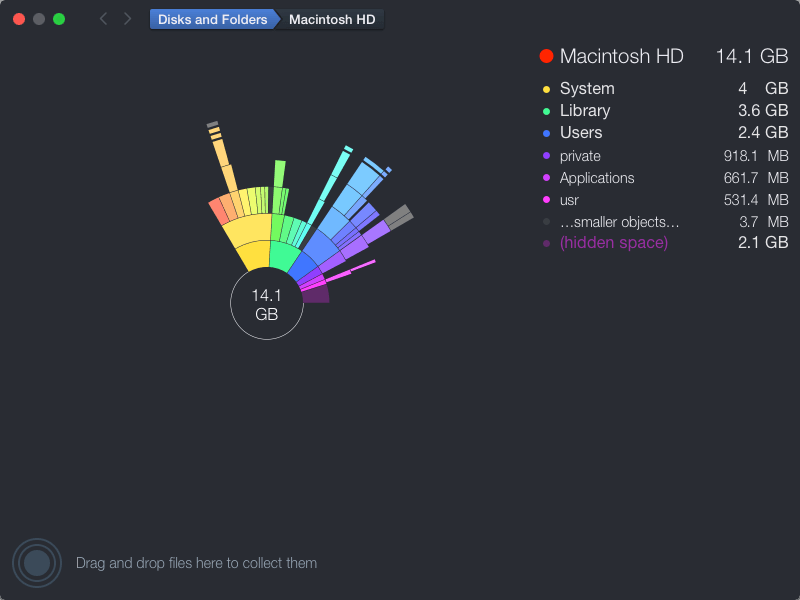
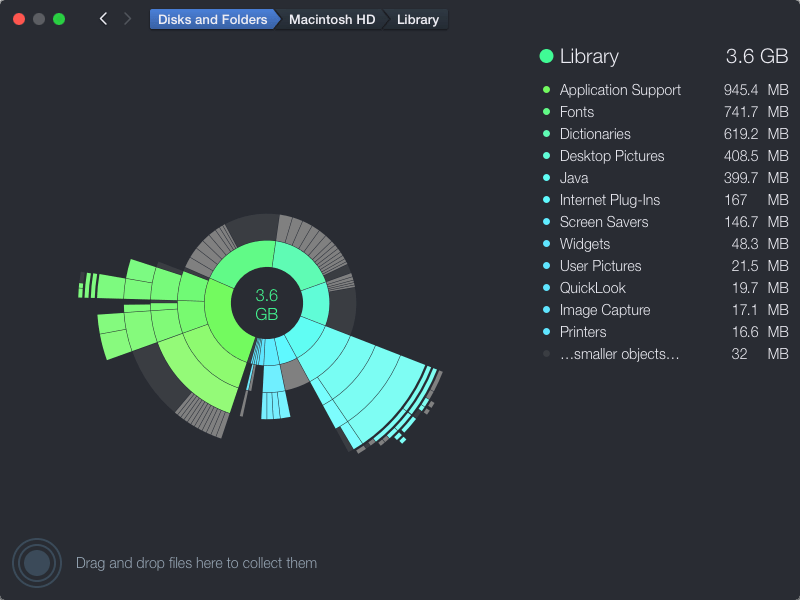
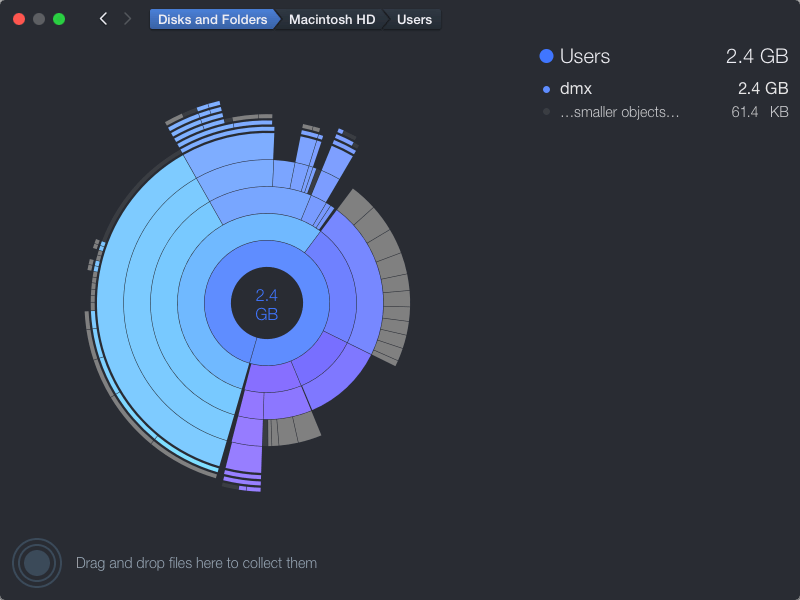
DaisyDisk allows you to visualize your disk usage and free up disk space by quickly finding and deleting big unused files.
The program scans your disk and displays its content as a sector diagram where the biggest files and folders at once become obvious. To drill down to a folder, just click on a segment. To bubble up, click in the center. Move the mouse over the diagram and see the name and path of each file, and enclosed files (if any). Hit Space to quickly preview file content, without launching another application. In this way, walk around your disk and drag-and-drop all unneeded files into the "collector". Expand the collector to check its contents. When done, clean it up with a single click.
Version 4.34
- Increases accuracy of space calculation by adding support for APFS clones.
- This update detects and accounts for the APFS clones. Similar to hard links, DaisyDisk counts only the first occurrence of each clone, assigning the rest of them a virtual size of 0 bytes, so that the total calculation of physically used space remains correct.
- The clones are a widely used feature of macOS APFS file system, which allows to reference the same file on disk from different folders, as if they were copies, but without consuming additional disk space. Compared to its predecessor - hard links - APFS clones allow more flexibility and robustness.
Frequently asked questions
How do I install the app?
Mount the image, drag the app into the "Applications" folder and launch it. If the system blocks the launch, allow it in "System Settings → Privacy & Security".
The app is damaged or won't launch
Reinstalling from a fresh image usually helps. Make sure your macOS version matches the one listed in the compatibility specs.
How do I update?
Download the new version from the site and install it over the current one — your settings will be preserved.
The download link doesn't work
Try a mirror or a download manager. For large files the browser often drops the connection.
How do I completely remove the app?
Use an uninstaller utility — it cleans up the service files that remain after moving the app to the trash.


Choose a download source
DaisyDisk 4.34.2 · 8.31 MB
Previous versions
DaisyDisk 4.34.2
Previous versions are available to registered users.