
PhotoSweeper X 5.5.5

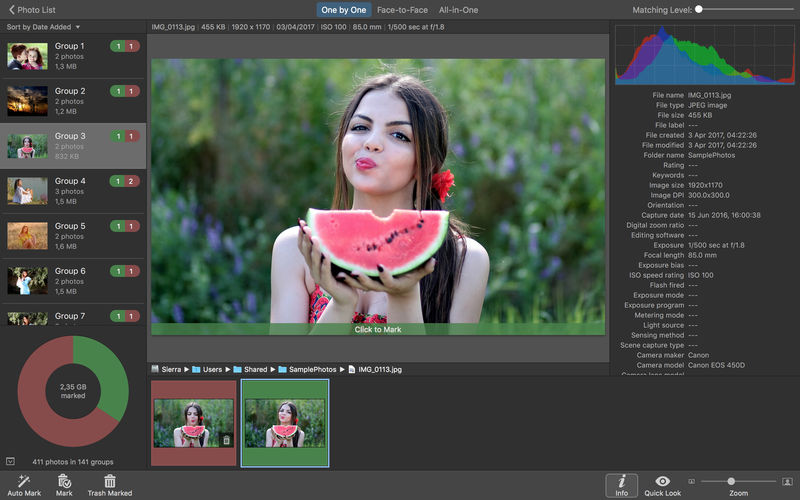
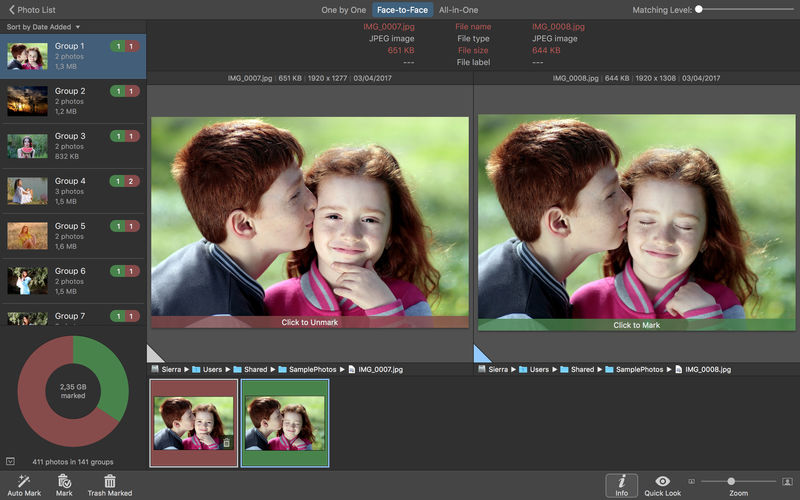
PhotoSweeper helps quickly and efficiently eliminate similar or duplicate photos. It works with photos from iPhoto, Aperture and Adobe Lightroom libraries as well as photos from your Mac.
PhotoSweeper will help you if:
- You take a series of shots of the same scene trying to get the perfect one.
- You edit photos with applications, such PhotoShop, Pixelmator, etc., and make backups just in case.
- You have photos scattered on external hard drives and local disks, in iPhoto, Aperture or Lightroom libraries.
- You have a mess in your photo collection or just want to free disk space by removing junk photos.
Features
Easy to find photos
Just drag and drop folders to allow PhotoSweeper to find all photos inside. Add more photos from your iPhoto, Aperture or Lightroom library via the Media window.
Flexible comparison settings
Use 6 different methods to find similar or duplicate photos, even those edited in external programs such Photoshop, regardless of image size or format.
Fast
PhotoSweeper was developed to be extremely fast at comparing large number of photos. Using efficient caches allows you to make the next comparison much faster. You have an opportunity to regroup the results on-the-fly by changing a matching level of similarity.
Easy to manage photos
Review results in "Face-to-Face" or "Groups" mode. Put photos into a virtual container, "Box". Delete, move, or copy photos from the Box. Bulk rename photos while copying or moving.
Great photo browsing
PhotoSweeper provides an up-to-date photo browser with such features as: fast loading of thumbnails, Quick Look preview, drag and drop support, showing paths, ratings, labels, etc. The "Image Info" panel shows more detailed information, including histogram and image metadata (EXIF, IPTC, etc.).
A comprehensive user manual is available in the Help menu.
Version 5.5.5
- XMP sidecar files: support for reading metadata from sidecar files.
- DNG extension: improved reading of Adobe DNG images.
- Adobe Lightroom: improved handling of previews.
- Import: new options to ignore hidden photos in Apple Photos and rejected ones in Adobe + Lightroom.
- Bug fixes and performance improvements based on user feedback.
Frequently asked questions
How do I install the app?
Mount the image, drag the app into the "Applications" folder and launch it. If the system blocks the launch, allow it in "System Settings → Privacy & Security".
The app is damaged or won't launch
Reinstalling from a fresh image usually helps. Make sure your macOS version matches the one listed in the compatibility specs.
How do I update?
Download the new version from the site and install it over the current one — your settings will be preserved.
The download link doesn't work
Try a mirror or a download manager. For large files the browser often drops the connection.
How do I completely remove the app?
Use an uninstaller utility — it cleans up the service files that remain after moving the app to the trash.
Related posts





Choose a download source
PhotoSweeper X 5.5.5 · 56 MB
Previous versions
PhotoSweeper X 5.5.5
Previous versions are available to registered users.
Comments 1