
Memory Disk File Cleaner 2.9.1
Fast and Powerful CPU, RAM, Disk, File cleaner. Ranked in the top Paid App in 20 countries.
New featuring Boost up Memory, Optimize Disk, bring your Mac’s performance up to speed with these fantastic new features!
Memory Disk File Cleaner performs a comprehensive sweep for junk files that are often left over after apps are uninstalled.
Memory Disk File Cleaner automatically reclaims system memory when you close a memory-intensive app. Increasing the productivity of your Mac!
Primaty features:
Boost up Memory
- Automatically optimizes memory when apps close
- Reclaim unused memory to make it available for use by other apps
- Optimize memory with one click
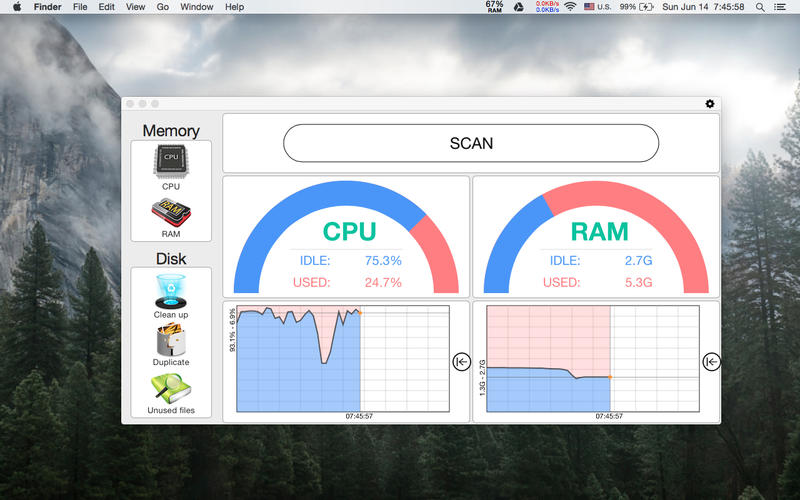
- Graph monitor to track real-time memory status
Optimize Disk
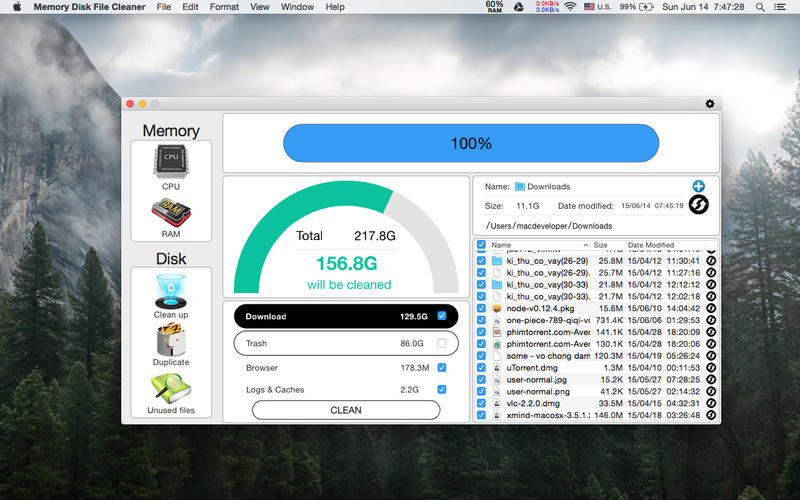
- Clean temporary file such as logs, caches files, downloads, etc.
- Empty current user’s Trash Can
- Remind users to clean their disk when necessary
Find Duplicate Files
- Files compared via our advanced SHA-1 hash checksum algorithm
- Super fast and accurate duplicate detection
- Locate duplicate images, audio, archives, entire folders and more
- Automatic one-click duplicate selection
Find Unused & Old Files
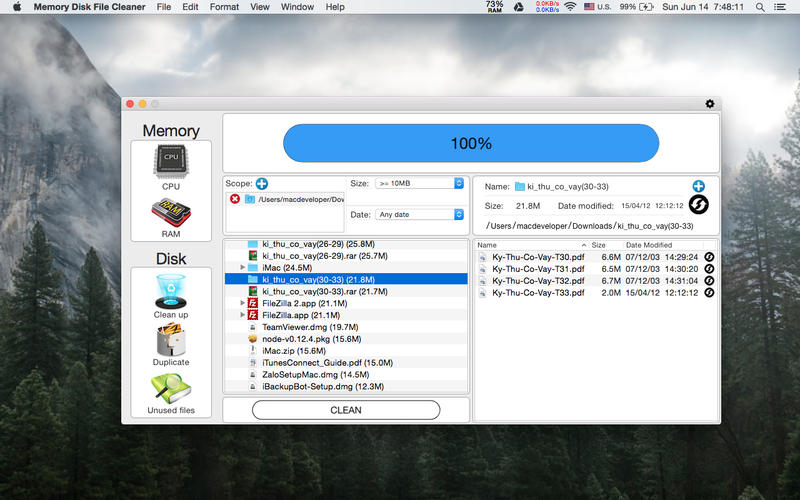
- Add multiple folders for scanning
- More condition with Size & Date
- Automatic one-click scan
SCREENSHOTS
Frequently asked questions
How do I install the app?
Mount the image, drag the app into the "Applications" folder and launch it. If the system blocks the launch, allow it in "System Settings → Privacy & Security".
The app is damaged or won't launch
Reinstalling from a fresh image usually helps. Make sure your macOS version matches the one listed in the compatibility specs.
How do I update?
Download the new version from the site and install it over the current one — your settings will be preserved.
The download link doesn't work
Try a mirror or a download manager. For large files the browser often drops the connection.
How do I completely remove the app?
Use an uninstaller utility — it cleans up the service files that remain after moving the app to the trash.
VersionMemory Disk File Cleaner 2.9.1
DeveloperGiau Huynh
CompatibilityOS X 10.10 or later, 64-bit processor
LanguageEnglish
IncludesPre-K'ed




Information
Visitors in the group Guests cannot leave comments on this publication.
Choose a download source
Memory Disk File Cleaner 2.9.1 · 4.93 MB