
Boost up Memory 2.9.1
Macs are used daily for intensive usage like editing, programming, and much more! Having too many apps open can damage or slow down your disk! That’s why you need to buy our app, which is Ranked top Paid Apps in 20 countries, and extend the life of your Mac!
You don’t know which files are unnecessary, so let us find them for you! Just use our app and within moments your Mac should be even better!
Our All in One App Can:
Boost Up Memory By
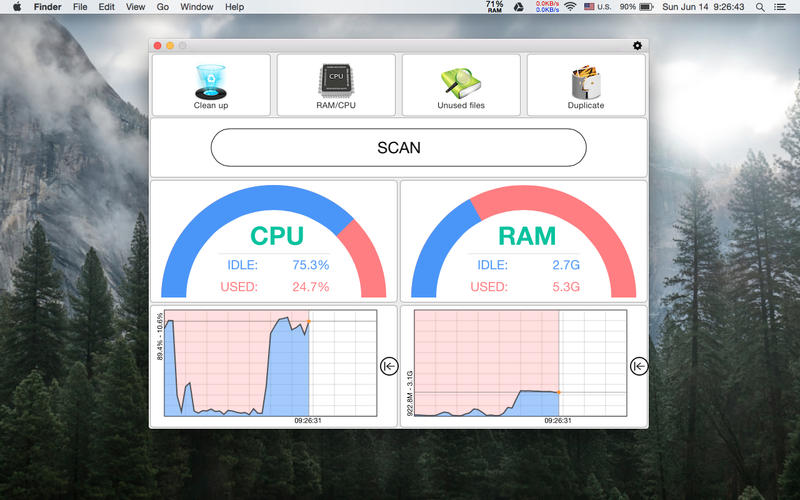
- Optimizing memory when an app closes with just 1 Click
- Reclaiming unused memory
Optimize Disk By
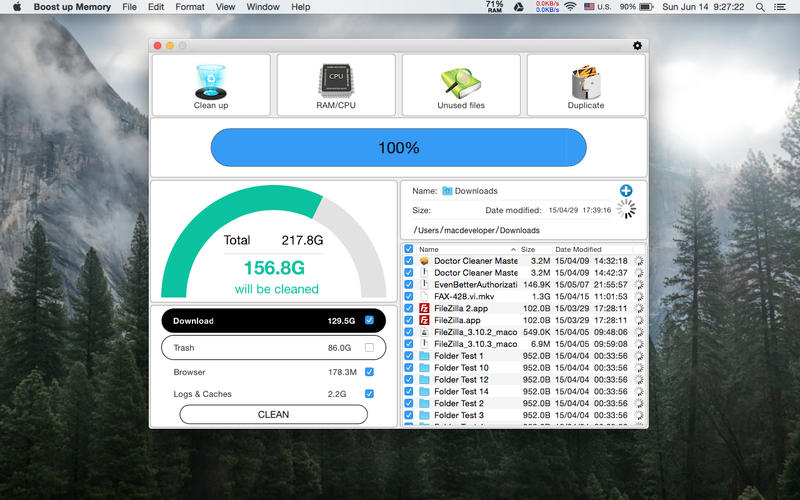
- Cleaning temporary file such as logs, caches files, downloads, etc.
- Emptying current user’s Trash Can
- Sending reminders to clean when necessary
Find Duplicate, Unused, & Old Files By
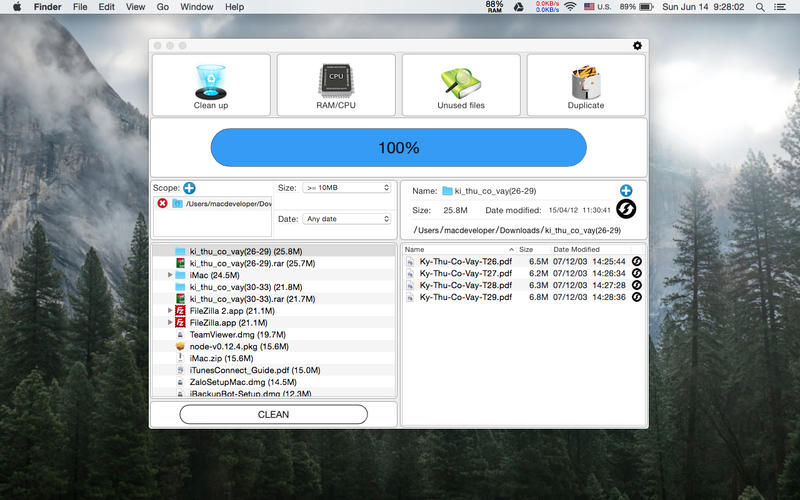
- Comparing files via our advanced SHA-1 hash checksum algorithm
- Our accurate and fast duplicate detection
- An Automatic one-click speedy scan
Снимки экрана
Frequently asked questions
How do I install the app?
Mount the image, drag the app into the "Applications" folder and launch it. If the system blocks the launch, allow it in "System Settings → Privacy & Security".
The app is damaged or won't launch
Reinstalling from a fresh image usually helps. Make sure your macOS version matches the one listed in the compatibility specs.
How do I update?
Download the new version from the site and install it over the current one — your settings will be preserved.
The download link doesn't work
Try a mirror or a download manager. For large files the browser often drops the connection.
How do I completely remove the app?
Use an uninstaller utility — it cleans up the service files that remain after moving the app to the trash.
VersionBoost up Memory 2.9.1
DeveloperGiau Huynh
CompatibilityOS X 10.10 or later, 64-bit processor
LanguageEnglish
IncludesPre-K'ed





Information
Visitors in the group Guests cannot leave comments on this publication.
Choose a download source
Boost up Memory 2.9.1 · 5.78 MB