Coherence X 6.1
Coherence X: Turn Websites into Native Mac Apps

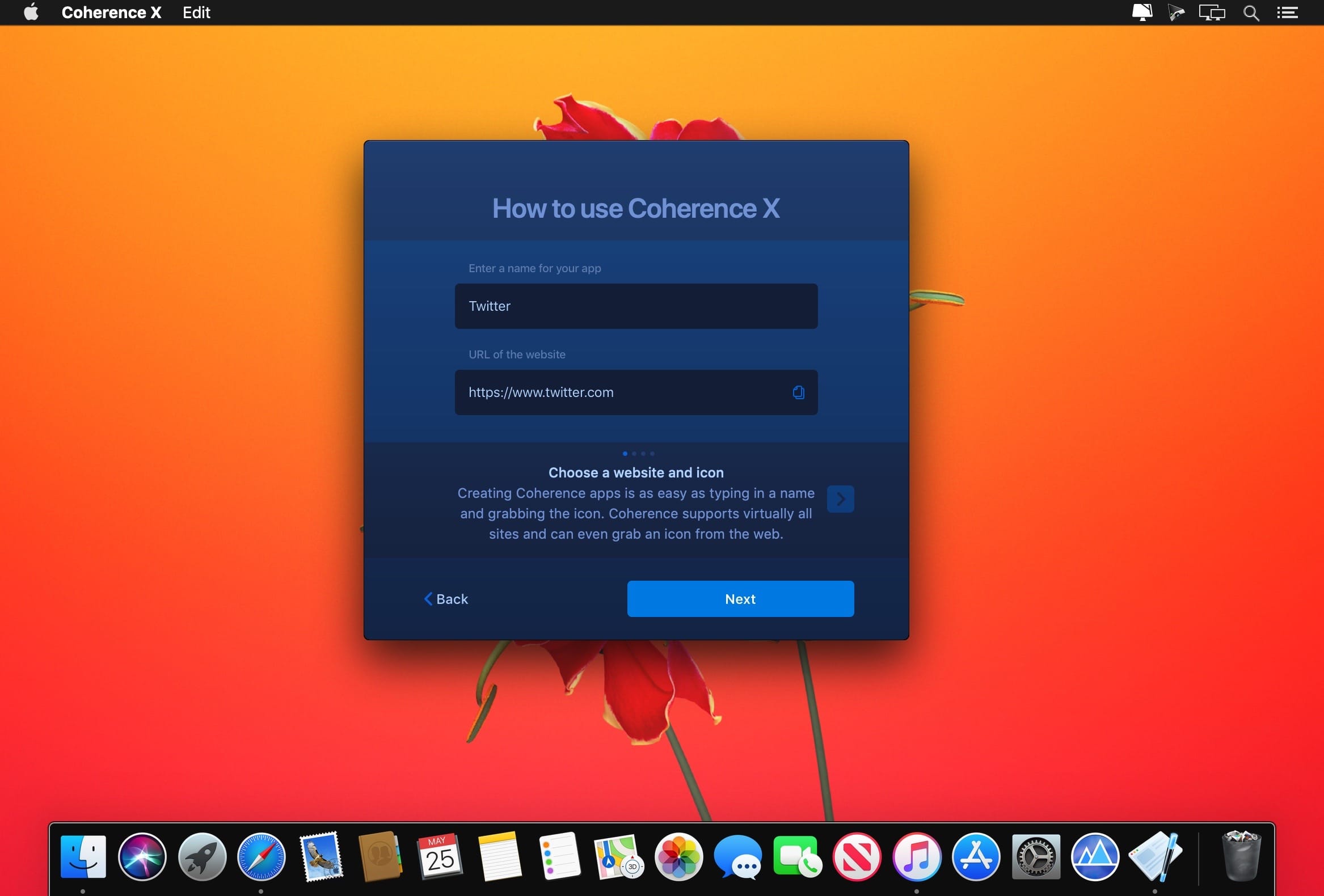
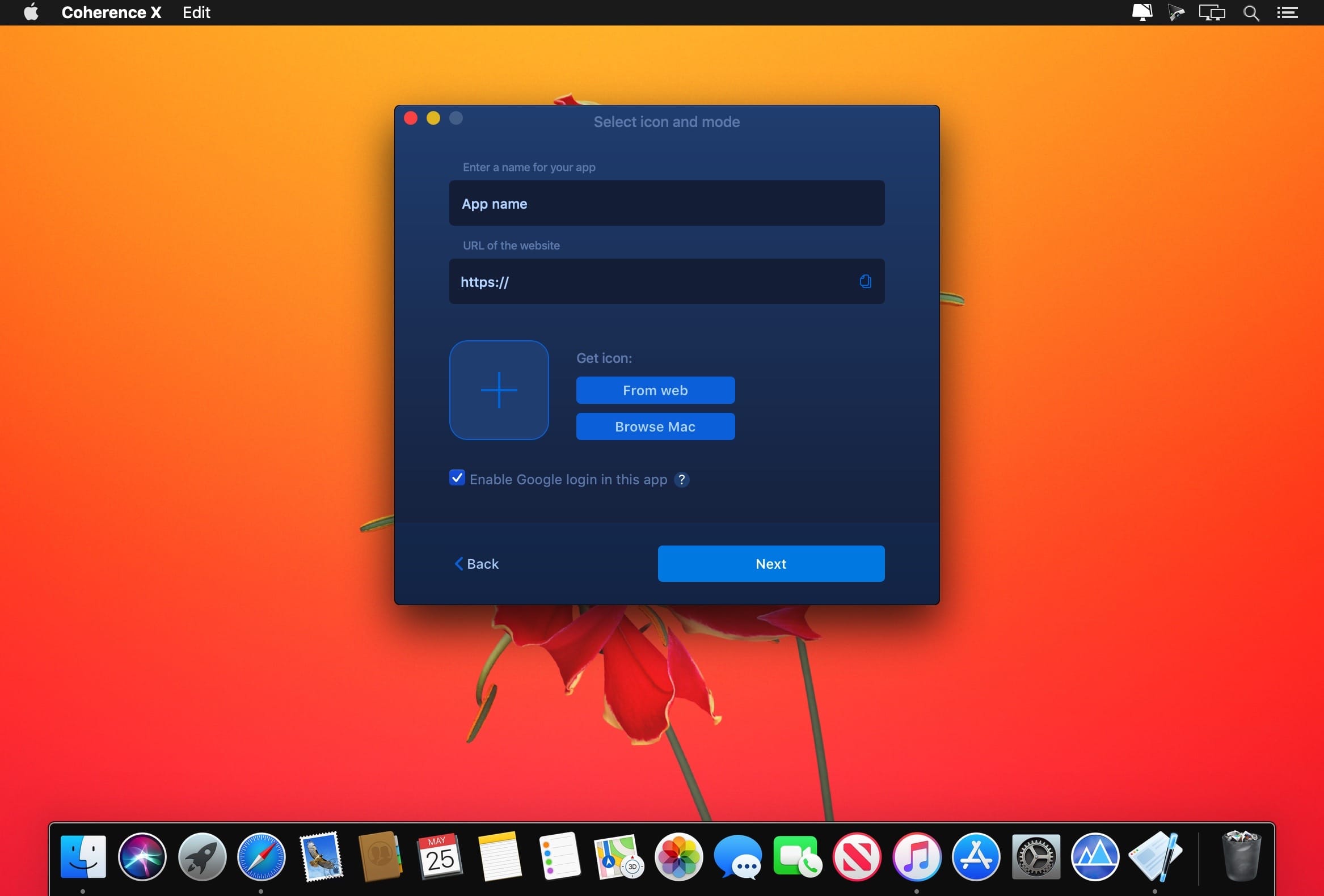
Coherence X6 transforms web apps into focused, lightweight desktop experiences—without the clutter of browser tabs. Create dedicated apps for email, productivity tools, streaming services, and more, each with its own settings, extensions, profiles, and sessions.
Create Apps in Seconds
Simply enter a website address, choose an icon, and name your app. Coherence X6 instantly creates a polished Mac app that’s ready to use.
Choose Your Experience
Customize each app to match the way you work:
- Single-window apps for a clean, focused workspace
- Tabbed browser apps when you need the flexibility of a full browser
- Private apps with isolated profiles and settings
Built for macOS
The Coherence extension gives every app a native Mac feel with intelligent window behavior, deep-link support, session restoration, and seamless integration with your workflow.
Make the Web Feel Like Mac
Design custom icons, organize your app library, manage profiles, and fine-tune every app from one streamlined interface.
With Coherence X6, the web becomes part of your Mac—one app at a time.
Version 6.0:
- All-New Coherence Engine: The new Coherence engine creates lighter, more secure app bundles that run directly from their own app bundle. In addition to better performance, this fixes many long-standing Coherence quirks — apps now behave properly in the Dock (drag them there just like any other Mac app), group correctly in Stage Manager with the right icons, and no longer create duplicate Dock icons.
- Full Chromium Sandbox: Coherence apps no longer launch with sandbox-disabling or testing flags. Every app now runs with Chromium's security sandbox fully enabled, giving you the same protection as the browser itself.
- Redesigned Creation Tool: App creation is now a single, beautiful Liquid Glass canvas built right into the main window — no more popup wizard. See every option at a glance and go from URL to Mac app faster than ever.
- Import From Your Browser: Bring your existing browsing data into a new app during creation, so it feels like home from the first launch — your browser's own data is left untouched.
- Import Your Extensions: Carry the extensions you already use straight from your browser into your new app, with per-extension selection so you bring over only the ones you want.
- Link Forwarding 2.0: A rebuilt link forwarding engine with a new rules editor in the creation tool. Decide exactly which links open in your app and which go to your browser — rules apply to your apps live without recreating them, and links opened by pages themselves (like ChatGPT source links) are now handled too.
- All-New Coherence Extension: The Coherence Extension has been rebuilt from the ground up to power Link Forwarding 2.0, with a redesigned options page and deeper integration with Coherence.
- Automatic Extension Setup: The Coherence Extension now installs automatically in every new app and is managed entirely from within Coherence - no manual setup, and it stays up to date on its own.
- Vivaldi and Helium Support: Two new engines join the lineup: build your apps on Vivaldi or the lightweight Helium browser.
- Improved Chromium Support: Better support for Chromium-based engines across the board, including Chromium and Ungoogled Chromium.
- Brave Reliability: Fixed issues that could cause Brave-based apps to crash at launch or break after Brave updates.
- One Free App, No Time Limit: The 14-day trial is gone. The free version now lets you create and use one app for as long as you like - upgrade when you're ready for more.
- Smarter Icon Fetching: Icon lookup now handles sites on custom ports correctly and skips unreachable icons quickly, so app creation stays fast.
- Leaner and Faster: Coherence is smaller, lighter, and faster across the board — from the app itself to every app it creates.
- Bug Fixes & Polish: Dozens of refinements across the app - from keyboard navigation in the creation tool to a cleaner app library - make Coherence smoother and more reliable than ever.
Frequently asked questions
How do I install the app?
Mount the image, drag the app into the "Applications" folder and launch it. If the system blocks the launch, allow it in "System Settings → Privacy & Security".
The app is damaged or won't launch
Reinstalling from a fresh image usually helps. Make sure your macOS version matches the one listed in the compatibility specs.
How do I update?
Download the new version from the site and install it over the current one — your settings will be preserved.
The download link doesn't work
Try a mirror or a download manager. For large files the browser often drops the connection.
How do I completely remove the app?
Use an uninstaller utility — it cleans up the service files that remain after moving the app to the trash.



Choose a download source
Coherence X 6.1 · 24.88 MB
Previous versions
Coherence X 6.1
Previous versions are available to registered users.