Graphic 3.1

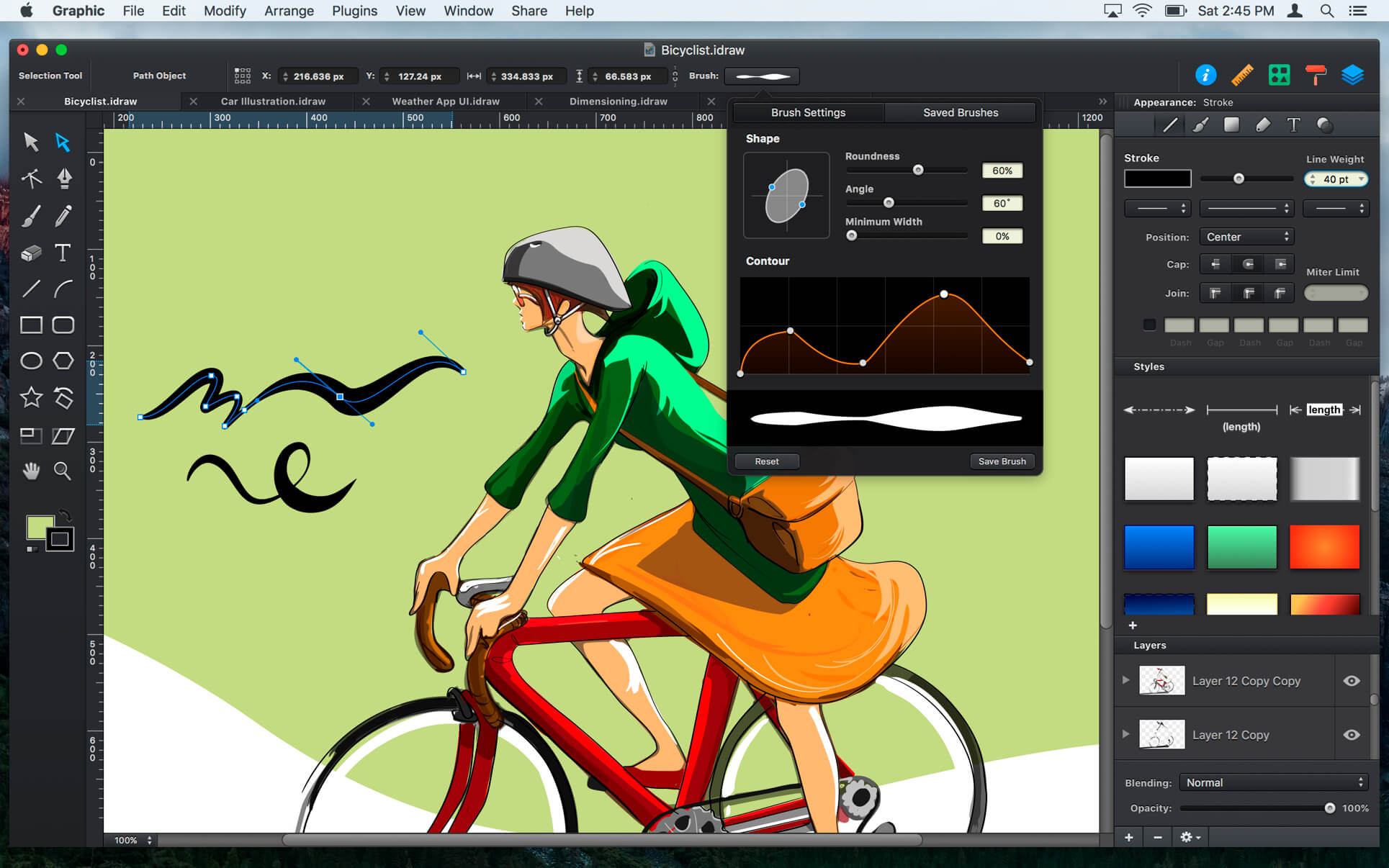
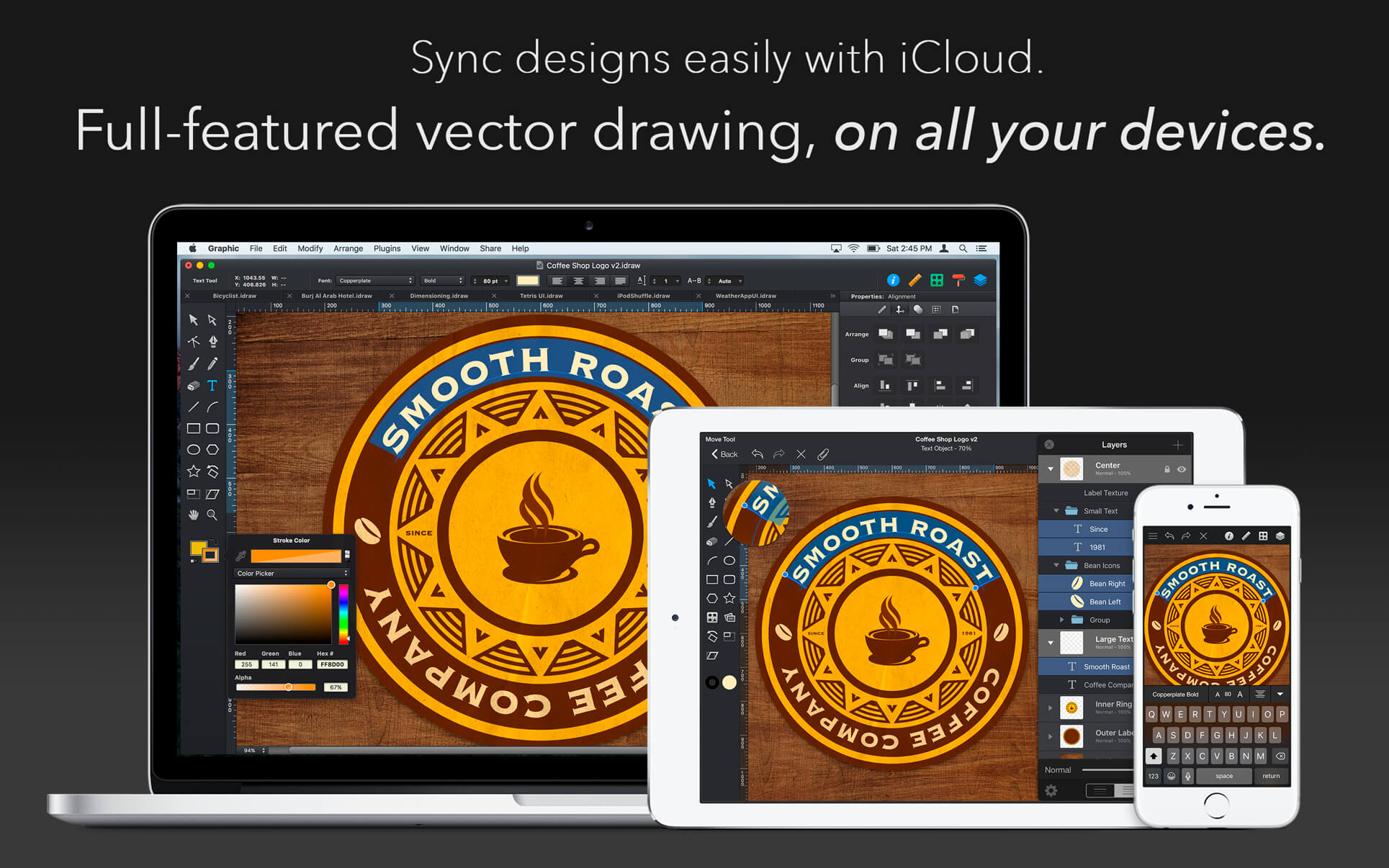
Graphic has all of the tools you need to create everything from detailed technical illustrations to beautiful works of art. Create intricate designs quickly and easily, and continue working on the go with Graphic for the iPad.
Create resolution-independent illustrations that can be pasted into Pages documents, included in Keynote presentations, or used together with iBooks Author.
Import/Export
- Import SVG, PDF, EPS, and Photoshop PSD files.
- Export designs as SVG, PDF, PNG, PSD, JPEG, GIF, and TIFF files.
- Copy selected objects as PNG, PDF, SVG, CSS properties, and Core Graphics code.
- Export icons, bitmap and vector images directly into Xcode xcasset folders.
- Export layers and tagged objects automatically as individual files.
- Import layered PSD files with vector paths and effects.
- Shape layers are imported as editable vector paths.
- Layer effects are imported as fully editable drop shadows, inner shadows, glows, etc.
- Export designs as layered PSD files.
- Full-featured Bezier Pen tool for creating custom shapes.
- Brush and Pencil tools for fluid drawing and sketching.
- Essential set of shape creation tools.
- Boolean path combinations.
- Path multi-point selection and editing.
- Join, connect, and disconnect paths.
- Rotate, Scale, and Shear transform tools.
- Compound Paths.
- Convert Anchors tool.
- Eraser tool.
- Scissor tool.
- Dimensioning tool.
- Apply multiple strokes, fills, and effects to any object.
- Apply inner shadows, drop shadows, and glow effects to objects.
- Arrange the order of fills, strokes, and effects using drag and drop.
- 24 vibrant blend modes, including Multiply, Overlay, Linear Burn, Vivid Light, etc.
- Set blend modes for layers, shapes, fills, strokes, shadows, and glow effects.
- Shape Libraries.
- Appearance Styles.
- Text on Path.
- Multi-style Text.
- Layers and Groups.
- Smart Alignment Guides.
- Labels and Dimensioning.
- Canvas Scale, Rulers, and Units (mm, cm, inches)
- Canvas Styles.
- Snap to Grid / Snap to Point.
- Align and Distribute objects.
- Duplicate and Transform.
- Linear, Radial, and Angle gradients.
- Image masking.
- Convert Text to Paths.
- Inner and Outer Strokes.
- Outline Stroke.
- Duplicate and Transform.
- RGB, HSB, and Hex Color Pickers.
- Pixel-Preview Mode.
- Import PDF files and annotations.
- Export as vector-based PDF and SVG files.
- Plugins / Powerful scripting API.
- ColorSync Color Management.
- Fast rendering of very complex projects.
- Multi-threaded drawing ensures lag-free scrolling and zooming.
Version 3.1
- New CocoaScript plugin/scripting architecture
- Swift 4 code export
- PSD export with DPI settings
- SVG import improvements
- Many other fixes and improvements
Frequently asked questions
How do I install the app?
Mount the image, drag the app into the "Applications" folder and launch it. If the system blocks the launch, allow it in "System Settings → Privacy & Security".
The app is damaged or won't launch
Reinstalling from a fresh image usually helps. Make sure your macOS version matches the one listed in the compatibility specs.
How do I update?
Download the new version from the site and install it over the current one — your settings will be preserved.
The download link doesn't work
Try a mirror or a download manager. For large files the browser often drops the connection.
How do I completely remove the app?
Use an uninstaller utility — it cleans up the service files that remain after moving the app to the trash.
VersionGraphic 3.1
DeveloperPicta, Inc
CompatibilityOS X 10.7 or later, 64-bit processor
LanguageEnglish, French, German, Italian, Japanese, Simplified Chinese, Spanish
IncludesK'ed by TNT



Information
Visitors in the group Guests cannot leave comments on this publication.
Choose a download source
Graphic 3.1 · 20.01 MB